
Question
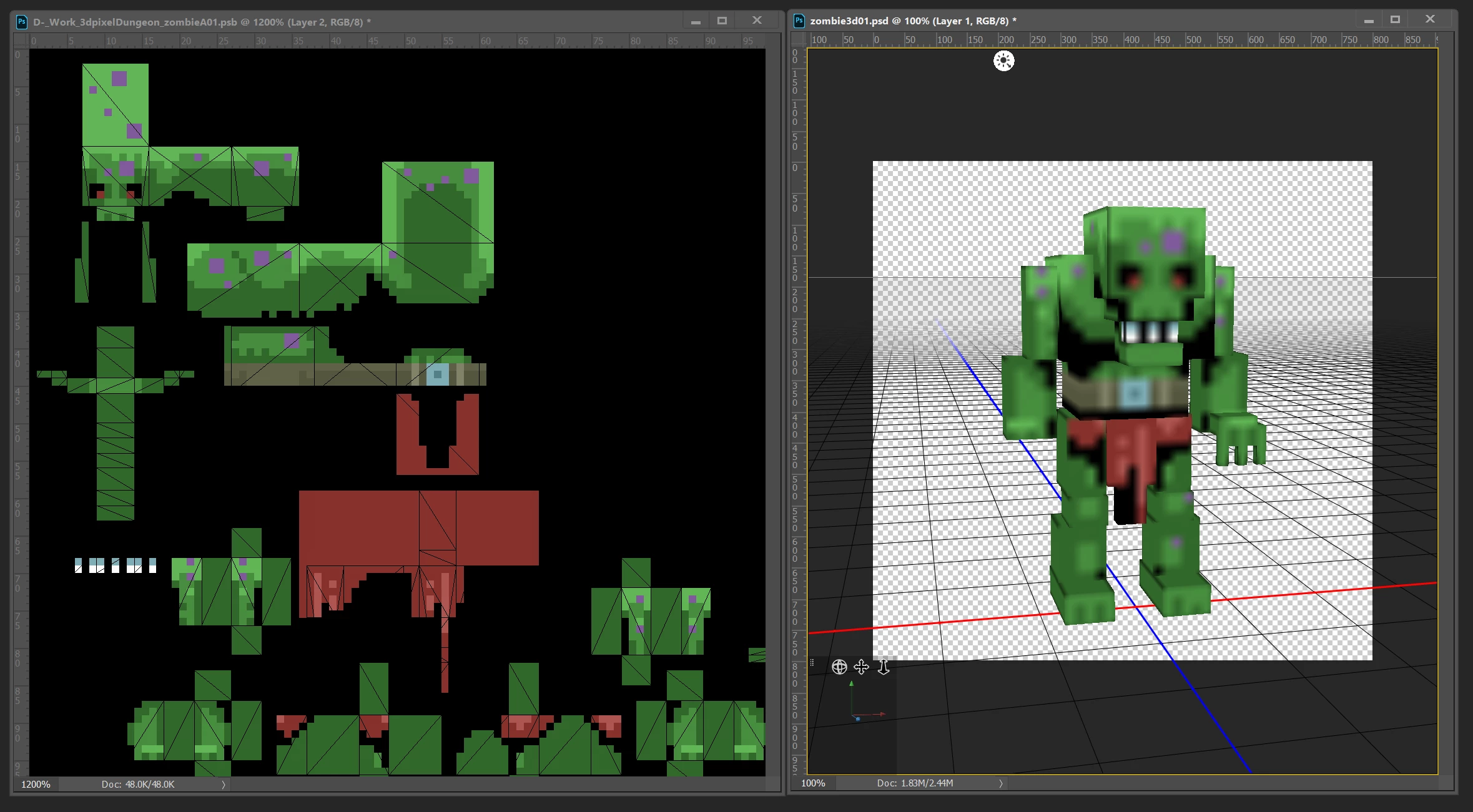
How to enable linear(point) texture filtering on 3D model while painting low-res textures in 3D mode?
Is there any way in Photoshop CC 2018 how to globally disable advanced texture filtering in 3d view while painting textures and set it to linear (or point)? For pixel art textures preparation, it is almost impossible to check the final result on a displayed 3D model. Used a bilinear or trilinear filter makes textures blurred.
 AdChoices