How to export layers to files with an applied clipping mask
Hi,
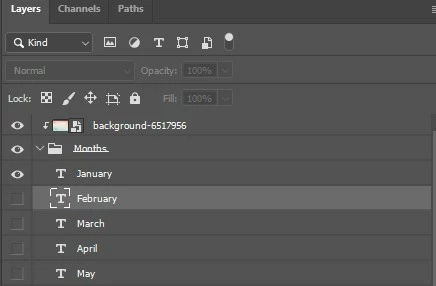
I am trying to figure out how to export multiple layers with an applied clipping mask. For example I have the words January - December all on their own layers and grouped within a folder. I applied a clipping mask to these words and want to export each month name with the applied clipping mask with a transparent PNG background and have it trim the layers.
I explored the "Layers to Files" function but that will only export the individual layers, which is great but it doesn't apply the clipping mask to each layer as well.
Is there a way to export the layers to files (transparent PNG + trim layers) and each layer with the applied clipping mask?
In image 1, shows my clipping mask on the top above the grouped months
In image 2, is what I want each exported layer for January to December to look like, but with a transparent background (PNG) and for it to trim the layer to its size.
Is this possible to do in PS or with a script? I haven't used a script in PS before so I don't know how to write them. But I have researched how to run a script.
I appreciate any help! TIA!!
 AdChoices