February 20, 2024
Question

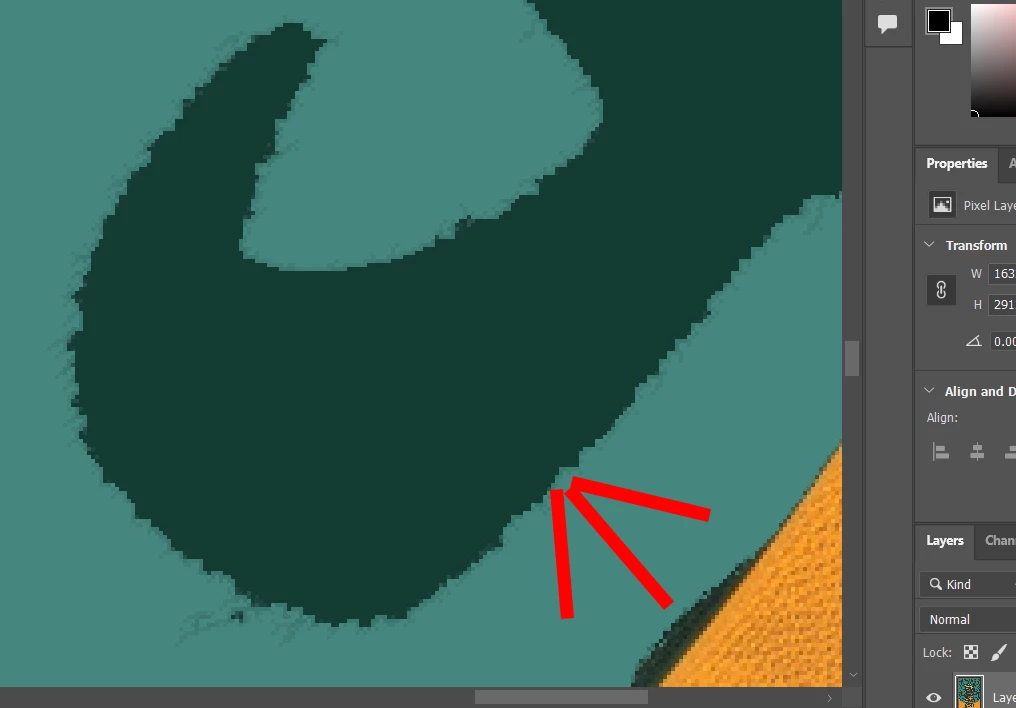
How to fix edges after applying color fill?
  • February 20, 2024
  • 2 replies
  • 349 views

I've used color fill for the area ouside, how do i make the the edges sharper without these issues?

This topic has been closed for replies.

2 replies

c.pfaffenbichler
Community Expert
Community Expert
February 20, 2024

I recommend you don’t apply a Fill but create a Solid Color Layer. 

Then you can edit the Layer Mask however you deem necessary (with Filters, Adjustments, painting, … for example). 

Bojan Živković11378569
Community Expert
Community Expert
February 20, 2024

Please post a screenshot with the Layers panel expanded and visible. Could you explain step by step how you reached your current state? What did you use to create the selection, and so on?

February 20, 2024

I picked Magic Wand Tool- I select the area- then I choose Fill Selection- Fill color - i choose the color and i press ok

c.pfaffenbichler
Community Expert
Community Expert
February 20, 2024

That seems imprudent. 

I again recommend using a Solid Color Layer instead.