How to get an accurate color preview whilst dealing with big TIFs
Dear Community,
Following problem is occuring: in my hybrid workflow I keep scanning my negative slides to edit them via photoshop.
I found a pretty decent way to do so, but the following issue is delaying unnesesarrily my workflow. As I need several (at least two or three) adjustment layers my histogram is getting more and more sparse. So with every adjustment, especially within the highlights, fringing is an issue. Although afterwards in the final (exported) image, the issue is no longer visible (of course it is not as it is just a visible product of an temporal system discharge) it is hindering my fine tune color workflow. I can prevent this issue whilst packing those layers of grand (highlight) adjustment in a smart object. Afterwards the new generated preview is decent.
But as this procedure is relatively long-winded and 'nested' I am looking for a way to get a decent preview without smart objects.
By the way: I was thinking clicking the little warning label to calculate an exact histogram could solve the concern, but it was JUST calculating (as it says) an exact histogram and not the exact colorvalues as I expected. 😞
I hope I could explain well my issue.
Two screenshots to illustrate better the matter: 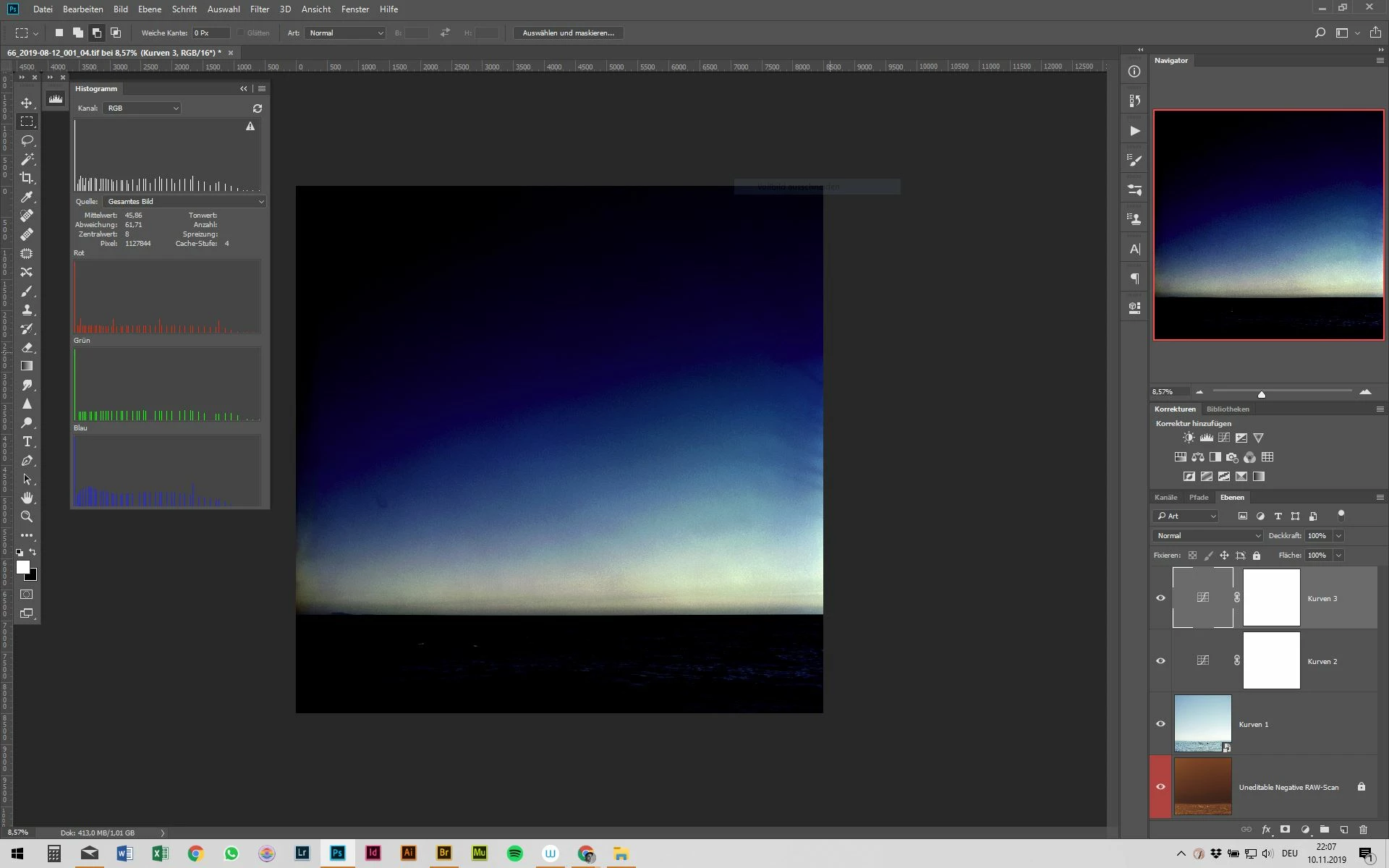
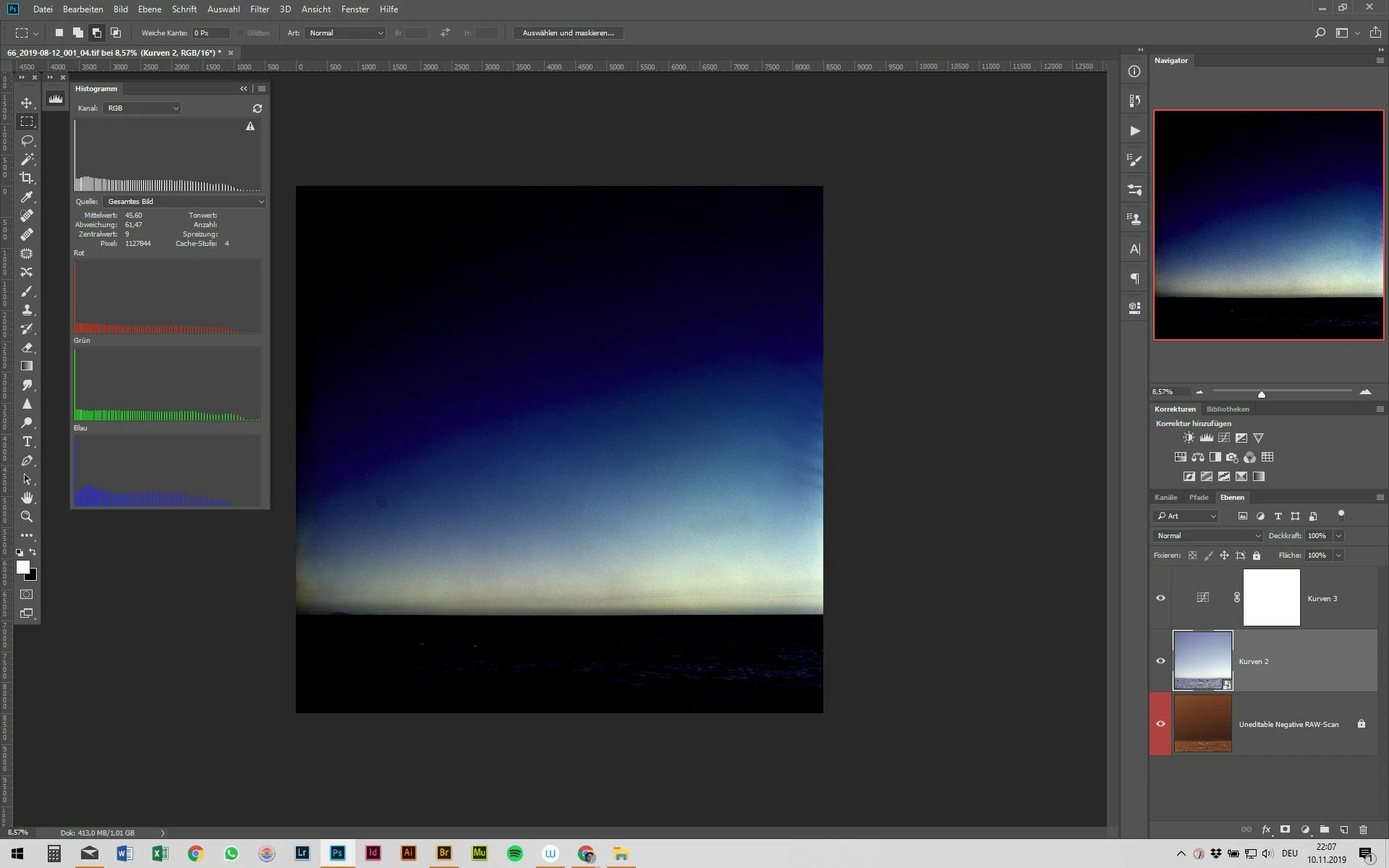
 AdChoices