
Inspiring
June 5, 2022
Answered

How to get even grid lines in the preference section

  • June 5, 2022
  • 1 reply
  • 355 views

Hi community.


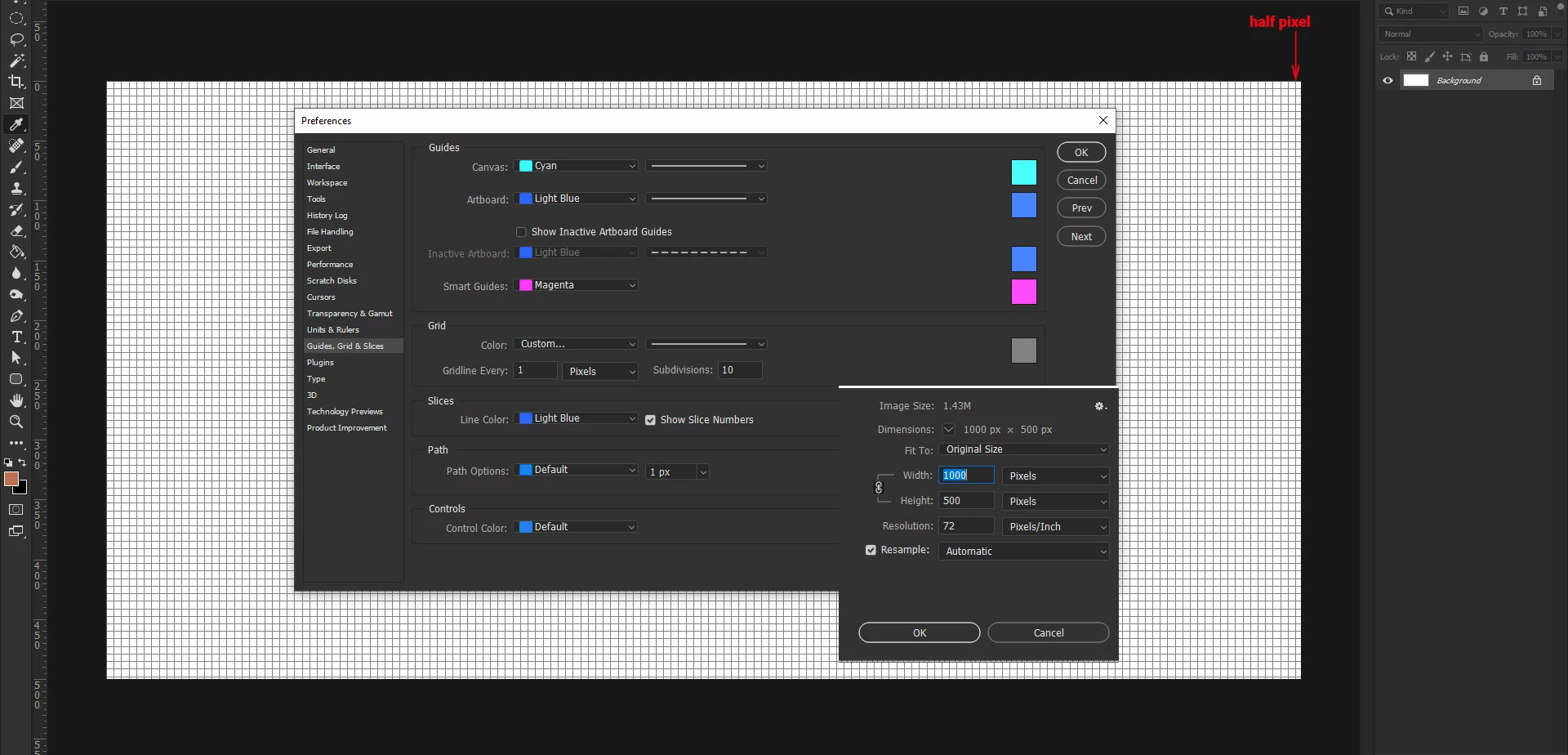
I have set in my preference section for the grid to have 10 subdivisions, but towards the right side of my canvas there is half a pixel from the division. My canvas is 1000 x 500, so why isnt it even? What are the settings I need to input? Thank you.
 

This topic has been closed for replies.
Correct answer davescm

It looks like a display artifact rather than a settings issue.


What doesn't make sense though is your setting of a grid line every pixel and then subdividing that into 10 which would require a sub grid line every 1/10 of a pixel. Photoshop is a pixel editor and works in whole pixels, the smallest unit being a pixel.  If you actually wanted a major grid line every 10 pixels then set 'gridline every' to 10 and, with subdivision at 10, you will get a subdivision at every pixel.


Dave

1 reply

davescm
Community Expert
davescmCommunity ExpertCorrect answer
Community Expert
June 5, 2022

It looks like a display artifact rather than a settings issue.


What doesn't make sense though is your setting of a grid line every pixel and then subdividing that into 10 which would require a sub grid line every 1/10 of a pixel. Photoshop is a pixel editor and works in whole pixels, the smallest unit being a pixel.  If you actually wanted a major grid line every 10 pixels then set 'gridline every' to 10 and, with subdivision at 10, you will get a subdivision at every pixel.


Dave