

AntoniaAgain
Inspiring
August 23, 2021
Answered

How to get rid of all the lines around a shape

  • August 23, 2021
  • 2 replies
  • 3543 views

I created an ellipse and it has all these inward-facing lines around it. I suspect this has something to do with stroke but cannot see how to get rid of them. When I hit stroke and enter zero, I am told this isn't possible.

This topic has been closed for replies.
Correct answer jane-e

Hi @AntoniaAgain 


Your Properties are for your document because you have no shapes selected and no layers selected.
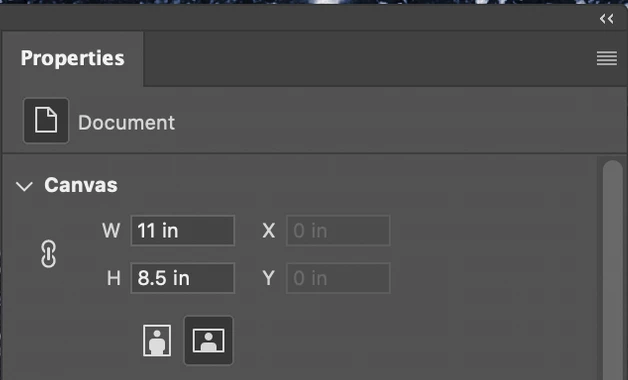


To see the Properties for your Shape, you must first select it with the Path Selection tool. It will say "Shape Properties" at the top.
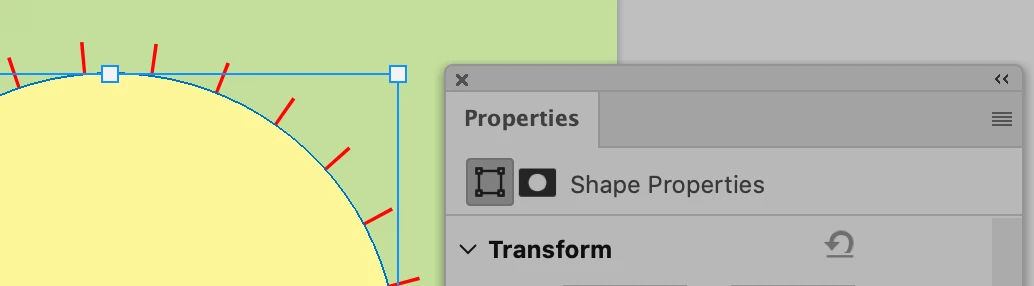


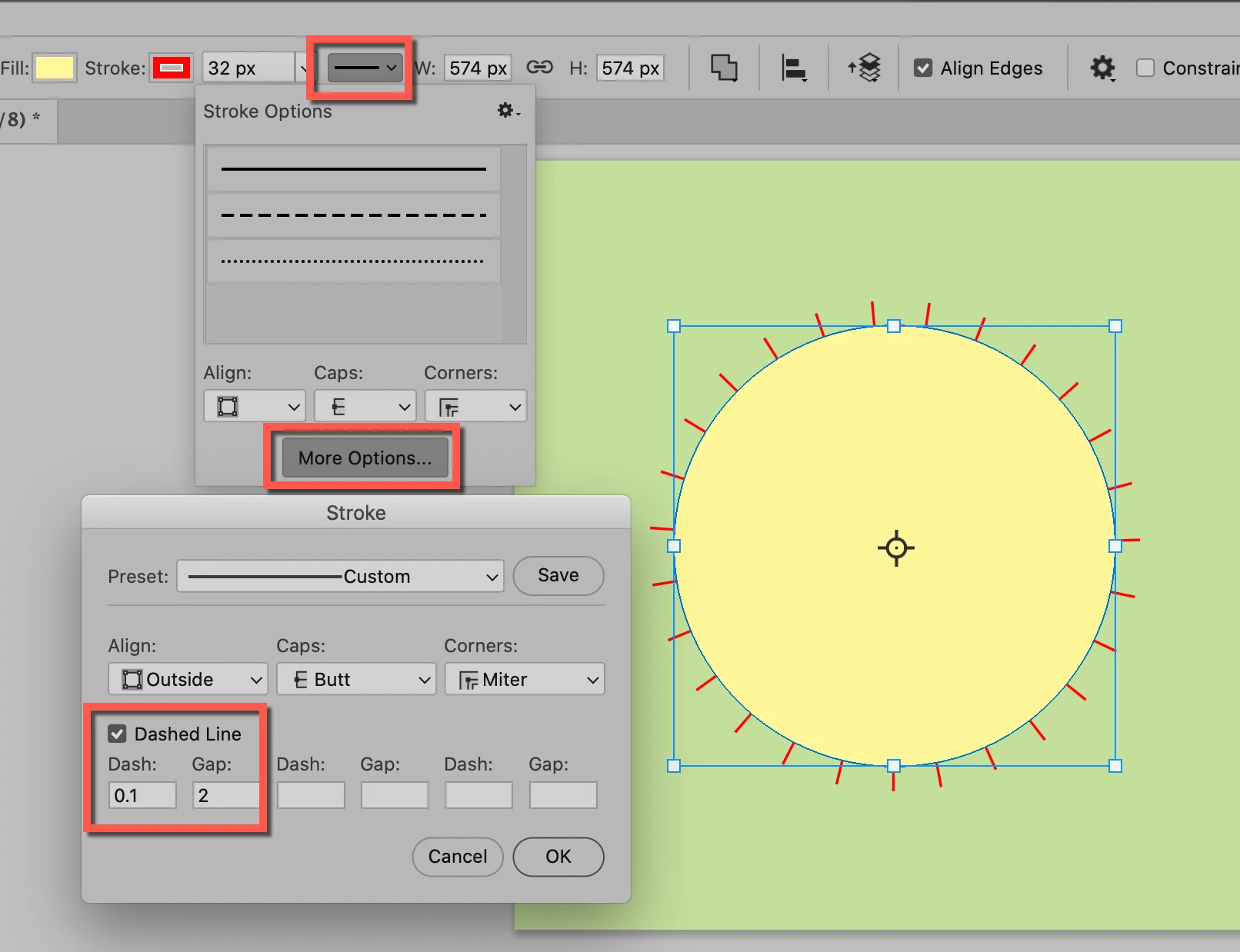
I used the options bar here, not Properties. Follow the red squares and uncheck Dashed Line.
 

~ Jane


2 replies

Bojan Živković11378569
Community Expert
Community Expert
August 24, 2021

Please post screenshot with entire window visible including and Layers panel.

jane-e
Community Expert
Community Expert
August 23, 2021

It looks like a dashed line on a stoke.


Did you make the stroke with a shape tool or is it a stroke as a Layer effect? Check layers to see if you have any layer effects. If not, select the shape and show your options and properties panels.


~ Jane

AntoniaAgain
Inspiring
August 23, 2021

I did not make a stroke at all. I just went to the side panel and created an ellipse and that came around the outside. I have never created any stroke resembling this for any previous shape.  Went into properties and see nothing.

jane-e
Community Expert
jane-eCommunity ExpertCorrect answer
Community Expert
August 24, 2021

Hi @AntoniaAgain 


Your Properties are for your document because you have no shapes selected and no layers selected.


To see the Properties for your Shape, you must first select it with the Path Selection tool. It will say "Shape Properties" at the top.


I used the options bar here, not Properties. Follow the red squares and uncheck Dashed Line.


~ Jane