RobtheDutch
Participating Frequently
April 4, 2017
Question

How to get rid of original shape in photoshop 3D?

  • April 4, 2017
  • 1 reply
  • 325 views

I need to make a transparent shape in photoshop. I watched some tutorials but didn't find any answer.

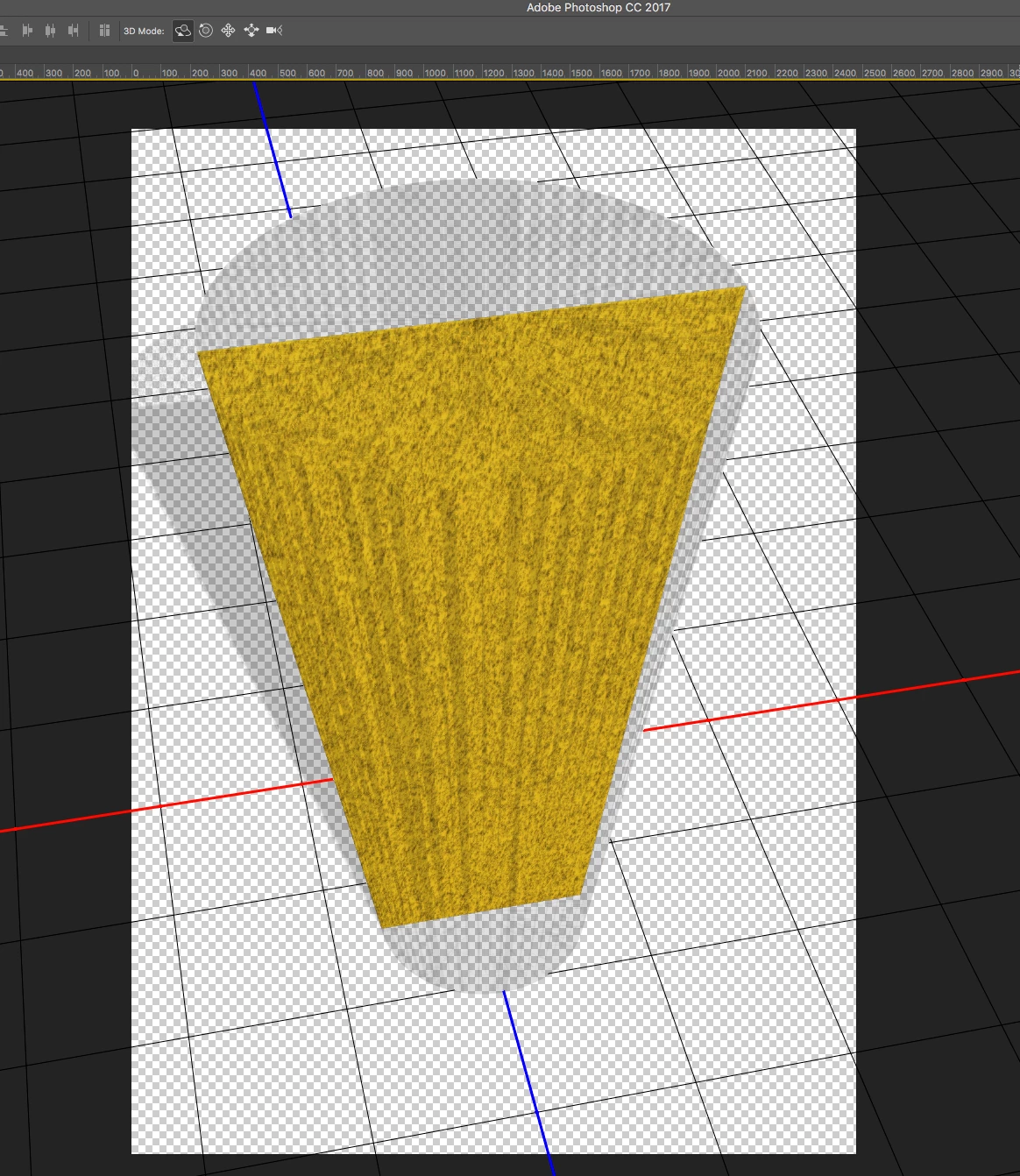
When I make the shape transparent the original shape is there and I have no idea how to get rid of it. Anyone?
This topic has been closed for replies.

1 reply

JJMack
Community Expert
Community Expert
April 4, 2017

Supply pertinent information for quicker answers

  • The more information you supply about your situation, the better equipped other community members will be to answer. Consider including the following in your question:
  • Adobe product and version number
  • Operating system and version number
  • The full text of any error message(s)
  • What you were doing when the problem occurred
  • Screenshots of the problem
  • Computer hardware, such as CPU; GPU; amount of RAM; etc.

What did you actually do. there is no Photoshop information shown no layers palette, no 3d palette no properties palette shown. No opacity map, surface textures, bump maps etc. How are you trying it make it transparent. or How transparent so the surface in not invisible.

JJMack
RobtheDutch
Participating Frequently
April 4, 2017

The yellow plain is a 2d shape. I need it to be 3d (like a flat cone) and transparent.

As you can see the cone is now transparant, but the original yellow plain is still visible.

What I want to know is: When you create a 3d object from a 2d shape. How do you get rid of the original 2d shape.

I don't understand why it is still there.

Photoshop cc 2017 on a mac OS Sierra

c.pfaffenbichler
Community Expert
Community Expert
April 4, 2017

You seem neither to have told how exactly you created the 3D Layer nor provided a meaningful screenshot (one that actually shows the pertinent Panels).