

S_ A
Inspiring
July 15, 2024
Question

how to get rid of original shape of a PNG

  • July 15, 2024
  • 1 reply
  • 206 views

Hi,

I need a PNG without its orinal document size.


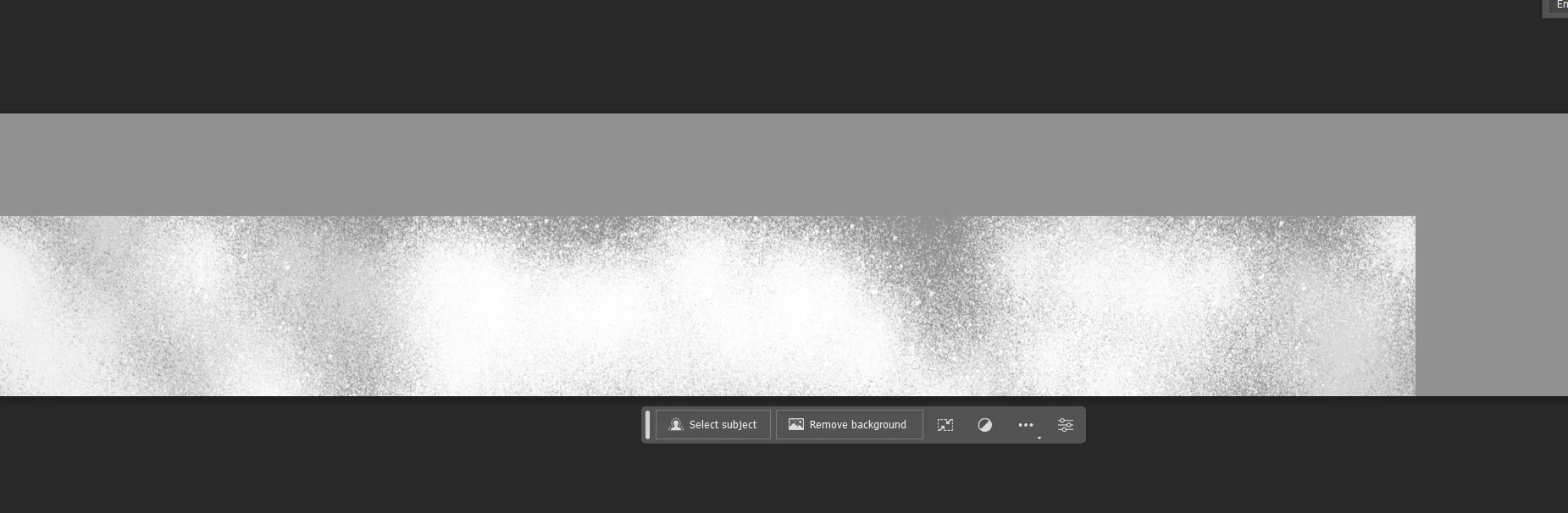
I wanna get rid of the box outline. I only want the part where I use brush. is there any way? I need this to animate on a dark BG. this outline is so visible that it is easily seen that a rextangle shape is moving. I dnt want that. 


I am very new to photoshop. please guide me.
 

This topic has been closed for replies.

1 reply

D Fosse
Community Expert
Community Expert
July 15, 2024

Crop it?


In case I misunderstand, you can save a PNG with transparency.

S_ A
S_ AAuthor
Inspiring
July 15, 2024

I did that, no background. I draw in on a new layer with no bg. The bg in attached image (grey color) is for demonstration purpose. I deleted that later. i placed it so that you understand how the edge is visible. its pure square. I dnt want that. I want the edge to be like the brush tip. scatterred. uneven. splatter type.

c.pfaffenbichler
Community Expert
Community Expert
July 15, 2024

I am not sure I understand. 

Could you please post screenshots with the pertinent Panels (Toolbar, Layers, Options Bar, …) visible? 


Have you tried using a Layer Mask to hide the offending parts?