Known Participant
June 13, 2023
Answered

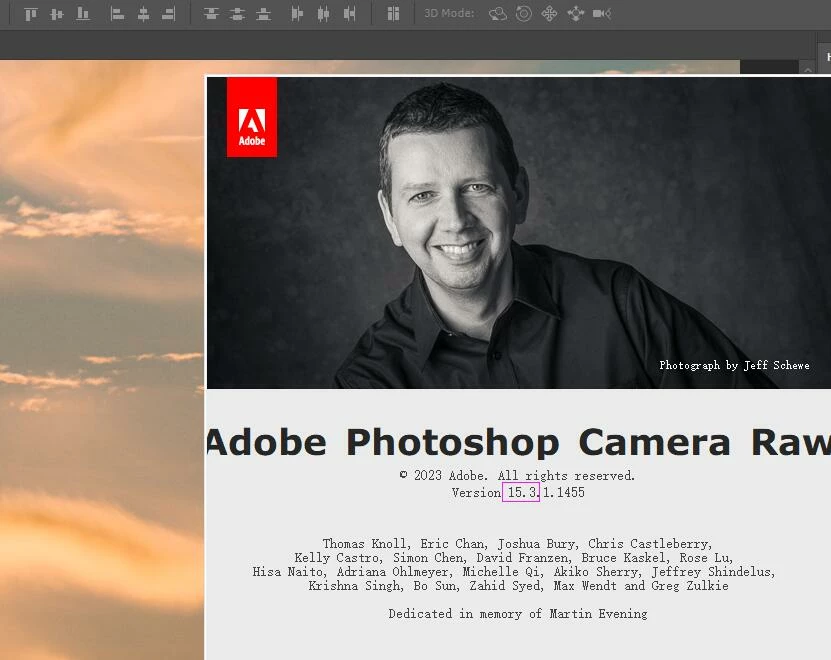
How to get the version number of Camera Raw filter

  • June 13, 2023
  • 3 replies
  • 2183 views

How to get the version number of Camera Raw filter, for example, if the current version number is 15.3, then display a prompt with the version number as "15.3".

Correct answer Stephen Marsh
quote

Thank you for your response.Actually, what I hope to do is to get the version number of the Camera Raw filter through a script, so that I can determine which version of the Camera Raw filter the system is using.


By @meadX


Yes, I understand, that is why I wrote: "JavaScript code to come"...


/*
https://community.adobe.com/t5/photoshop-ecosystem-discussions/how-to-get-the-version-number-of-camera-raw-filter/td-p/13860882
*/
var sysInfo = app.systemInformation;
var regex = /Camera Raw (\d+\.\d+\.\d+)/;
var match = sysInfo.match(regex);
var acrVers = match[0];
alert(acrVers);


3 replies

Michael Bullo
Community Expert
Community Expert
June 13, 2023

Unless I misunderstand your question, the version number is written across the top of the Camera Raw Filter pop up window.


meadXAuthor
Known Participant
June 13, 2023

Actually, what I hope to do is to get the version number of the Camera Raw filter through a script, so that I can determine which version of the Camera Raw filter the system is using.

Zesty_wanderlust15A7
Known Participant
June 13, 2023

By hand you can do...

Help  >  About plugins  > Camera Raw...  and you'll see that.

(noticed "Actions and scripting" too late... 😉 )

meadXAuthor
Known Participant
June 13, 2023

Yes, I know that it can be done this way, but I am hoping to obtain the version number through a JSX script, so that I can determine which version the system is using.

Stephen Marsh
Community Expert
Community Expert
June 13, 2023

JavaScript code to come...


If it is visible under app.systemInformation then a variable and regular expression should be able to show this. I'm not in front of Photoshop right now, however, I'll update this post later.


meadXAuthor
Known Participant
June 13, 2023

Thank you for your response.Actually, what I hope to do is to get the version number of the Camera Raw filter through a script, so that I can determine which version of the Camera Raw filter the system is using.

Stephen Marsh
Community Expert
Stephen MarshCommunity ExpertCorrect answer
Community Expert
June 13, 2023
quote

Thank you for your response.Actually, what I hope to do is to get the version number of the Camera Raw filter through a script, so that I can determine which version of the Camera Raw filter the system is using.


By @meadX


Yes, I understand, that is why I wrote: "JavaScript code to come"...


/*
https://community.adobe.com/t5/photoshop-ecosystem-discussions/how-to-get-the-version-number-of-camera-raw-filter/td-p/13860882
*/
var sysInfo = app.systemInformation;
var regex = /Camera Raw (\d+\.\d+\.\d+)/;
var match = sysInfo.match(regex);
var acrVers = match[0];
alert(acrVers);