Inspiring
June 23, 2025
Answered

how to get vector mask image or vector data

  • June 23, 2025
  • 3 replies
  • 597 views

I want to replicate the vector mask effect of a Photoshop layer on a web page and need to obtain the image of the vector mask.

how to get vector mask image or vector data
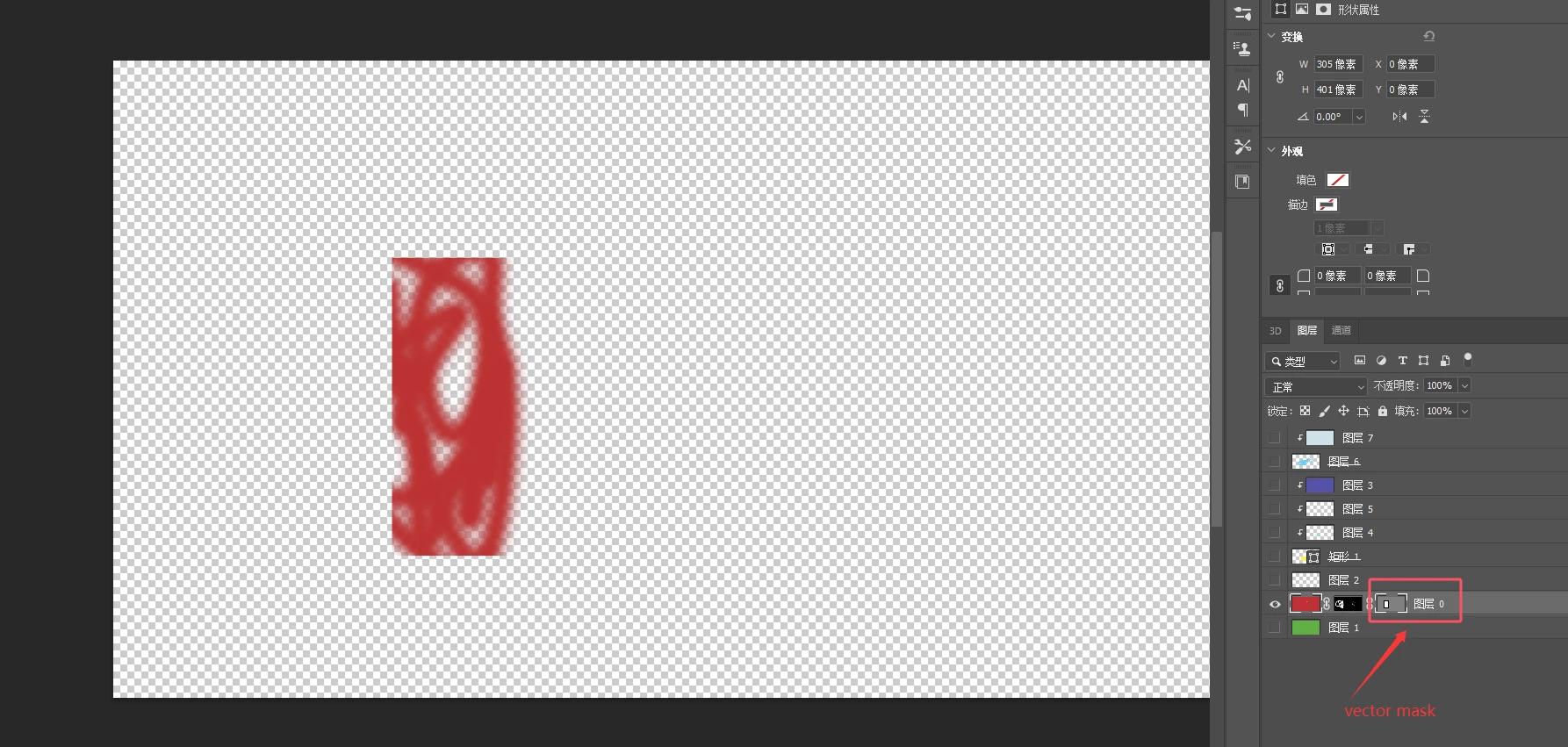


Correct answer c.pfaffenbichler

Alternatively it would be possible to get the Pathpoints and Bezier Handles as a text file via a Script. 

What exact kind of data do you actually need for further processing? 

3 replies

cody_rhodes1421
Participating Frequently
February 18, 2026

To replicate a Photoshop vector mask on a web page, you first need to extract the mask as either vector data (paths/SVG) or a raster image. The method depends on how you plan to use it on the web.

Option 1 — Get vector data (best for web, scalable)

If the mask is a true vector mask (shape/pen path):

  1. Open the file and select the layer with the vector mask.

  2. Go to Window → Paths.

  3. Locate the vector mask path.

  4. Right-click the path → Export Path (or copy path).

  5. Export it as SVG (via Export → Export As → SVG) or copy the path coordinates.

Use on web:

  • Inline SVG

  • CSS clip-path: path()

  • <svg><clipPath> masking

This keeps it resolution-independent and closest to Photoshop behavior.

Option 2 — Convert vector mask to SVG manually

If direct export isn’t available:

  1. Select the vector mask thumbnail.

  2. Copy path from the Paths panel.

  3. Paste into Illustrator/Figma or an SVG editor.

  4. Save/export as SVG.

Then embed that SVG on your webpage for masking or clipping.

Option 3 — Get mask as an image (PNG)

If you only need a visual mask:

  1. Ctrl/Cmd + click the vector mask thumbnail to load selection.

  2. Create a new layer filled with white on black background.

  3. Export as PNG.

Use on web:

  • CSS mask-image

  • Canvas masking

  • WebGL textures

Which should you use?

  • Need sharp, scalable edges → SVG / vector path

  • Need simple visual masking → PNG mask

  • Need animation/interactivity → SVG + CSS or Canvas

If you tell me how you want to apply it on the page (CSS mask, SVG clipPath, Canvas, or WebGL), I’ll give exact code for implementation.

finn allen
c.pfaffenbichler
Community Expert
c.pfaffenbichlerCommunity ExpertCorrect answer
Community Expert
June 23, 2025

Alternatively it would be possible to get the Pathpoints and Bezier Handles as a text file via a Script. 

What exact kind of data do you actually need for further processing? 

javaerAuthor
Inspiring
June 24, 2025

Is there no similar image for vector mask that can be obtained similar to layer mask? If not, how can I get the path data through script, and convert this path data into svg

c.pfaffenbichler
Community Expert
Community Expert
June 24, 2025

This would create a txt-file on the desktop. 

Not sure how to change that to a svg-file. 

// 2025, use it at your own risk;
if (app.documents.length > 0) {
if (hasVectorMask() == true) {
var myDocument = activeDocument;
var thePath = collectPathInfoFromDesc2023(myDocument, myDocument.pathItems.length);
writePref(thePath.join("\n"), "~/Desktop/"+myDocument.name+".txt");
}
};
////// collect path info from actiondescriptor, indices start at 1, not 0 //////
function collectPathInfoFromDesc2023 (myDocument, thePath) {
var originalRulerUnits = app.preferences.rulerUnits;
app.preferences.rulerUnits = Units.POINTS;
// based of functions from xbytor’s stdlib;
var idPath = charIDToTypeID( "Path" );
var ref = new ActionReference();
// check if thePath is an index or a dom-path;
if (thePath.constructor == Number) {
ref.putIndex(idPath, thePath)
}
else {
thePath.select();
var ref = new ActionReference();
ref.putEnumerated( charIDToTypeID( "Path" ), charIDToTypeID("Ordn"), charIDToTypeID("Trgt") );
};
// get stuff;
var desc = app.executeActionGet(ref);
var pname = desc.getString(cTID('PthN'));
// create new array;
var theArray = new Array;
var pathComponents = desc.getObjectValue(cTID("PthC")).getList(sTID('pathComponents'));
// for subpathitems;
for (var m = 0; m < pathComponents.count; m++) {
	var listKey = pathComponents.getObjectValue(m).getList(sTID("subpathListKey"));
	var operation1 = pathComponents.getObjectValue(m).getEnumerationValue(sTID("shapeOperation"));
	switch (operation1) {
		case 1097098272:
		var operation = 1097098272 //cTID('Add ');
		break;
		case 1398961266:
		var operation = 1398961266 //cTID('Sbtr');
		break;
		case 1231975538:
		var operation = 1231975538 //cTID('Intr');
		break;
		default:
//		case 1102:
		var operation = sTID('xor') //ShapeOperation.SHAPEXOR;
		break;
		};
// for subpathitem’s count;
	for (var n = 0; n < listKey.count; n++) {
		theArray.push(new Array);
		var points = listKey.getObjectValue(n).getList(sTID('points'));
		try {var closed = listKey.getObjectValue(n).getBoolean(sTID("closedSubpath"))}
		catch (e) {var closed = false};
// for subpathitem’s segment’s number of points;
		for (var o = 0; o < points.count; o++) {
			var anchorObj = points.getObjectValue(o).getObjectValue(sTID("anchor"));
			var anchor = [anchorObj.getUnitDoubleValue(sTID('horizontal')), anchorObj.getUnitDoubleValue(sTID('vertical'))];
			var thisPoint = [anchor];
			try {
				var left = points.getObjectValue(o).getObjectValue(cTID("Fwd "));
				var leftDirection = [left.getUnitDoubleValue(sTID('horizontal')), left.getUnitDoubleValue(sTID('vertical'))];
				thisPoint.push(leftDirection)
				}
			catch (e) {
				thisPoint.push(anchor)
				};
			try {
				var right = points.getObjectValue(o).getObjectValue(cTID("Bwd "));
				var rightDirection = [right.getUnitDoubleValue(sTID('horizontal')), right.getUnitDoubleValue(sTID('vertical'))];
				thisPoint.push(rightDirection)
				}
			catch (e) {
				thisPoint.push(anchor)
				};
			try {
				var smoothOr = points.getObjectValue(o).getBoolean(cTID("Smoo"));
				thisPoint.push(smoothOr)
				}
			catch (e) {thisPoint.push(false)};
			theArray[theArray.length - 1].push(thisPoint);
			};
		theArray[theArray.length - 1].push(closed);
		theArray[theArray.length - 1].push(operation);
		};
	};
// by xbytor, thanks to him;
function cTID (s) { return cTID[s] || cTID[s] = app.charIDToTypeID(s); };
function sTID (s) { return sTID[s] || sTID[s] = app.stringIDToTypeID(s); };
// reset;
app.preferences.rulerUnits = originalRulerUnits;
return theArray;
};
////// from »Flatten All Masks.jsx« by jeffrey tranberry //////
function hasVectorMask() {
	var hasVectorMask = false;
	try {
		var ref = new ActionReference();
		var keyVectorMaskEnabled = app.stringIDToTypeID( 'vectorMask' );
		var keyKind = app.charIDToTypeID( 'Knd ' );
		ref.putEnumerated( app.charIDToTypeID( 'Path' ), app.charIDToTypeID( 'Ordn' ), keyVectorMaskEnabled );
		var desc = executeActionGet( ref );
		if ( desc.hasKey( keyKind ) ) {
			var kindValue = desc.getEnumerationValue( keyKind );
			if (kindValue == keyVectorMaskEnabled) {
				hasVectorMask = true;
			}
		}
	}catch(e) {
		hasVectorMask = false;
	}
	return hasVectorMask;
};
////// function to write a preference-file storing a text //////
function writePref (theText, thePath) {
try {
var thePrefFile = new File(thePath);
thePrefFile.open("w");
for (var m = 0; m < theText.length; m ++) {
thePrefFile.write(theText[m])
};
thePrefFile.close()
}
catch (e) {};
};
D Fosse
Community Expert
Community Expert
June 23, 2025

Vector data need to be handled in Illustrator. Photoshop is not a vector editor, the vector tools in Photoshop are just aids to making masks and selections.


If you only need the base vector data in a web-friendly format:

  • target the mask
  • export paths to Illustrator
  • export to SVG from Illustrator.
Known Participant
February 18, 2026

You can export SVGs directly from Photoshop, just not programmatically by default in the latest versions (26.9), as far as I know. You can double-click the shape layer and then click “Copy SVG”. 


I don’t think it makes sense to say that we should just work with Illustrator when Photoshop provides a way of creating vector-based layers (pen tool and so on). Photoshop should provide all functionality needed to deal with these features, including accessing the geometry.
