
Known Participant
May 20, 2019
Answered

How to make a transparent drawing opaque?

  • May 20, 2019
  • 1 reply
  • 2927 views

Hello!

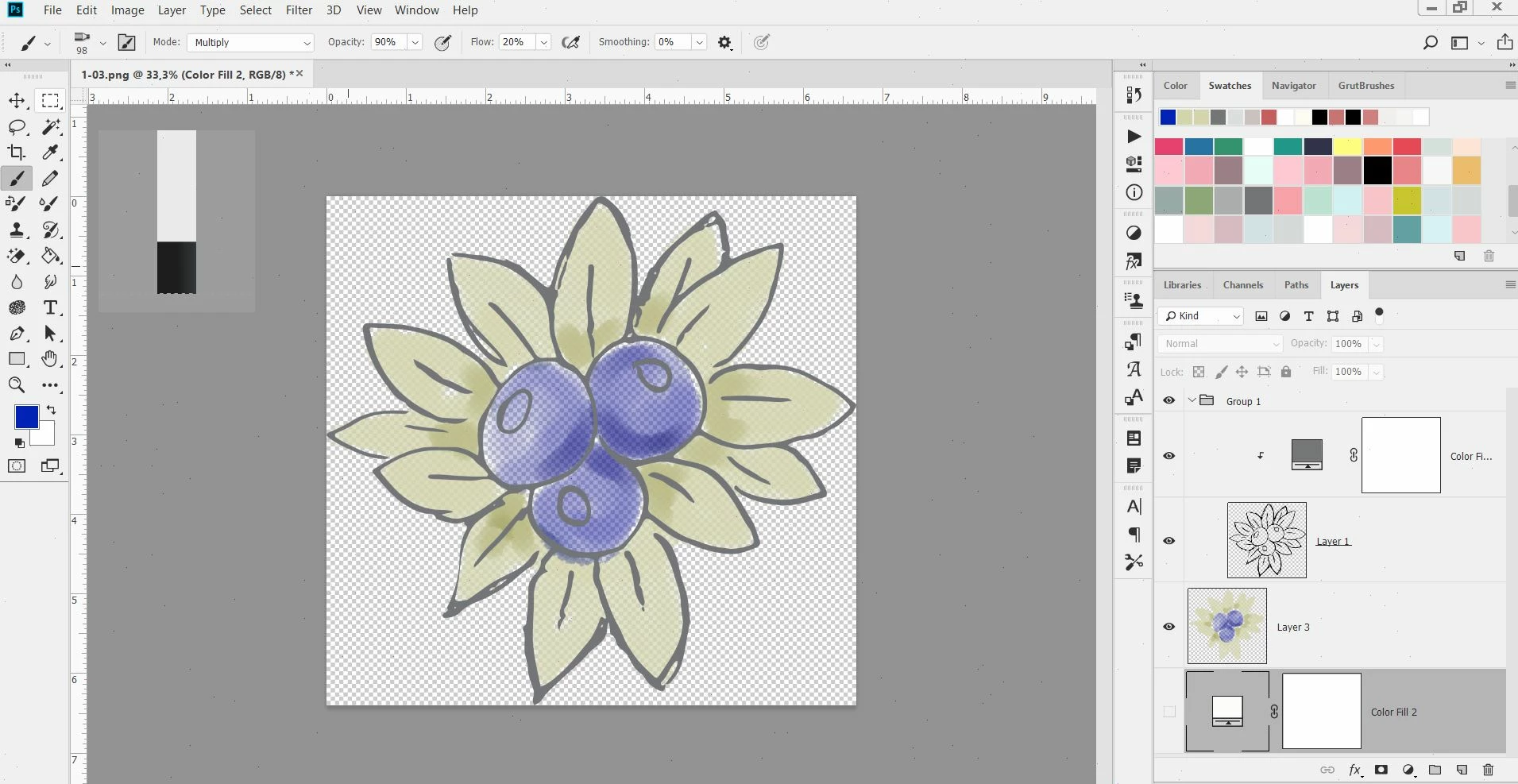
I draw illustrations with watercolor brushes (blending mode: multiply) to get a watercolor look when layering the colors. When my drawing is finished some parts of the illustration is more transparent than others. Is there a way to make the finished drawing "opaque"? I want the surrounding to be transparent but not the drawing itself. I hope I make sense. Is there any function for this? Like transforming the drawing layer from transparent to opaque, but still letting the background layer staying transparent.
    This topic has been closed for replies.
    Correct answer c.pfaffenbichler


    One option may be to convert the Layer’s transparency to a Layer Mask (Layer > Layer Mask > From Transparency) and then use Curves or the Burn Tool or Selections Tools or … to make the regions in question in the Mask pure white.

    If you actually want the result of the mixture with the white background first load the Transparency as a Selection (cmd-click the Layer’s icon in the Layers Panel), merge the two Layers and apply the Selection as a Layer Mask. Then you can again edit the Layer Mask as necessary.

    1 reply

    c.pfaffenbichler
    Community Expert
    Community Expert
    May 20, 2019

    Could you please post a screenshot taken at View > 100% with the pertinent Panels (Layers, Channels, Options Bar, …) visible?

    One option may be to convert the Layer’s transparency to a Layer Mask (Layer > Layer Mask > From Transparency) and then use Curves or the Burn Tool or Selections Tools or … to make the regions in question in the Mask pure white.

    Known Participant
    May 20, 2019

    This is an example drawing I did quickly to showcase my dilemma. I draw the illustration on a layer, then when I turn the background off. As the brush is set on multiply the illustration becomes transparent in some areas where I have not painted as much. It would be great to get the final result "opaque".

    Known Participant
    May 20, 2019