
Answered
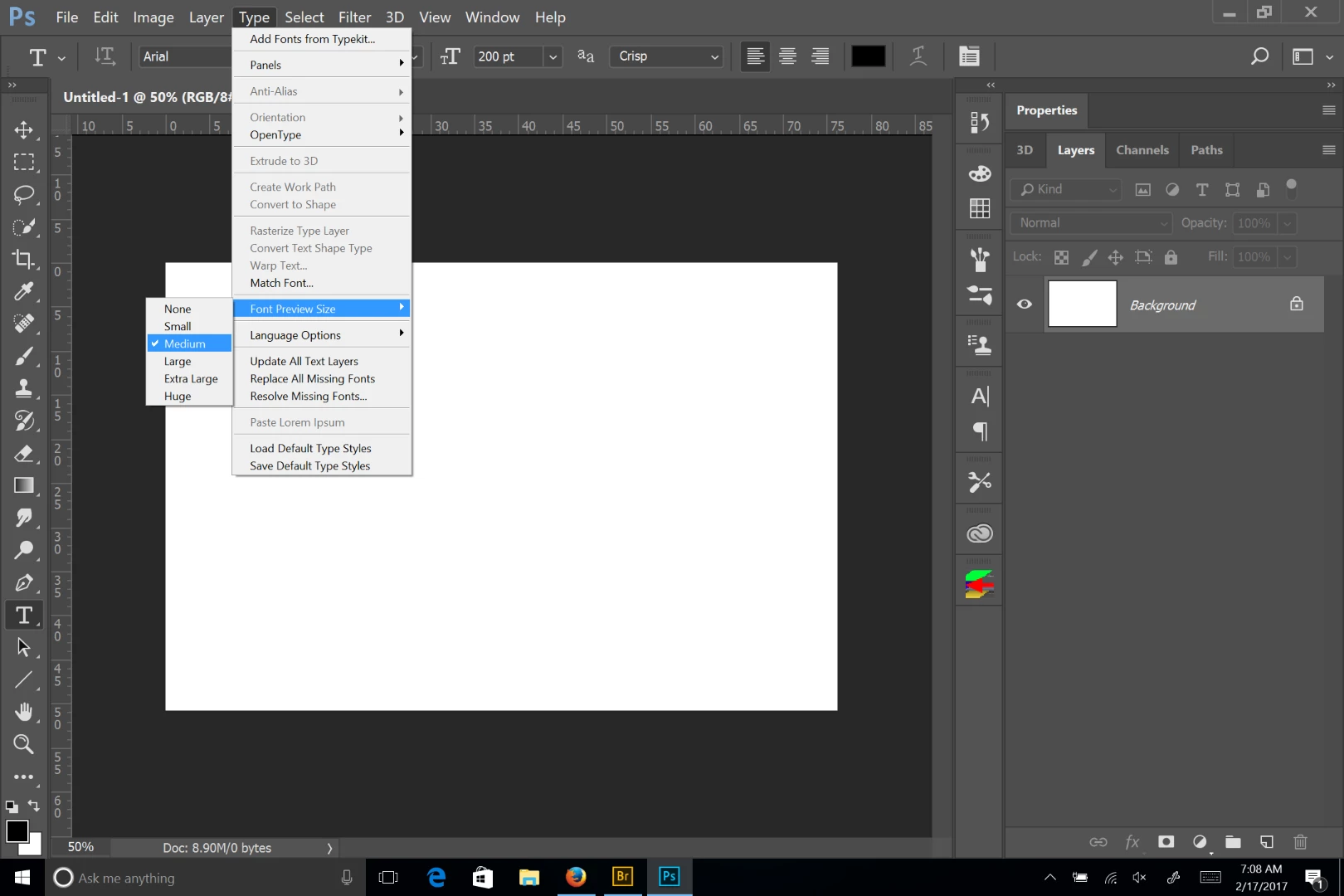
How to make font preview larger
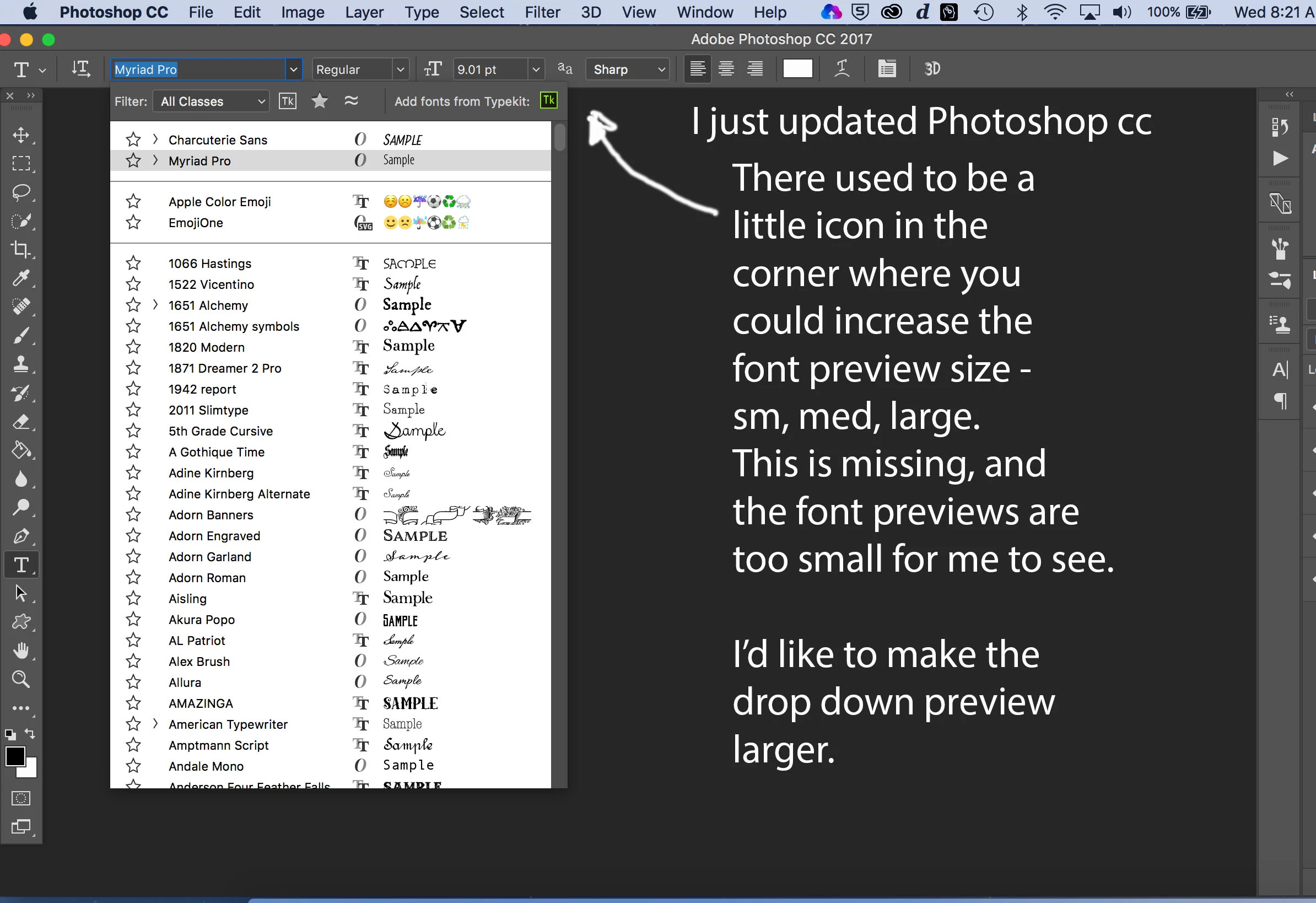
I just updated Photoshop CC and need to make the font preview size larger. I have bad vision and can't see easily. There used to be a drop down on the upper right side of the preview box that would let you select small, med, large....but that seems to have disappeared with this latest update. Is there a fix for this? I'm using a magnifying glass to see the previews now.
 AdChoices