Participating Frequently
April 11, 2020
Question

How to make paper cut letters effect in Photoshop?

  • April 11, 2020
  • 1 reply
  • 1150 views

Hi,


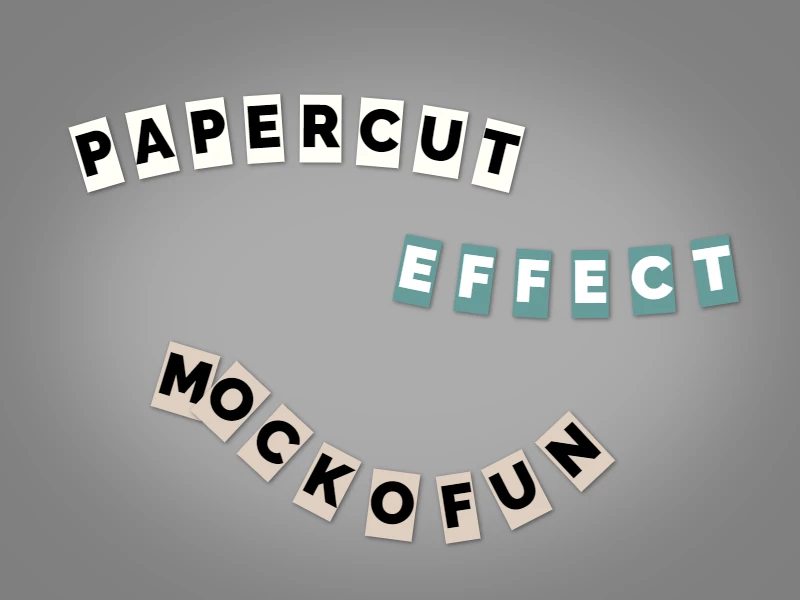
I'm using  Mockofun to create paper cut letters. I am using the tool's curved text feature together with highlighting and shadow.

This allows me to keep the text editable and I can change the colors, fonts, etc.


What's the easiest way to achieve something like this in Photoshop? Here's the effect I'm going for:
thanks,

John

This topic has been closed for replies.

1 reply

c.pfaffenbichler
Community Expert
Community Expert
April 11, 2020

Setting text on a Path is fairly easy, creating a Drop Shadow also, but creating rectangles behind letters automatically would be a task that it might be possible to automate (but not exactly easily in my estimation) and I see no realistic option to have text changes carry over automatically. 


Does this app work with all fonts? 

PSDDudeAuthor
Participating Frequently
April 11, 2020

Thanks for the answer. Maybe I can make a scripted action that takes in the text and creates the effect, but I guess that would mean a separate layer for each letter...

c.pfaffenbichler
Community Expert
Community Expert
April 11, 2020

If the »paper« behind a letter is supposed to be able to overlap the preceding letter, then that would probably even mean two layers per letter. 


Converting a Type Layer to a Shape Layer and breaking it apart into the single letter Layers seems possible but determining the angle and »typographical center« of the individual letters to rotate the »paper« accordingly seems quite daunting.  

Especially if a font is used that features letters or varying widths and optimized tracking.