
Participant
February 5, 2022
Question

How to make Photoshop stop connecting 2 straight lines while holding the Shift key.

  • February 5, 2022
  • 5 replies
  • 5884 views

Hello i have this issue of where i saw that alot of people have.

I am a 17 year old beginner artist and i love using strait lines for shading for my art.

I use the entire adobe suit witch is at its leatest version. Aka 2022. I have a wacom cintiq 16. And a 2020 macbook pro with 4 thunderbolt ports.

the issue is that i cannot keep holding shift and keep doing strokes with my pen and have photoshop not connect the 2 lines with an extra one.

I tried adobe animate and it does not do it. it leaves the lines without connecting them. 

I know and i have read that the normal way is to release the shift key after making one line then clicking on the canvas then reclicking on shift to make an other strait lines without connecting both.

BUT its TOO SLOW and Really tiring when i legit make Hundres of lines in my drawings.

and i draw like hundreds of drawings that again need that so imagine the ammount of time i click on shift and release it . its not that good

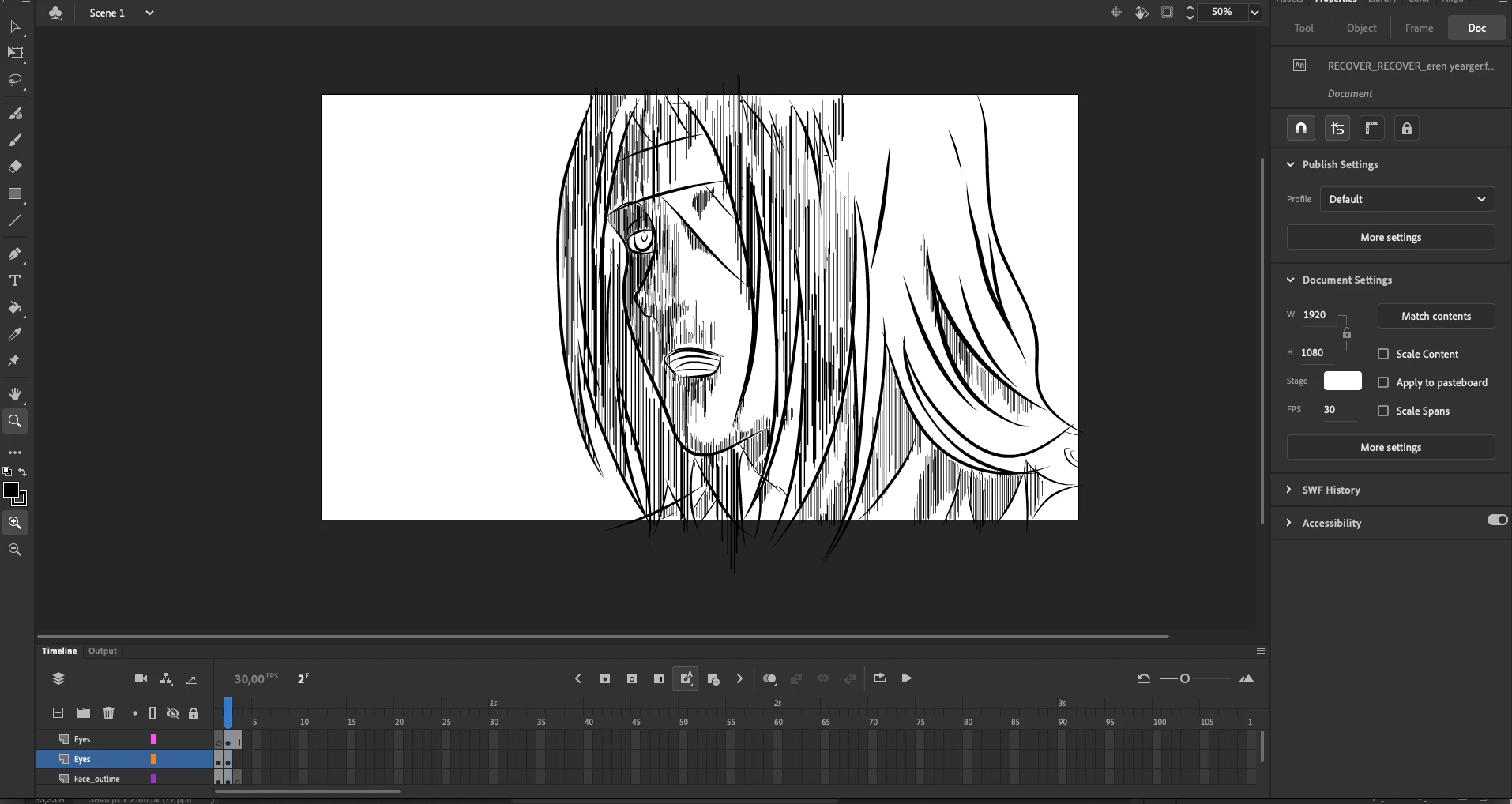
i have an exampple for both. this is the animation i am working on on adobe animate, where i can use the shift for strait line feature without neading to release it and a whole shbeal to do another one without connecting both.

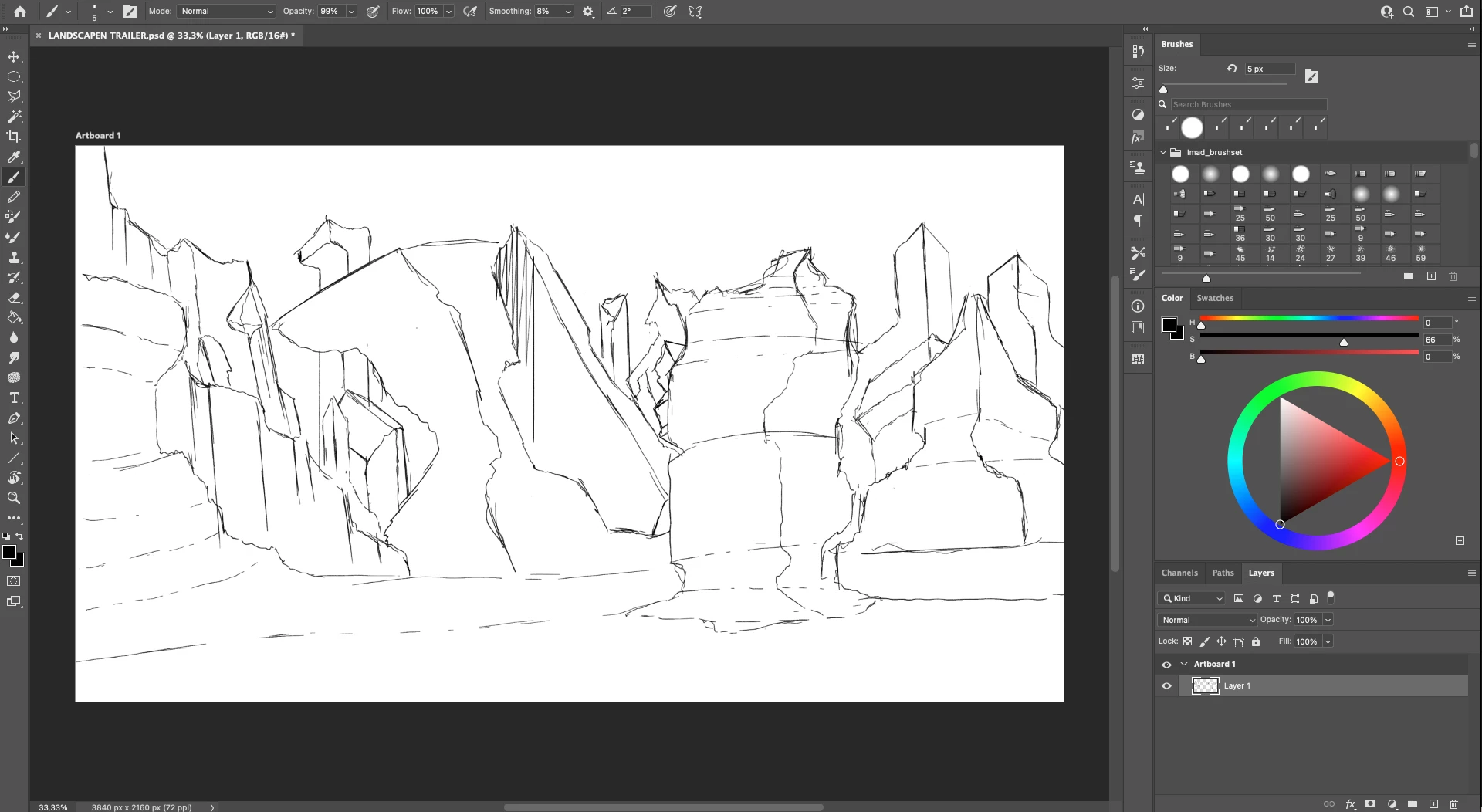
and another one is a digital landscape art that i am working on a sketch where i tried it and did not work.

I looked arround everywhere with no solution found.

please help.
5 replies

andrander
Participating Frequently
May 5, 2023

Looked it up in other threads - it seems that pressing "b" (brush hotkey) releases the effect so the lines won't snap. Worked out for me

andrander
Participating Frequently
May 5, 2023

Hey dudes, I looked it up in other threads - it seems that pressing "b" (brush hotkey) releases the effect so the lines won't snap. Worked out for me

D Fosse
Community Expert
Community Expert
February 6, 2022

I honestly don't understand the problem. The rules are very simple:


  • As long as you hold down shift, all subsequent points will be connected.
  • To break the line, release shift.


To me, that's just so intuitive, instinctive and logical I can't see any other way it could work.


What am I missing here?

Participating Frequently
April 7, 2022

The problem comes when you are using shift to constrain a line to the horizontal or vertical. It is very difficult to do a series of quick vertical or horizontal lines without having the ends and tails connecting.  It would be great if they could have the option to switch off the connecting points feature temporarily when you need to do this. Corel painter does not have this problem because they have a separate polygon brush tool for when you need to join lines. This is much more useful.

Participant
February 13, 2023

I agree with you.  This has been brought up many times as holding and releasing the shift key just to disable the brush from connecting the previous line is awkward when drawing straight ortho lines.  There simply should be a way to enable ortho drawing with another key option.  Personally, I think holding the shift key to control orthographic lines AND connection of brush strokes should be separated.

jane-e
Community Expert
Community Expert
February 6, 2022

@YoruArt 


One thing to note is that Adobe Animate is vector while Adobe Photoshop is raster. You are drawing with the Brush tool on one transparent layer. Photoshop is creating pixels on that layer. To see this, try zooming in a few times with Command + (or use the View menu) until you see the pixel grid, then paint to see how it works and undo, then zoom back out again.

If you want to draw with a vector brush that is more like Animate, use Adobe Illustrator. 


In Photoshop you change options for how the brush behaves in the options bar. In Illustrator, double-click the Brush tool to open the options dialog.


Others may also chime in to better answer your question.


Jane


YoruArtAuthor
Participant
February 6, 2022

bump

YoruArtAuthor
Participant
February 5, 2022

i would like to add that i can do the strait lign without releasing shift and keep holding it in adobe animate with any brush