
Participant
March 5, 2020
Question

How to make the copy of Ctrl+click layer in the same place?

  • March 5, 2020
  • 4 replies
  • 904 views

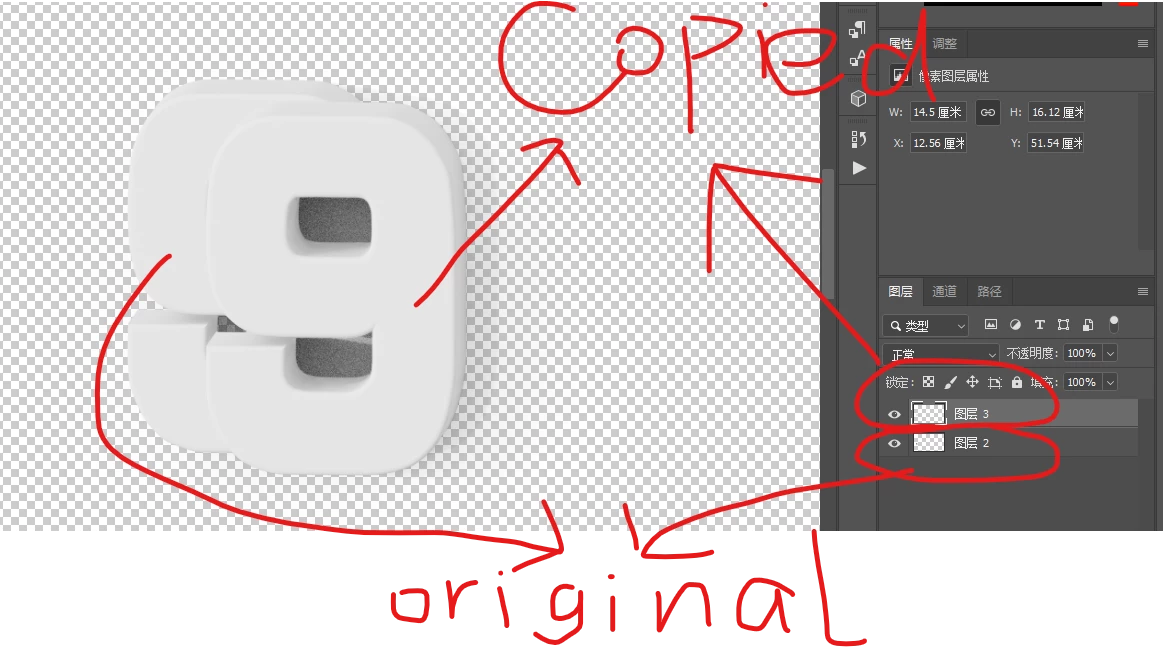
Hi , i select a PNG with alpha using CTRL+click layer , and then i copy it using CTRL+V, but the copy content is not in the right place of the original one , how to make the copied one aligned to the exact original position?


(why i need to do this ? cause i find my shadow of that Number Png will be decreased after i CTRL+CLICK layer and CTRL+V , this is what i want ! it solved my problem,but it is trouble to manually align the position ! )


This topic has been closed for replies.

4 replies

pixxxelschubser
Community Expert
Community Expert
March 7, 2020

Yes - [Ctrl/Strg] + [Shift] + [V]  instead of  [Ctrl/Strg] + [V]


Or like already mentioned:

menu: Layer --> New --> Layer via Copy

[Ctrl/Strg] + [J]

Or

from Layers Panel (Options) --> Layer duplicate


The result is the same.

Participant
March 6, 2020

Oh , just use CTRL+SHIFT+V would paste to the same place!

Chuck Uebele
Community Expert
Community Expert
March 5, 2020

I would use Ctrl-J also, but if you use paste, use paste in place from the menu.

PECourtejoie
Community Expert
Community Expert
March 5, 2020

Hello, does CTRL+J do the same?