Participant
December 24, 2018
Answered

How to overlay lines onto map?

  • December 24, 2018
  • 1 reply
  • 726 views

Hello all, and Merry Christmas.

I need some help with a project. The program I use only lets the user export the map backgrounds as one image and the lines and cities with a solid color background (that can be any color) like this:
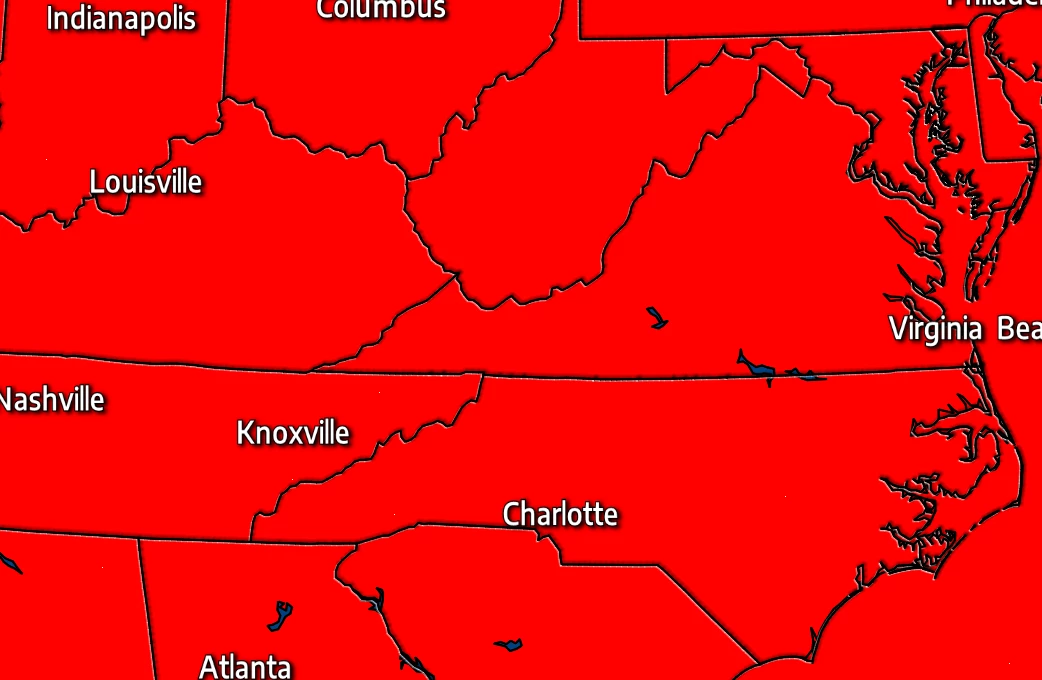
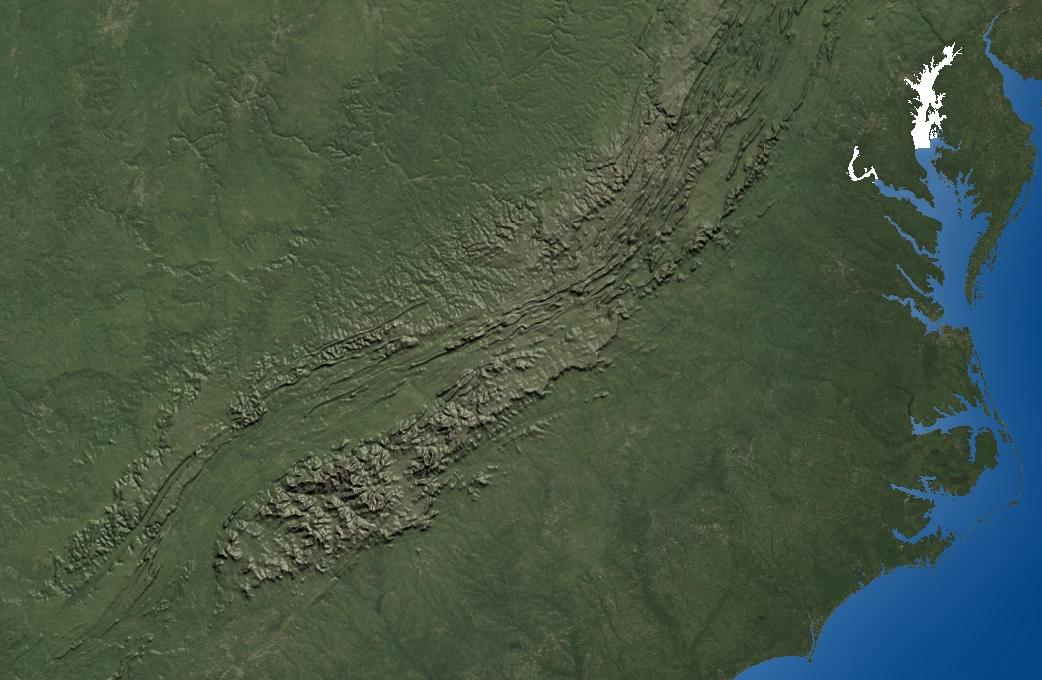
(again, the red can be any color, not just red.)

Whenever I try to remove the red using the Color Range tool (Select>Color Range), it leaves a mess around the lines (probably because they have drop shadows on top of the red and such). This is the result:
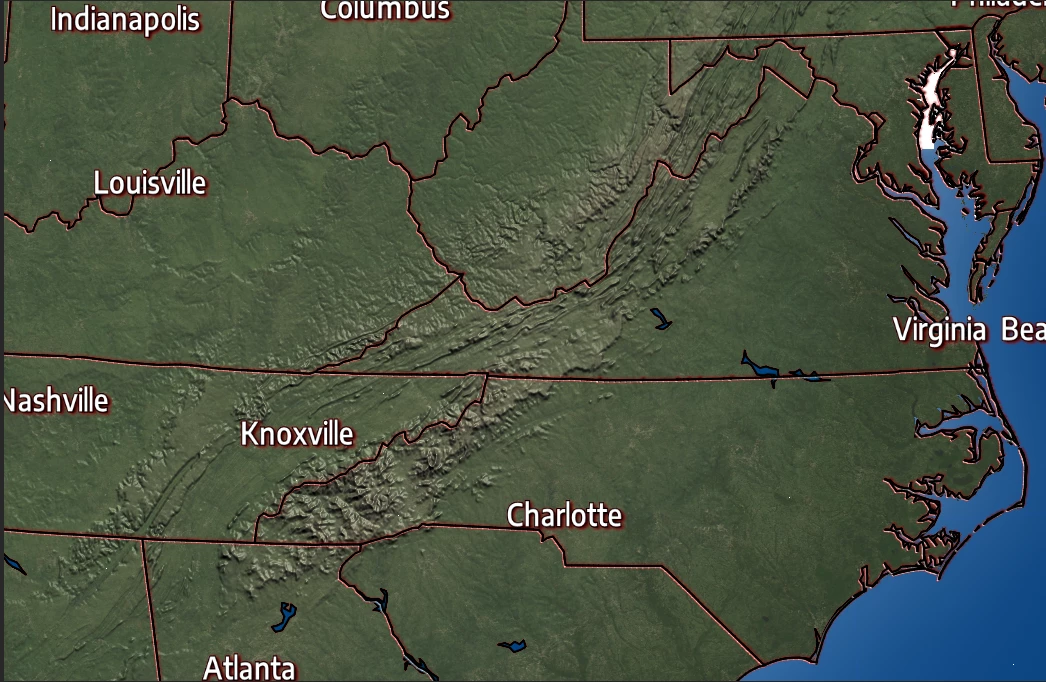
Is there any other way I could remove the red background completely without the red shadows? Thanks in advance.
    This topic has been closed for replies.
    Correct answer davescm

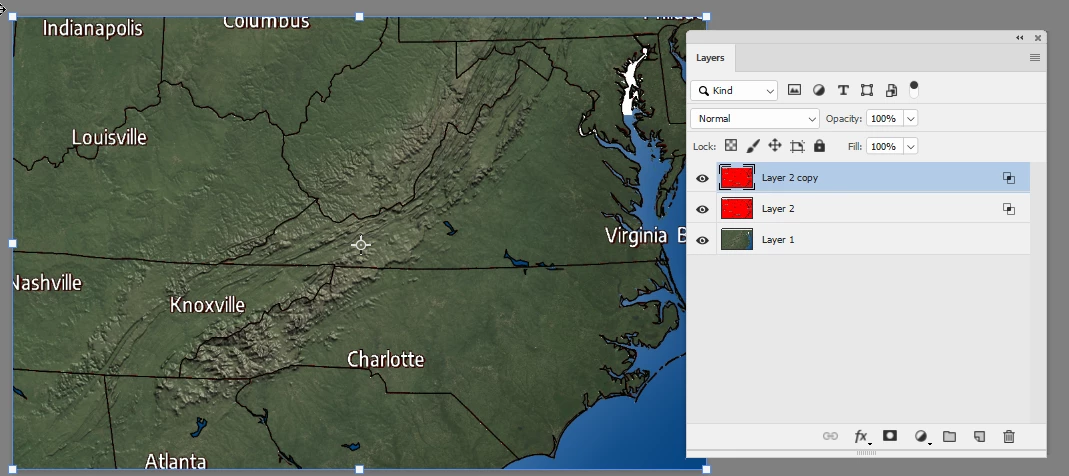
    Make a copy of the red layer so you have two.

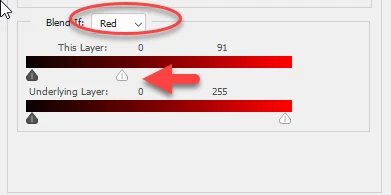
    Right click on the lowest red copy and in Blending options set Blend if as shown here (this will add the black lines)

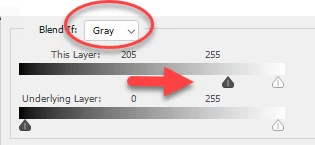
    Right click on the second, upper copy, and set Blend if as shown here (this will add the white text)

    Dave

    1 reply

    davescm
    Community Expert
    davescmCommunity ExpertCorrect answer
    Community Expert
    December 24, 2018

    Make a copy of the red layer so you have two.

    Right click on the lowest red copy and in Blending options set Blend if as shown here (this will add the black lines)

    Right click on the second, upper copy, and set Blend if as shown here (this will add the white text)

    Dave

    Participant
    December 24, 2018

    Thanks so much! Merry Christmas!

    davescm
    Community Expert
    Community Expert
    December 24, 2018

    You're welcome. All the best to you and yours

    Dave