Participant
April 21, 2022
Answered

How-To: Photoshop Smudge Effect on Images ?

  • April 21, 2022
  • 1 reply
  • 1021 views

Hi 

A Photoshop newbie here, appreciate any help and guidance from the expert! 


Just wondering how would i create such an effect on an image!. I believe it is a smudged effect which is a cool way to transition from the image to white space/background to write some text. It will be used for posts in Instagram or Facebook. 

 

This topic has been closed for replies.
Correct answer c.pfaffenbichler

Sorry @c.pfaffenbichler 

You lost me there! 


For the below instructions, would you have a guide or video that you can point me to please?


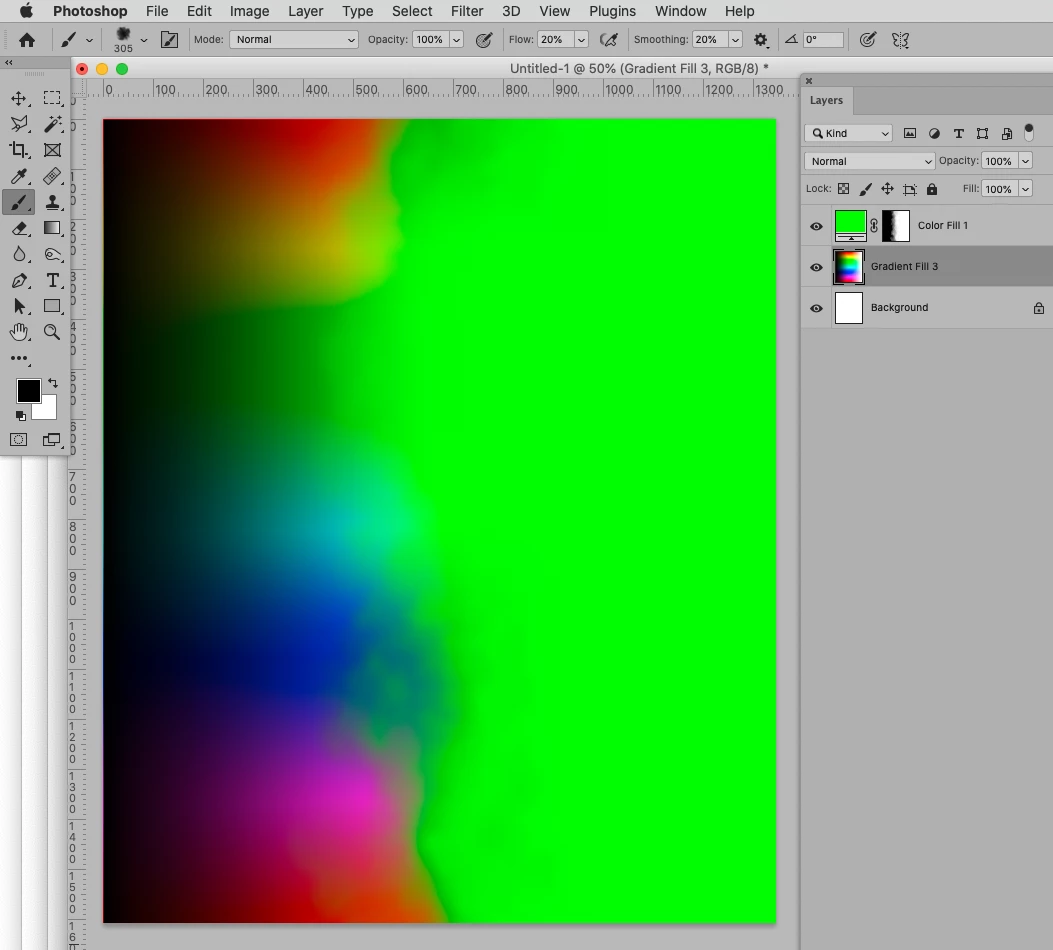
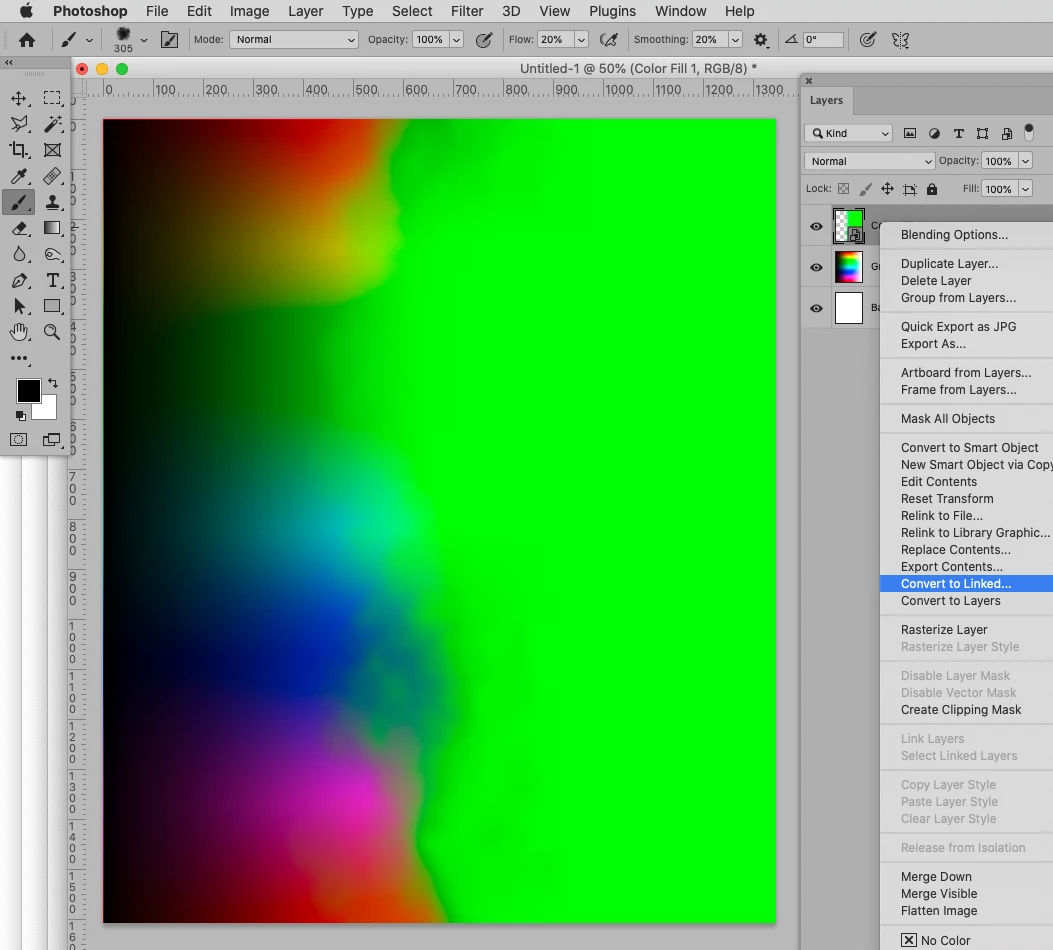
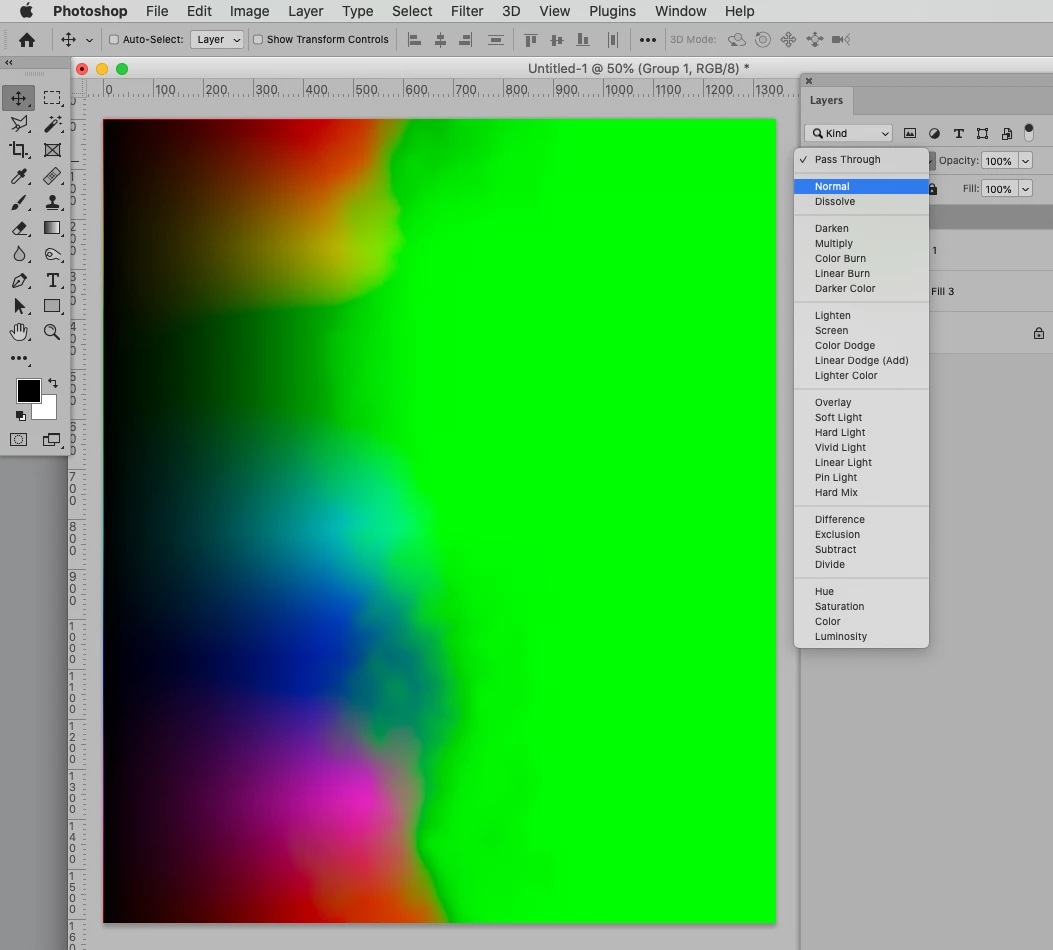
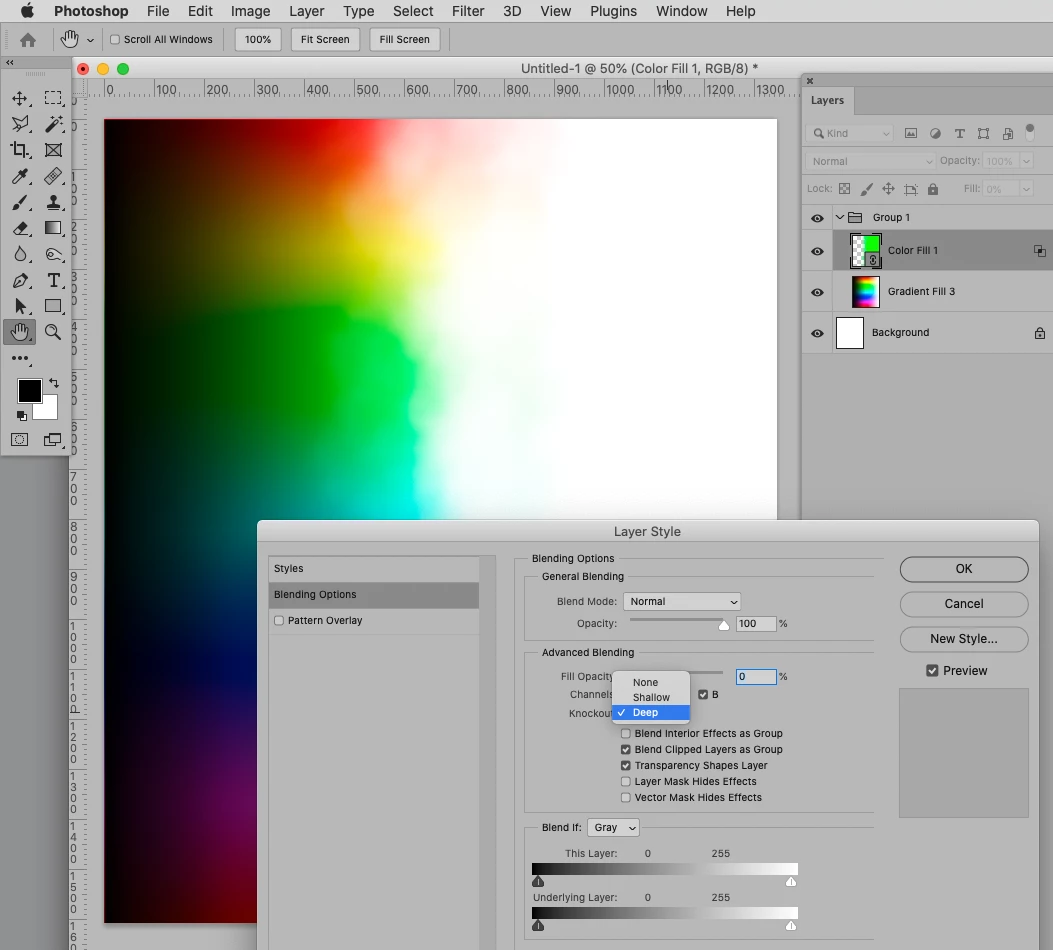
"If you need to use it in many files you could create a Solid Color Layer (though you may want to make the hidden side of the mask proper black) with the inverted Mask and use it as a linked Smart Object or put in in the Library tu use as a Knockout. " 


By putting multiple Layers in a Group with the Blend Mode »Normal« one can use a Knockout-Layer with Fill 0% one those. 

By using a Linked Smart Object one can use the same Knockout in multiple files and, if onechanges the SO itself, update it the next time one opens the layered images. 

A Library Smart Object may be more convenient for placing, though. 

1 reply

c.pfaffenbichler
Community Expert
Community Expert
April 22, 2022

Seems like the effect of Layer Masks. 

To create it you could try using a randomized, scattered brush or look for stock images that provide structures you like. 

c.pfaffenbichler
Community Expert
Community Expert
April 22, 2022

Some screenshots concerning a randomized Brush: 

YouElzAuthor
Participant
April 23, 2022

Thank you @c.pfaffenbichler 


Could you please send me the settings of the brush? It seems I could not reproduce similar to your effect...

And

would it be possible to achieve this through a layer mask, therefore, it does not destruct the actual image?


Thank you 

YouElz