
Participant
March 1, 2022
Question

How to prevent embedded image colors changing due to the background? -Blend mode is Normal-

  • March 1, 2022
  • 2 replies
  • 583 views

Hey guys, I am trying to embed a pie chart (from a secondary application) onto my Photoshop creation. But the colors of the embedded pie keep changing based on different backgrounds.


How can I prevent this from happening?

Before you ask, blend mode is Normal and both Opacity and Fill Opacity are set to 100% for the pie chart (which I embed as a new layer).
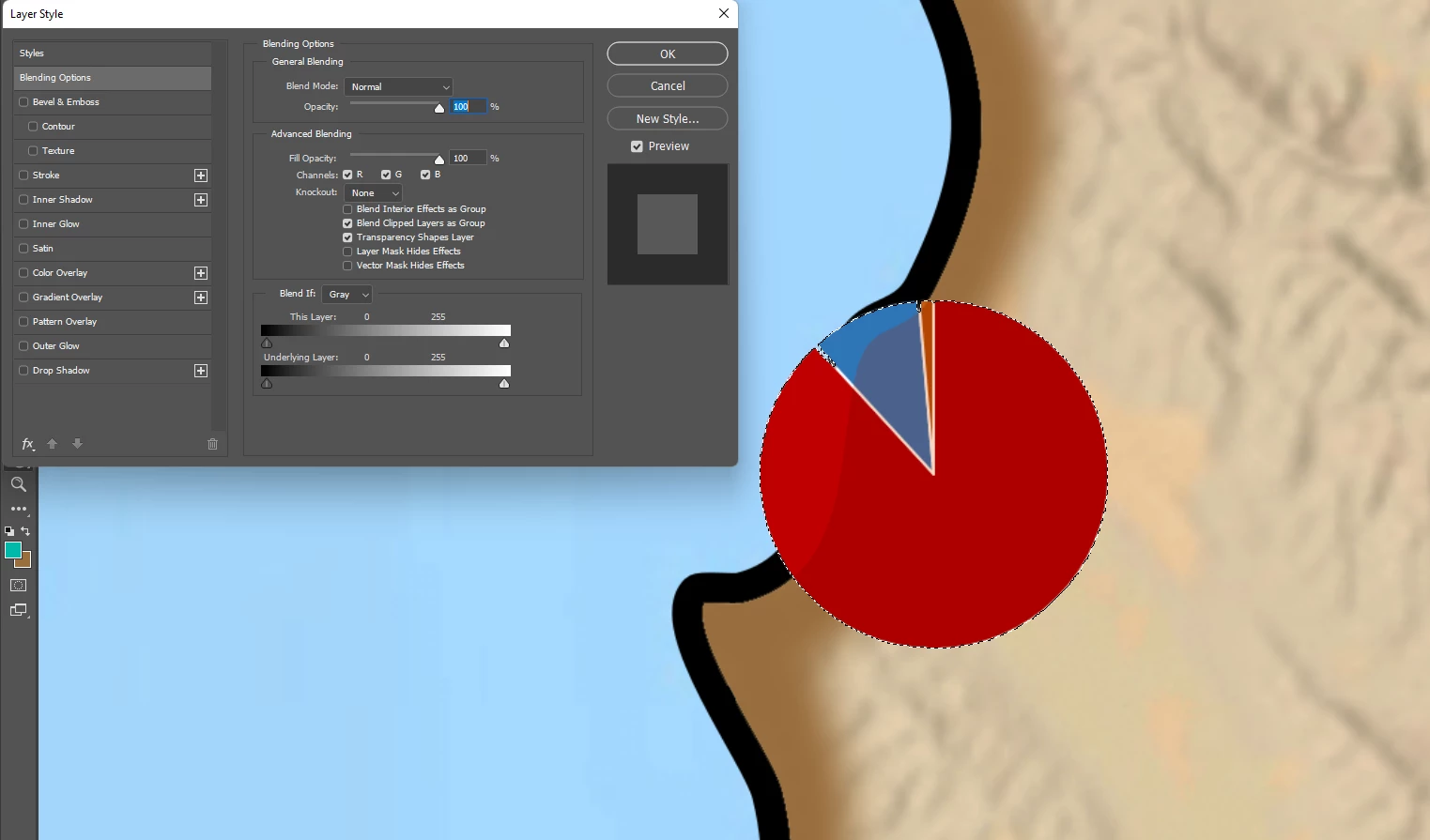
This topic has been closed for replies.

2 replies

didiermazier
Community Expert
Community Expert
March 7, 2022

The pie looks like a transparent PNG…

c.pfaffenbichler
Community Expert
Community Expert
March 6, 2022

Could you please post screenshots with the pertinent Panels (Toolbar, Layers, Options Bar, …) visible? 


Is the pie chart in teh Smart Object fully opaque? 

Is the placed Smart Object in a Group?

Are there other Layers higher up in the Layer Stack? 

Participant
March 6, 2022

The problem was the layer stack indeed 🙂 All I had to do was ensure the pie charts added are above the photo filters applied in the layer stack. Was hard to tell that was the issue!

c.pfaffenbichler
Community Expert
Community Expert
March 7, 2022

That’s why it is so important to include all pertinent Panels in screenshots when talking about problems in Photoshop image editing.