Answered
how to recreate this glowy line?
how do i go about making this line pink? Imgur: The most awesome images on the Internet

or do i have to recreate it if i were to get its exact features
how do i go about making this line pink? Imgur: The most awesome images on the Internet
or do i have to recreate it if i were to get its exact features
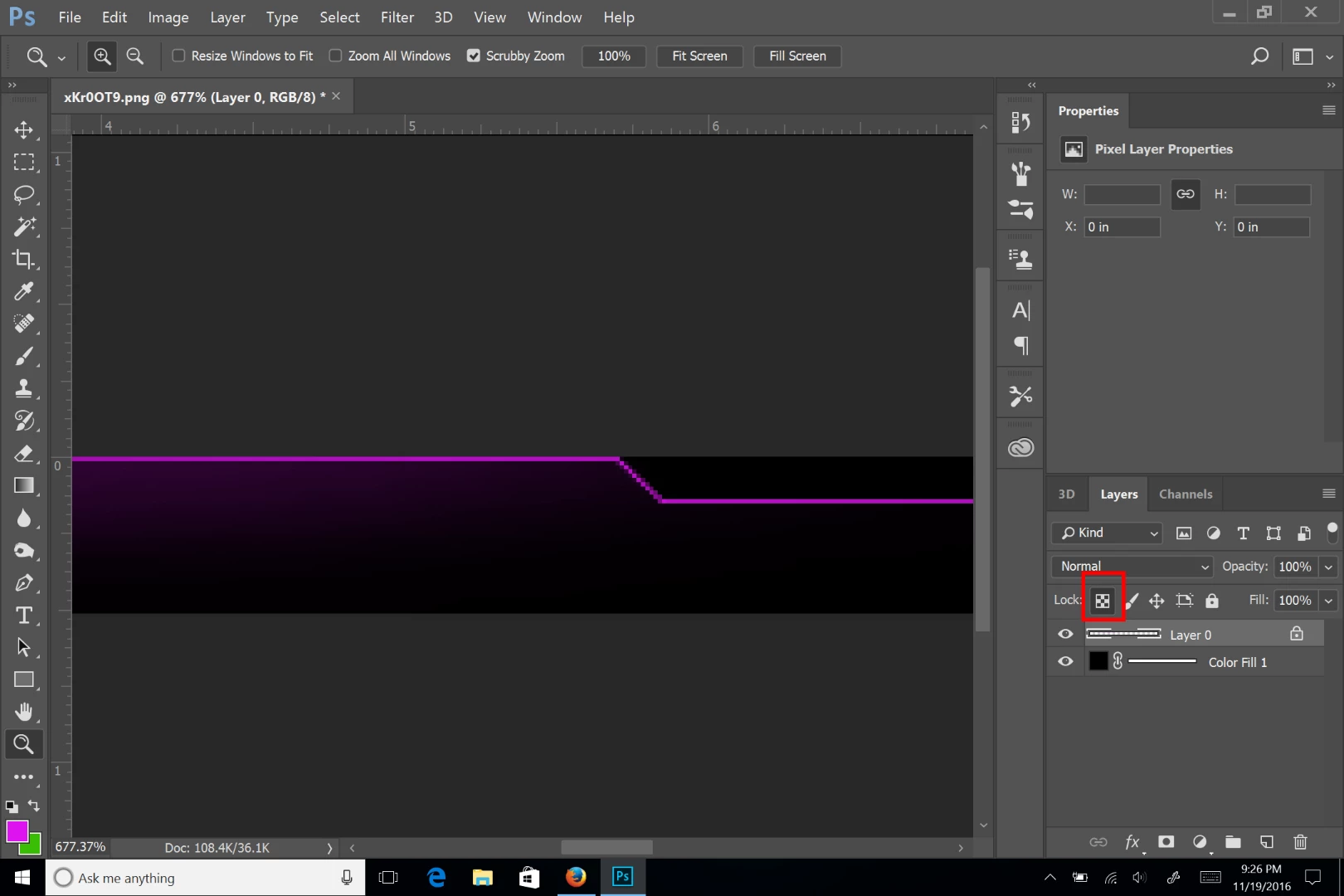
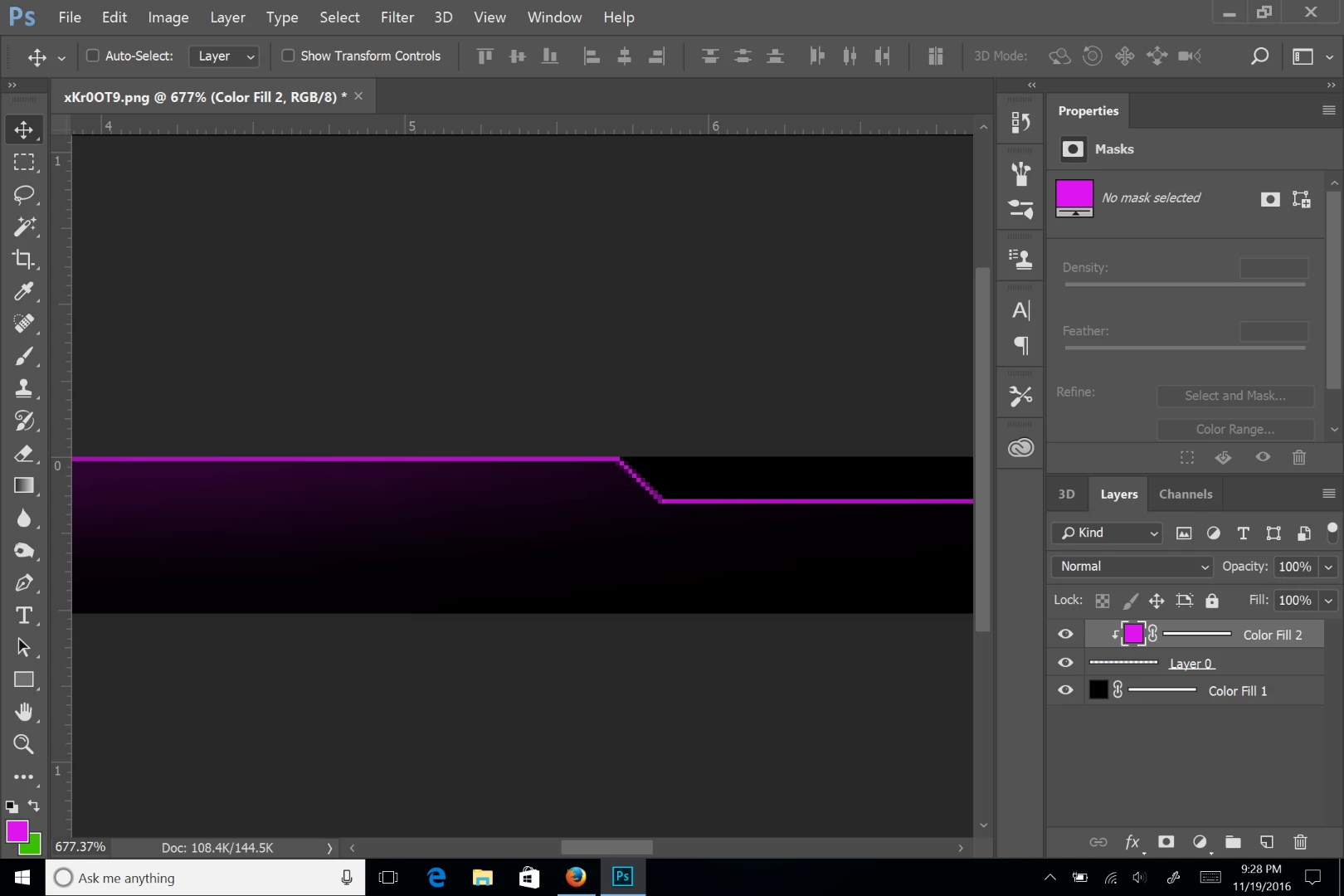
Open the file and lock the transparency of the layer. They you can fill it with any color you want. Or you can create a color layer above the original layer and clip it to the line layer.
First method
Second method:
Already have an account? Login
Enter your E-mail address. We'll send you an e-mail with instructions to reset your password.
 AdChoices