
Participant
May 31, 2021
Question

How to remove the original Work Path when using Solid Fill layer

  • May 31, 2021
  • 3 replies
  • 728 views

Hi all,


I'm currently using a work profile different to my personal PS account.

The issue I'm having on my work PS profile is when I use the pen tool to create a work path - I use Solid Fill on a workpath and it doesn't automatically remove the workpath.


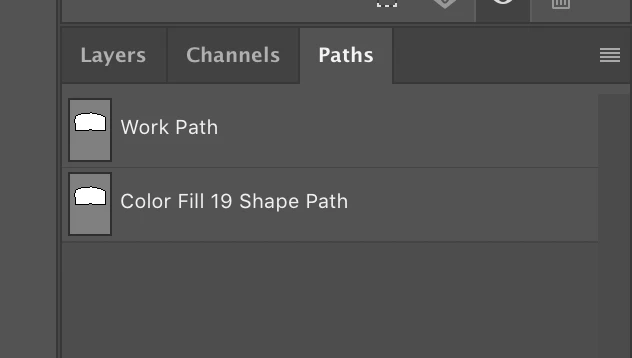
What I end up with are two workpaths of the same shape. I end up selecting the work path rather than the solid fill layer when attempting to adjust it.


Any ideas?
 

This topic has been closed for replies.

3 replies

Stephen Marsh
Community Expert
Community Expert
June 1, 2021

If this is a major issue for you, then you just need to decide in your workflow how you will semi-automate or automate the removal of the work path after it is used to create a solid colour fill layer.

Bojan Živković11378569
Community Expert
Community Expert
June 1, 2021

Work Path gets duplicated and filled and you have Work Path and Shape path no two work paths. You can not adjust shape's path by adjusting Work Path, only by adjusting shape layer's path.


As suggested, you can delete Work Path or keep it for re-use but do not try to adjust shape on shape layer (created when filling path using Solid Fill) using Work Path.

JJMack
Community Expert
Community Expert
June 1, 2021

You most used the pen tool to create a closed  Work Path. You then added a solid fill layer which created a "Color Fill 19" shape layer. The shape layer is the current  Photoshop target.  So in the Paths Palette you see two paths the Work Path  you created and the vector layer mask for the shape layer "Color Fill 19 Shape Path".  If you target the background layer you will see the only Path in the Paths palette is the Work Path your created with the Pen. You can delete the work path if you no longer need it.


JJMack