Participating Frequently
February 3, 2019
Answered

How to remove vertical translucent line caused by flatbed scanner issue?

  • February 3, 2019
  • 3 replies
  • 821 views

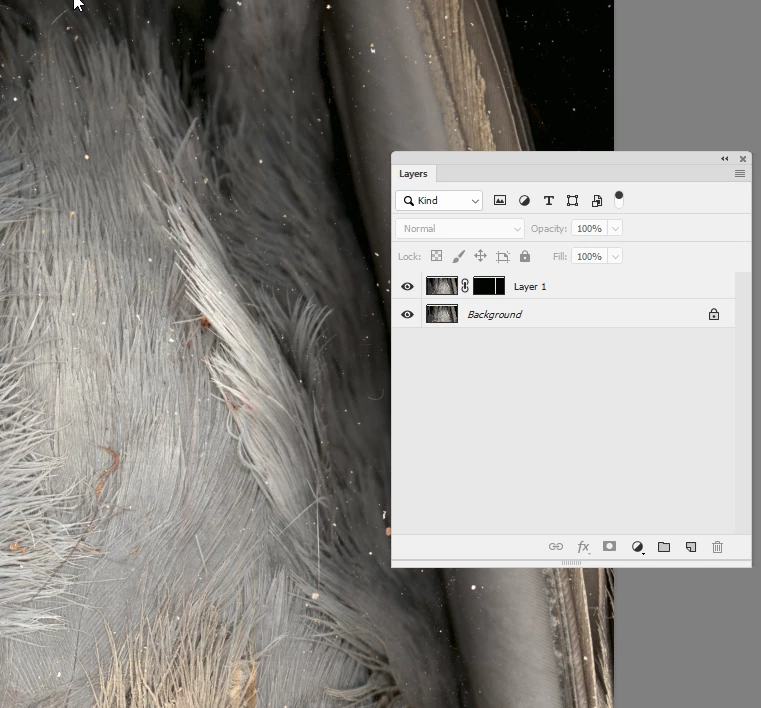
I did a timelapse of a pigeon decaying (weird, I know) with a flatbed scanner. There must have been an issue with the scanner's white balance strip, as there is a vertical translucent red line going through the footage on the right. The image is slightly enhanced so that the line is more visible. The footage is 405 megapixels large, so the issue is particularly pronounced with close-up shots within this video clip.

Any ideas for how to cancel out the red tint? I'm asking this in a Photoshop forum, but I will be applying the effect via adjustment layers in After Effects, so an answer for either program works since they're so similar. Thanks.

This topic has been closed for replies.
Correct answer davescm

Hi

You could try this :

Duplicate the layer and set the blending mode of the duplicate to colour.

Move the duplicate slightly to the right.

Add a mask so that the upper layer is only visible on the red line of the lower layer.

In short - for that strip you are using the luminosity from the original - but the colour from the shifted layer

Dave

3 replies

Norman Sanders
Legend
February 3, 2019

One of the problems involved in making color changes in RGB is that each channel carries along with it the tone scale of the image. As a result a change in color runs the risk of changing tone (tone level, contrast and detail). Lab Color offers the opportunity to change color without affecting the image modeling and detail. In the sample below, the Mode was changed to Lab Color, then changed back to RGB.

The tool: soft Spot Healing brush,100 in the Options bar. Click once at the top, hold down the Shift key and click on the bottom. of the line. It will draw the line. It takes a moment to make the change.

Center image: the a channel which governs Magenta/Green

Right image: the Healing Brush was used for both a and the b channels. (The b channel covens yellow, blue.)

The modeling resides in the Lightness channel (L) which is unchanged.

Participating Frequently
February 4, 2019

Great, thanks a lot!

Stephen Marsh
Community Expert
Community Expert
February 3, 2019

Is apply image or channel mixer available in AE? Those are usually my go to methods for channel fixups...

Hopefully something as simple as a feathered selection and a hue/saturation adjustment will do the job, say the master hue and Hue +25 and Saturation -50

Participating Frequently
February 4, 2019

I don't think those are available in AE 2014. Good to know though, thanks.

davescm
Community Expert
davescmCommunity ExpertCorrect answer
Community Expert
February 3, 2019

Hi

You could try this :

Duplicate the layer and set the blending mode of the duplicate to colour.

Move the duplicate slightly to the right.

Add a mask so that the upper layer is only visible on the red line of the lower layer.

In short - for that strip you are using the luminosity from the original - but the colour from the shifted layer

Dave

Participating Frequently
February 4, 2019

This works perfectly, thanks!