saranr37921948
Known Participant
May 23, 2018
Question

How to Replace specific color to another color in Photoshop Action and Scripting
  • May 23, 2018
  • 3 replies
  • 2762 views

Hi All,

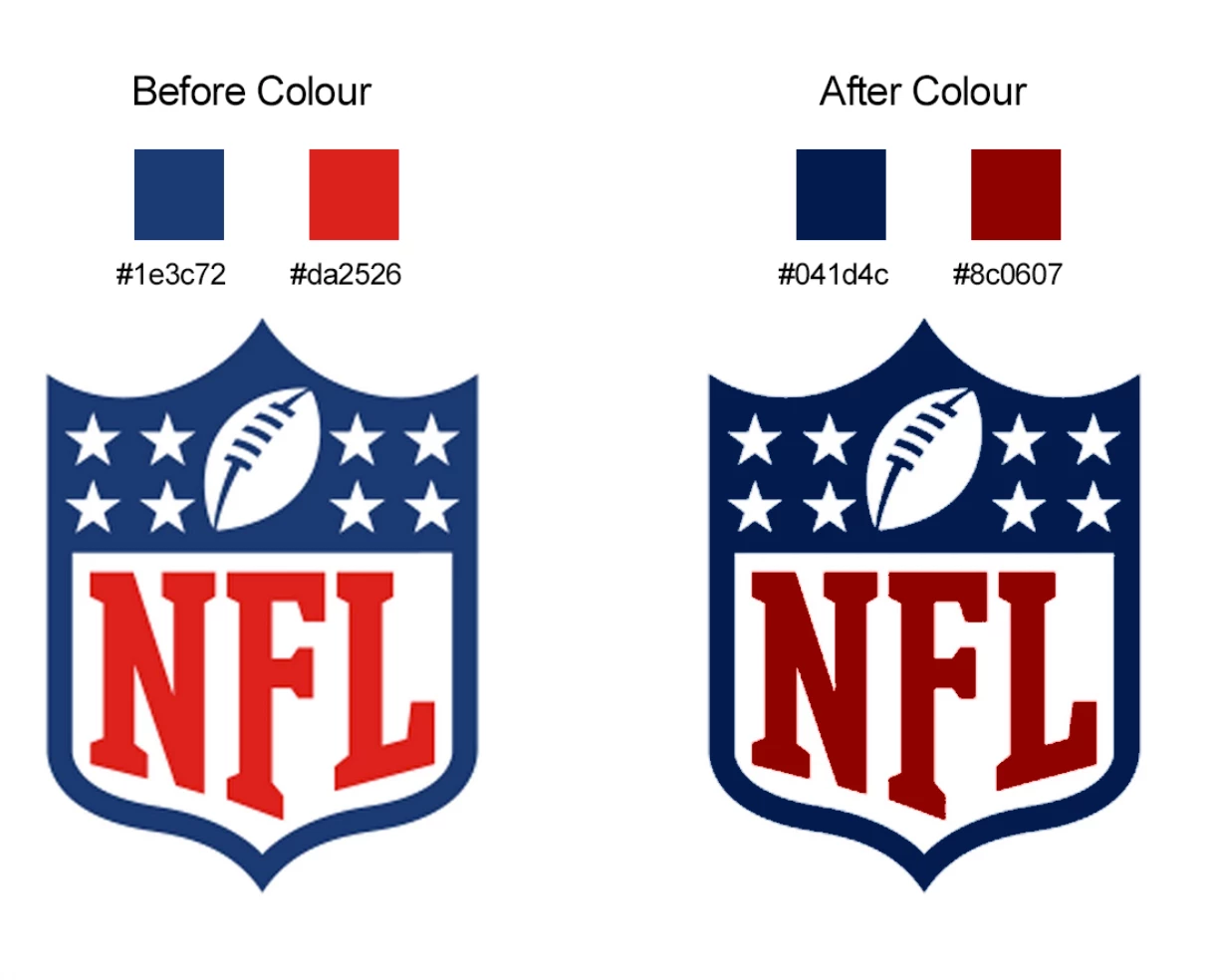
How to Replace specific colors to another color in  Photoshop Action and Scripting

This topic has been closed for replies.

3 replies

Legend
May 24, 2018

Try this using the Curves Adjustment Layer

var r = [[0,0], [0x1e,0x04], [0xda,0x8c], [255,255]];

var g = [[0,0], [0x25,0x06], [0x3c,0x1d], [255,255]];

var b = [[0,0], [0x26,0x07], [0x72,0x4c], [255,255]];

add_curves();

set_corner_curves(null, r, g, b);

////////////////////////////////////////////////////////////////////////////////////////////

function add_curves()

    {

    try {

        var r1 = new ActionReference();

        r1.putClass( charIDToTypeID( "AdjL" ) );

        var d1 = new ActionDescriptor();

        d1.putReference( charIDToTypeID( "null" ), r1 );

        var d2 = new ActionDescriptor();

        d2.putObject( charIDToTypeID( "Type" ), charIDToTypeID( "Crvs" ), new ActionDescriptor() );

        d1.putObject( charIDToTypeID( "Usng" ), charIDToTypeID( "AdjL" ), d2 );

        executeAction( charIDToTypeID( "Mk  " ), d1, DialogModes.NO );

        }

    catch (e) { alert(e); }

    }

////////////////////////////////////////////////////////////////////////////////////////////

function set_corner_curves(c, r, g, b, k)

    {

    try {

        function line(x1,y1, x2,y2, x) { return Math.round((x2*y1 - x1*y2)/(x2-x1) + ((y2-y1)/(x2-x1))*x); }

        var d1 = new ActionDescriptor();

        var d2 = new ActionDescriptor();

        var r1 = new ActionReference();

        var l1 = new ActionList();

        r1.putEnumerated( charIDToTypeID( "AdjL" ), charIDToTypeID( "Ordn" ), charIDToTypeID( "Trgt" ) );

        d1.putReference( charIDToTypeID( "null" ), r1 );

        function set_chnl(name, m, idx)

            {

            try {

                if (m == undefined || m == null) return;

                var d1 = new ActionDescriptor();

                var r1 = new ActionReference();

                r1.putEnumerated( charIDToTypeID( "Chnl" ), charIDToTypeID( "Chnl" ), charIDToTypeID( name ));

                d1.putReference( charIDToTypeID( "Chnl" ), r1 );

                var list = new ActionList();

                var max = false;

                var xx = 255;

                for (var i = 0; i < 256; i++)

                    {

                    if (max) { list.putInteger( 255 ); continue; }

                    for (var n = 0; n < m.length-1; n++)

                        {

                        if (i >= m[0] && i <= m[n+1][0])

                            {

                            xx = line(m[0],m[1], m[n+1][0],m[n+1][1], i);

                            if (isNaN(xx))  continue;

                            if (xx < 0) xx = 0;

                            if (xx >255) xx = 255;

                            list.putInteger( xx );

                            if (xx >= 254) { max = true; }

                            break;

                            }

                        }

                    }

                d1.putList( charIDToTypeID( "Mpng" ), list );

                l1.putObject( charIDToTypeID( "CrvA" ), d1 );

                list = r1 = d1 = null;

                }

            catch (e) { _alert(e); }

            }

        if (app.activeDocument.mode == DocumentMode.RGB)

            {              

            set_chnl("Cmps", c);

            set_chnl("Rd  ", r);

            set_chnl("Grn ", g);

            set_chnl("Bl  ", b);

            }

        else if (app.activeDocument.mode == DocumentMode.LAB)

            {              

            set_chnl("Lght", r);

            set_chnl("A   ", g);

            set_chnl("B   ", b);

            }

        else if (app.activeDocument.mode == DocumentMode.CMYK)

            {              

            set_chnl("Cmps", c);

            set_chnl("Cyn ", r);

            set_chnl("Mgnt", g);

            set_chnl("Yllw", b);

            set_chnl("Blck", k);

            }

        d2.putList( charIDToTypeID( "Adjs" ), l1 );

        d1.putObject( charIDToTypeID( "T   " ), charIDToTypeID("Crvs"), d2 );

        var ret = executeAction( charIDToTypeID( "setd" ), d1, DialogModes.NO );

        l1 = r1 = d1 = d2 = null;

        return ret?true:false;

        }

    catch (e) { alert(e); return false; }

    }

saranr37921948
Known Participant
May 24, 2018

thanks for your help

colour replace just a solid colour

example:-X,Y

colour X   RGB 255,255,255

to replace

colour Y   RGB 155,155,155

Legend
May 24, 2018

It's unclear what you really need.

If you only need to change the color 255,255,255, and leave 255,255,254 unchanged you can do so.

// stamp visible to a new layer

app.activeDocument.artLayers.add();

var d = new ActionDescriptor();

d.putBoolean( charIDToTypeID( "Dplc" ), true );

executeAction( charIDToTypeID( "MrgV" ), d, DialogModes.NO );

// fill 1 pixel with source color

app.preferences.rulerUnits = Units.PIXELS;

var c = new SolidColor();

c.rgb.red  = 255;

c.rgb.green = 255;

c.rgb.blue  = 255;  

app.activeDocument.selection.select([[0,0],[1,0],[1,1],[0,1]]);

app.activeDocument.selection.fill(c);

// select similar color

app.activeDocument.selection.similar(0, false);

// fill selection with destination color

var c = new SolidColor();

c.rgb.red  = 155;

c.rgb.green = 155;

c.rgb.blue  = 155;  

app.activeDocument.selection.fill(c);

app.activeDocument.selection.deselect();

saranr37921948
Known Participant
May 24, 2018

From (Specific Color)

C:85

Y:50 

M:0

K:0

To (Another Color )

C:50

Y:100 

M:0

K:0

Chuck Uebele
Community Expert
Community Expert
May 23, 2018

Are these shape layers? If so you can use scriptlistener to select get the code to replace a color in a shape layer. Other than that you just need to have the script specify which layer you want to change and select that layer with the color.

saranr37921948
Known Participant
May 24, 2018

please see the attached file the link WeTransfer