preditorj40153117
Inspiring
January 29, 2019
Answered

How to reset PS CC?

  • January 29, 2019
  • 2 replies
  • 436 views

I am having a bunch of little issues with photoshop. I have dumped the cache and it still persists.

Issues:

•  transform box is periodically not there even with show transform controls on

•  brushes will not reset

•  eraser will not reset

•  it studders when I type. so I can type 7-10 character then lookup and in about 2secs I can watch it type.

Is it possible to delete PS and reinstall like new without affecting other programs?
    This topic has been closed for replies.
    Correct answer

    Hi

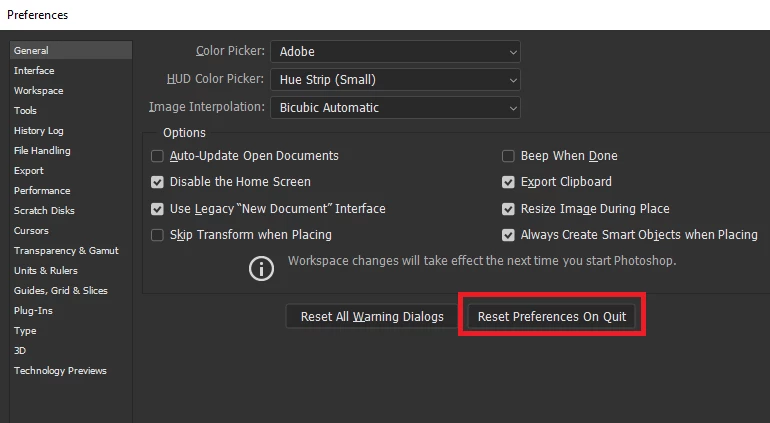
    You can reset the preferences from here

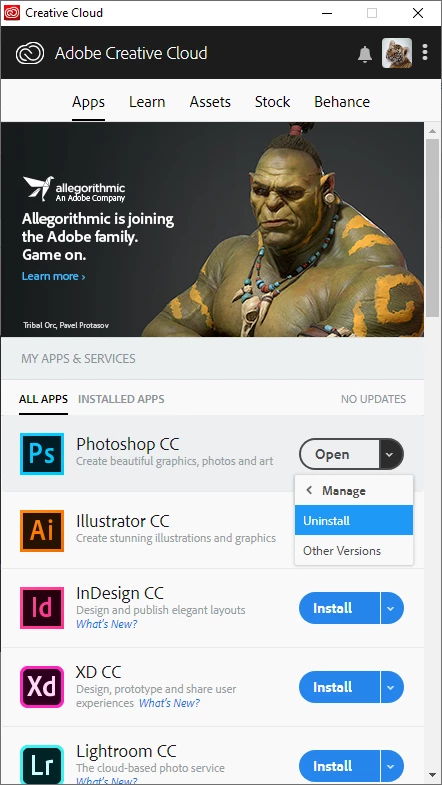
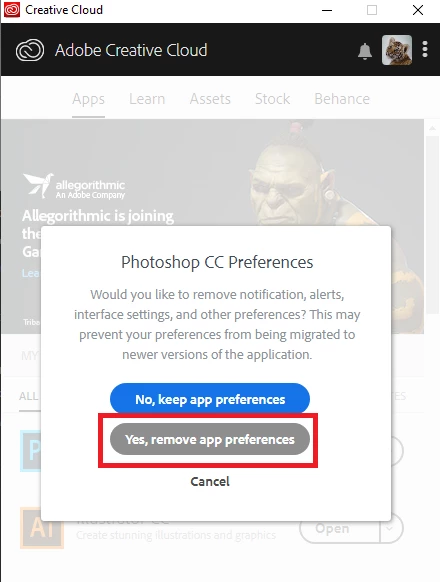
    Uninstall from the CC app, if you decide to uninstall it will give you the option to remove app preferences

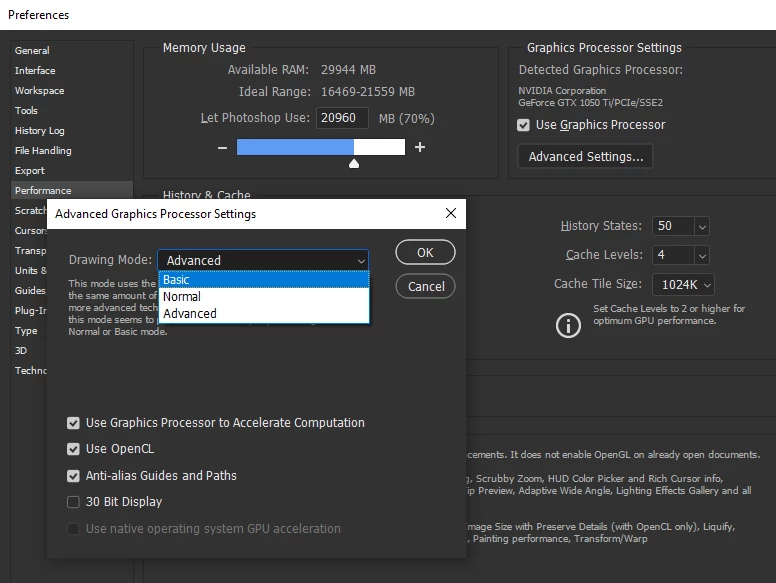
    For the transform issue try setting the drawing mode to basic in advanced settings

    2 replies

    JJMack
    Community Expert
    Community Expert
    January 29, 2019

    If you delete your user ID Application data  for CC 2019 then start Photoshop CC 2019 it will be like you just install Phorishop CC 2019 and are starting it for the first time.  However, You add on plug-ins should still be installed. On a Windows 10 system that would be Deleting or Renaming your User ID  hidden CC 2019 application data folder.

    "C:\Users\(Your User ID)\AppData\Roaming\Adobe\Adobe Photoshop CC 2019\"

    "C:\Users\(Your User ID)\AppData\Roaming\Adobe\Adobe Photoshop (Verson)\"

    CC 2019 has issues you may need to change some preferences and shortcuts and add a PSUserConfix.txt to get Photoshop working like CC 208.  Read the about the changes Adobe made in CC 2019 many users are very upset  with them.

    JJMack
    Correct answer
    January 29, 2019

    Hi

    You can reset the preferences from here

    Uninstall from the CC app, if you decide to uninstall it will give you the option to remove app preferences

    For the transform issue try setting the drawing mode to basic in advanced settings

    preditorj40153117
    Inspiring
    January 30, 2019

    Without the reinstall. The reset in the general preferences worked. At least so far.

    How every i get no highlight on text that i select. Even if i do a select all i so not see what text it highlighted and what is not.

    No cursor either

    S O L V E D !!!!!!

    i just had to restart photoshop 2x and all is well.