Known Participant
August 3, 2023
Question

How to select the channel mask, when channel mask have lesser alpha value

  • August 3, 2023
  • 1 reply
  • 606 views

Hi all,

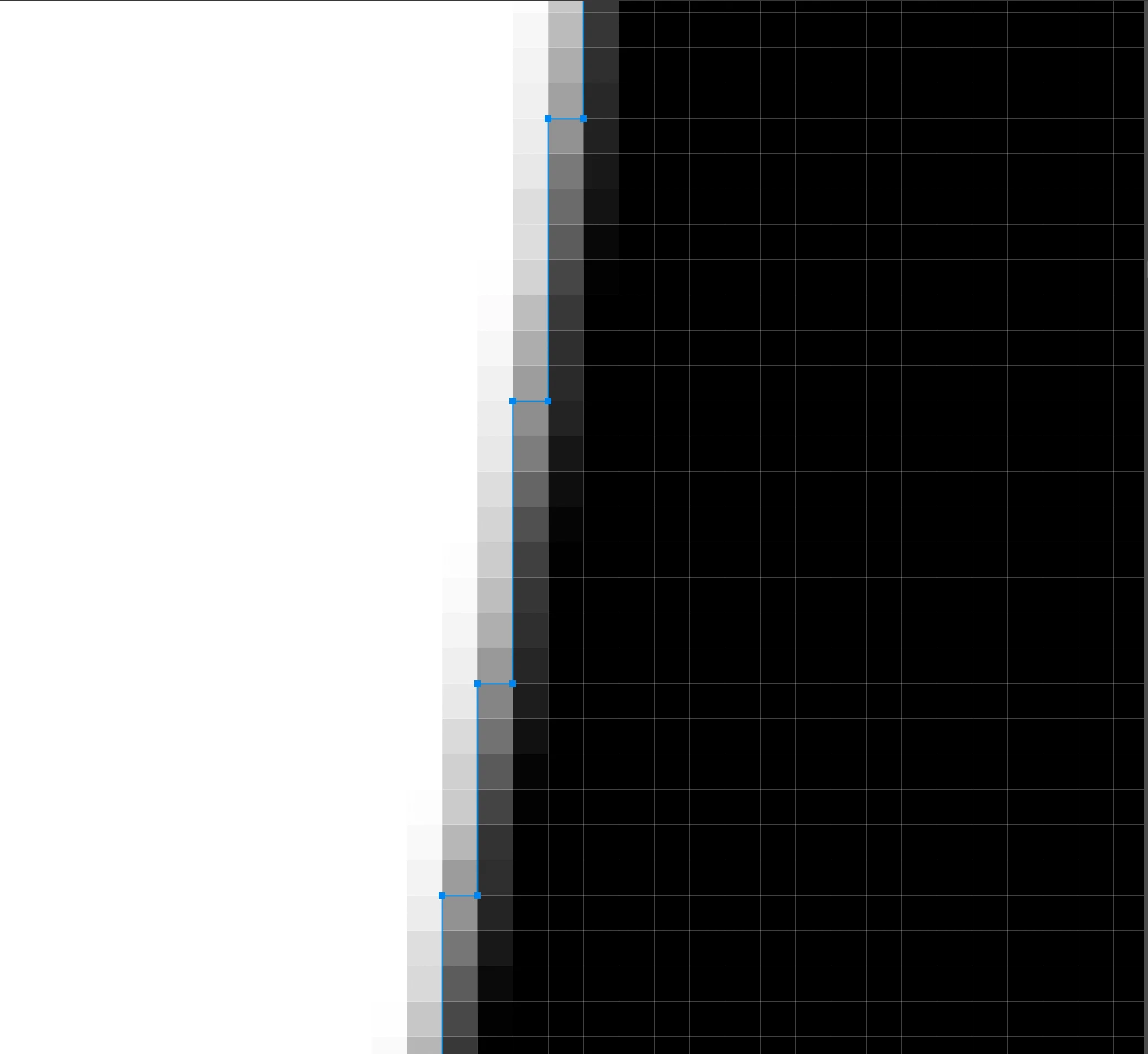
in the above fig I have selected channel mask and some part from channel mask is not selected which have lesser alpha value.
so i want the script that can select remaining channel mask which have lesser alpha value too. is there any script to do that selection .

Thank You

This topic has been closed for replies.

1 reply

c.pfaffenbichler
Community Expert
Community Expert
August 3, 2023

What are you talking about exactly – just loading the Channel as a Selection? (Please post meaningful screenshots including all pertinent Panels, not just snippets.)


Or it this related to a futile attempt to create one Path that perfectly recreates a halftone grayscale channel/image? 

Mahesh12Author
Known Participant
August 3, 2023

hi @c.pfaffenbichler  

in the channel panel i have selected that particular channel mask and i'll select "Load Channel as a selection" option.
after selecting the "Load Channel as a selection" i'll zoom the it.. when i zoom it the selection will look like this.

after zooming the selection is looks, which is shown in the above fig.  as we can see that some of the portion is not selecting , i think becuase that have a semi transparency / lesser alpha value. so i want that remaning portion should be selected, which have semi transparency.. can we do that through script?


c.pfaffenbichler
Community Expert
Community Expert
August 3, 2023

Your description does not seem clear to me. 

Are you aware that the »marching ants« just conform to to area of at least 50% selected? 

To view an active Selction as a Channel you can use QuickMask Mode (Q) and hide the other Channels. 


Please post meaningful screenshots including all pertinent Panels (Toolbar, Options, Layers, Channels, …),  not just snippets.