
how to slect an area enclosed by a current selection
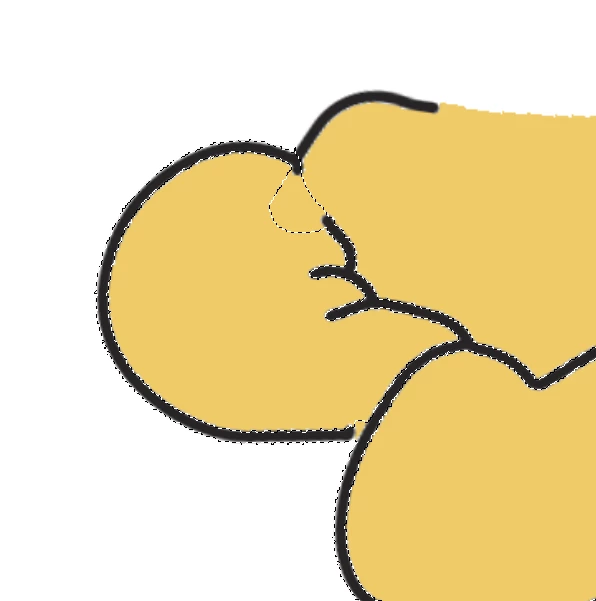
I am curious if there is a quick way to select this specific area. I am trying to select the area that is enclosed within my current selection (while retaining the current selection), without selecting the entirety of the area that shares the color. I want to select this left portion of the arm without selecting the torso area. Magic wand and quick select tools seem to disregard the existing borders. I tried fidgeting with the contiguous setting as well as the intersect with selection however neither of them quite seemed to achieve the desired effect.
Of course, i could simply lasso this area, but I just wanted to take this opportunity to learn whether there was any convenient shortcut. I apologize if this question is in any way redundant or has been answered, I found that it was niche enough so as not to return accurate google results.
Thank you for your time and consideration!
 AdChoices