

kentmcpherson
Inspiring
December 19, 2016
Answered

How to smooth a cloned area?

  • December 19, 2016
  • 2 replies
  • 4421 views

I'm looking for some help in how to smooth out some cloned areas on the left and right of people in this picture.  I wanted to eliminate the doorways on both sides.  Here's the original.
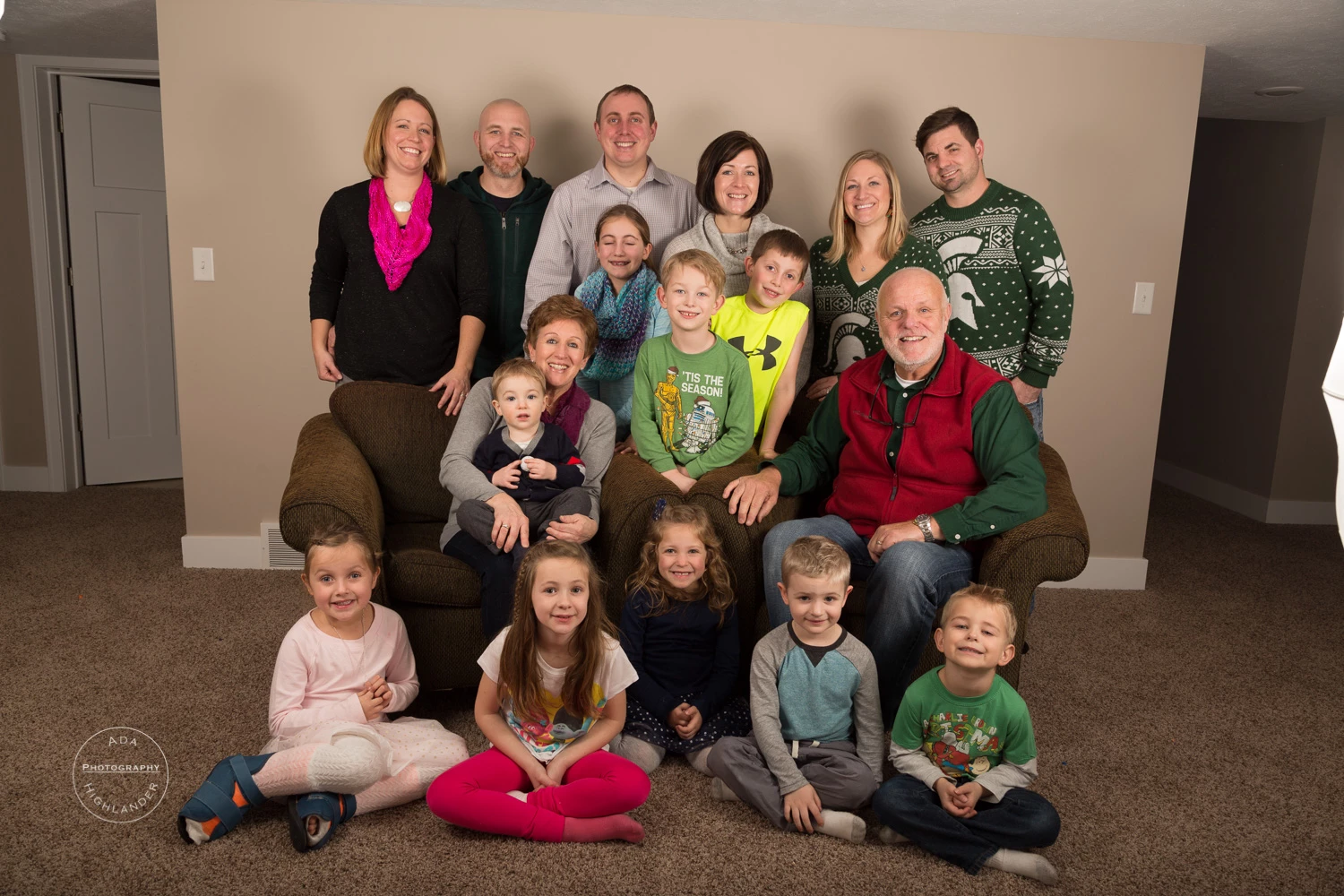
I eliminated the wall switches and then tried to clone those areas to extend out further but they're pretty obvious. Looking for a way to smooth these out.
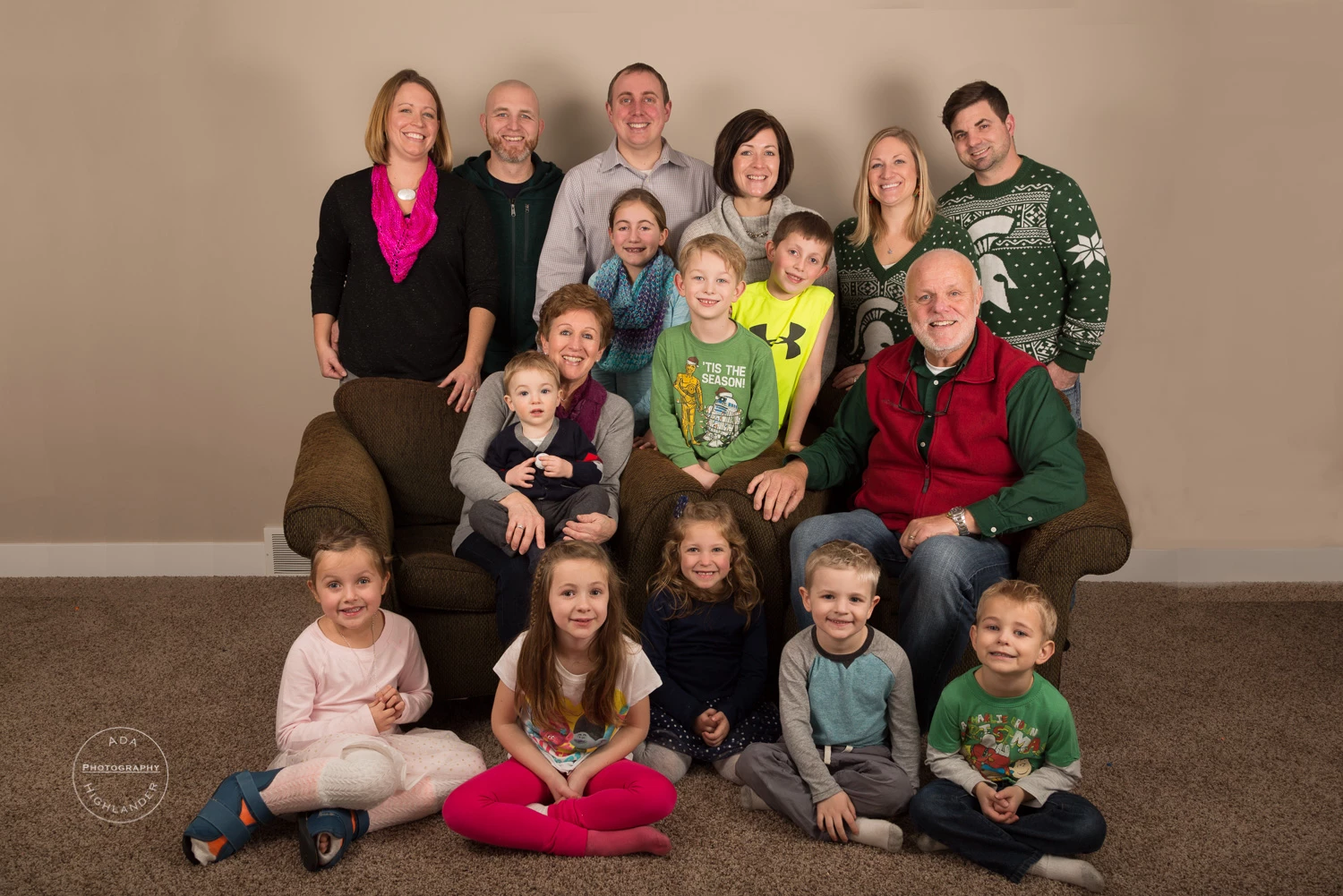
Any suggestions would be appreciated!  Thanks.

    This topic has been closed for replies.
    Correct answer KShinabery212

    If there are parts that do not line up you could use the Patch Tool.  I have used it a lot in retouching, and it should work here as well.

    The part that I notice that you probably had the area selected with rectangular marquee.  Which is why you have the hard lines.

    Next time do not select any part... just use the clone brush tool as you can use it with soft edges to create the new pieces.  It will blend so much better that way.  But I think you are doing a great job... and I think once you clean up the hard lines you will have a really great photo!

    So congratulations in advance... as I think they will love it!

    2 replies

    KShinabery212
    Community Expert
    Community Expert
    December 20, 2016

    Cool... looks so much better.  As you can see you do not have the rough lines. 

    I remember when I discovered the Clone Stamp... I was like wow the cool things I can do with it.  That is the cool thing about Photoshop.... you can always learn something new or different way to accomplish tasks!  And asking questions in the forum is always something good (I ask things all the time!).

    The photo looks really great!

    Cheers,

    Kenn.

    Let's connect on LinkedIn. https://www.linkedin.com/in/kshinabery/
    KShinabery212
    Community Expert
    KShinabery212Community ExpertCorrect answer
    Community Expert
    December 19, 2016

    If there are parts that do not line up you could use the Patch Tool.  I have used it a lot in retouching, and it should work here as well.

    The part that I notice that you probably had the area selected with rectangular marquee.  Which is why you have the hard lines.

    Next time do not select any part... just use the clone brush tool as you can use it with soft edges to create the new pieces.  It will blend so much better that way.  But I think you are doing a great job... and I think once you clean up the hard lines you will have a really great photo!

    So congratulations in advance... as I think they will love it!

    Let's connect on LinkedIn. https://www.linkedin.com/in/kshinabery/
    kentmcpherson
    Inspiring
    December 19, 2016

    Thanks for the suggestion of using the Clone Stamp tool.  I tried that and got a little better results.  I could get it better yet if I wanted to take a little more time.