
Question
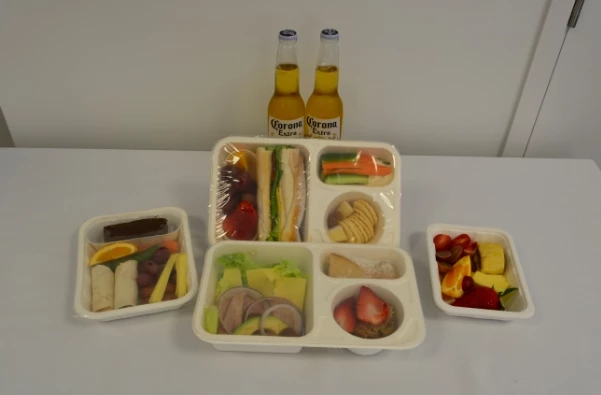
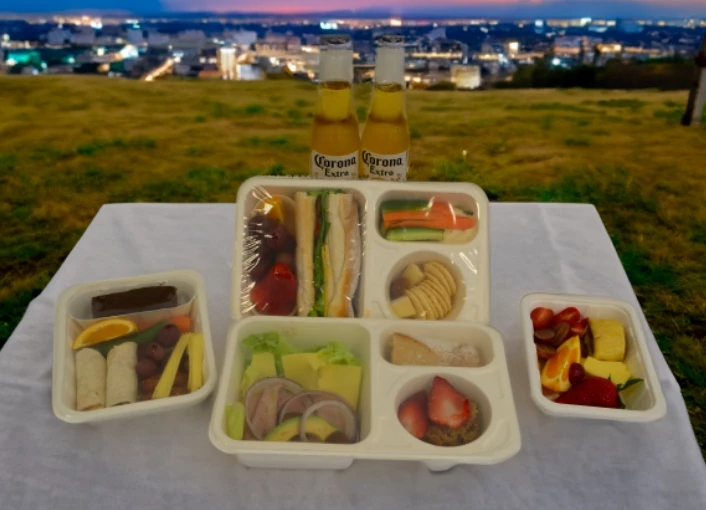
How to stop generative fill from re-shaping elements - like these squashed beer bottles
I'm masking the trays and bottles then running the generative fill function. All iterations have the beer bottles truncated so they look very obviously fake.
Other than placing them on their own layer to add manually to the tableau, is there a way to prevent the bottles from being re-shaped?
Adobe Photoshop Version: 25.12.0 20240903.r.806 055f5e9 x64
Number of Launches: 25
Operating System: Windows 11 64-bit
Version: 11 or greater 10.0.22631.4317
 AdChoices