
JohnJohnJohnJohn
Participant
March 8, 2019
Answered

How to use artboards with shared layer artwork?

  • March 8, 2019
  • 1 reply
  • 740 views

Hello there!

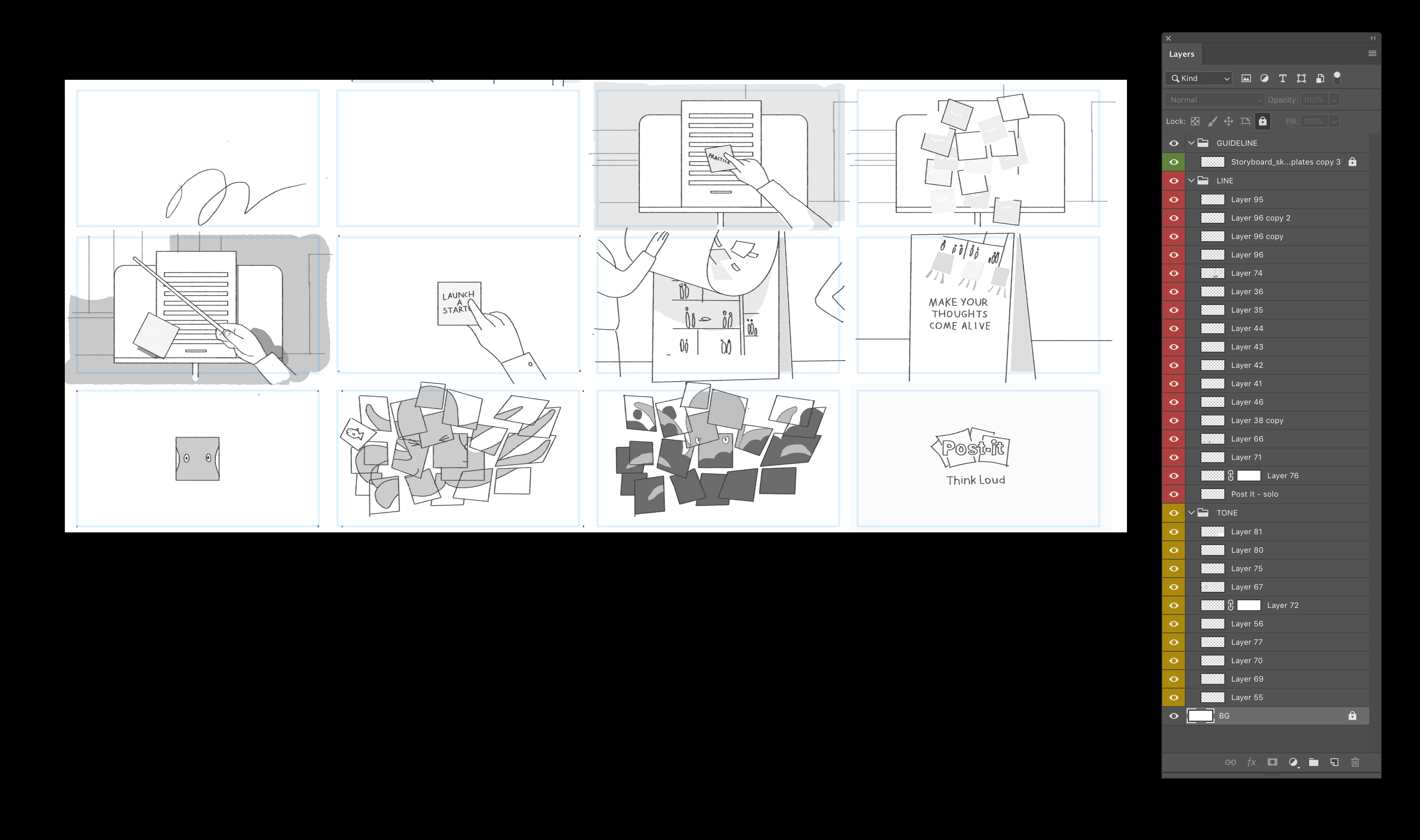
Hope you can help. I have lots of storyboard PSDs like this (attached) which I want to break up into individual PSDs (to make an animatic in after effects). As you can see in the screen grab, my layers are grouped into one for linework (red) and one for tone/colour (yellow)

Ideally I'd assign each blue box you see here as an individual artboard and export them all as psds. However when I draw an dartboard it stars trying to pull in layers. Each layer is shared by multiple story frames.

So!

I'm new to PS artboards, is there a way to use them like in Illustrator where it doesn't affect the layer order? And doesn't try to group them? I literally just want to draw lots of boxes and export each as an editable PSD. The alternative is lots of manual cropping...

Thanks!

Johnny
This topic has been closed for replies.
Correct answer davescm

Hi

Artboards in Illustrator and Photoshop work a bit differently. Photoshop uses a hierarchy of Artboards containing layers.

Unless you can do something with masking (for example, off the top of my head, put everything in a group - mask the area you want and in AE keyframe both the movement of the mask and all layers so that the viewable area is always correct) I think you are left with cropping.

Dave

1 reply

davescm
Community Expert
davescmCommunity ExpertCorrect answer
Community Expert
March 8, 2019

Hi

Artboards in Illustrator and Photoshop work a bit differently. Photoshop uses a hierarchy of Artboards containing layers.

Unless you can do something with masking (for example, off the top of my head, put everything in a group - mask the area you want and in AE keyframe both the movement of the mask and all layers so that the viewable area is always correct) I think you are left with cropping.

Dave

JohnJohnJohnJohn
Participant
March 8, 2019

As I feared! Thanks Dave