Participant
November 30, 2021
Answered

How to use JSX to move the timeline and define keyframe positions

  • November 30, 2021
  • 3 replies
  • 588 views

I want to use jsx to create long animations where the layers move little by little.
So I want to make a jsx that moves the timeline every 5 seconds and defines positions on keyframes.
Does anyone know how to do this?

This topic has been closed for replies.
Correct answer jazz-y


#target photoshop
var s2t = stringIDToTypeID,
    duration = 5,
    len = 100;

try {
    setCurrentTime(0)
    enableTracking()
    setMoveOutTime(len * duration)
    makeKeyFrame()
    for (i = 1; i <= len; i++) {
        setCurrentTime(i * duration)
        move(50 * i, 50 * i * i);
    }
} catch (e) { alert(e) }

function setCurrentTime(seconds) {
    (r = new ActionReference()).putProperty(s2t('property'), s2t('time'));
    r.putClass(s2t('timeline'));
    (d = new ActionDescriptor()).putReference(s2t('target'), r);
    (d1 = new ActionDescriptor()).putInteger(s2t('seconds'), seconds);
    d.putObject(s2t('to'), s2t('timecode'), d1);
    executeAction(s2t('set'), d, DialogModes.NO);
}

function enableTracking() {
    (r = new ActionReference()).putEnumerated(s2t('animationTrack'), s2t('stdTrackID'), s2t('sheetPositionTrack'));
    (d = new ActionDescriptor()).putReference(s2t('null'), r);
    executeAction(s2t('enable'), d, DialogModes.NO);
}

function setMoveOutTime(seconds) {
    (d = new ActionDescriptor()).putInteger(s2t('seconds'), seconds);
    (d1 = new ActionDescriptor()).putObject(s2t('timeOffset'), s2t('timecode'), d);
    executeAction(s2t('moveOutTime'), d1, DialogModes.NO);
}

function makeKeyFrame() {
    (r = new ActionReference()).putClass(s2t('animationKey'));
    r.putEnumerated(s2t('animationTrack'), s2t('stdTrackID'), s2t('sheetPositionTrack'));
    (d = new ActionDescriptor()).putReference(s2t('target'), r);
    executeAction(s2t('make'), d, DialogModes.NO);
}

function move(dh, dv) {
    (r = new ActionReference()).putEnumerated(s2t("layer"), s2t("ordinal"), s2t("targetEnum"));
    (d = new ActionDescriptor()).putReference(s2t("null"), r);
    (d1 = new ActionDescriptor()).putUnitDouble(s2t("horizontal"), s2t("pixelsUnit"), dh);
    d1.putUnitDouble(s2t("vertical"), s2t("pixelsUnit"), dv);
    d.putObject(s2t("to"), s2t("offset"), d1);
    executeAction(s2t("move"), d, DialogModes.NO);
}


the function activeDocument.activeLayer.translate(50*i,50*i*i) does not create a move event, so I replaced it with the move function (offset distance is indicated in pixels)

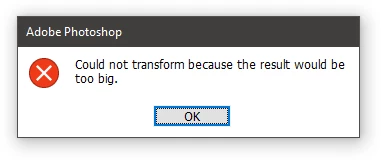
** Have you noticed that with each iteration, the distance increases exponentially? You need to change the offset parameters, otherwise the script will throw an error. 
3 replies

galbanzohAuthor
Participant
November 30, 2021

Just like this


for(i=1;i<=100;i++)
{
// move the timeline 5 sec
// define the keyframe
activeDocument.activeLayer.translate(50*i,50*i*i);
}

jazz-yCorrect answer
Legend
November 30, 2021


#target photoshop
var s2t = stringIDToTypeID,
    duration = 5,
    len = 100;

try {
    setCurrentTime(0)
    enableTracking()
    setMoveOutTime(len * duration)
    makeKeyFrame()
    for (i = 1; i <= len; i++) {
        setCurrentTime(i * duration)
        move(50 * i, 50 * i * i);
    }
} catch (e) { alert(e) }

function setCurrentTime(seconds) {
    (r = new ActionReference()).putProperty(s2t('property'), s2t('time'));
    r.putClass(s2t('timeline'));
    (d = new ActionDescriptor()).putReference(s2t('target'), r);
    (d1 = new ActionDescriptor()).putInteger(s2t('seconds'), seconds);
    d.putObject(s2t('to'), s2t('timecode'), d1);
    executeAction(s2t('set'), d, DialogModes.NO);
}

function enableTracking() {
    (r = new ActionReference()).putEnumerated(s2t('animationTrack'), s2t('stdTrackID'), s2t('sheetPositionTrack'));
    (d = new ActionDescriptor()).putReference(s2t('null'), r);
    executeAction(s2t('enable'), d, DialogModes.NO);
}

function setMoveOutTime(seconds) {
    (d = new ActionDescriptor()).putInteger(s2t('seconds'), seconds);
    (d1 = new ActionDescriptor()).putObject(s2t('timeOffset'), s2t('timecode'), d);
    executeAction(s2t('moveOutTime'), d1, DialogModes.NO);
}

function makeKeyFrame() {
    (r = new ActionReference()).putClass(s2t('animationKey'));
    r.putEnumerated(s2t('animationTrack'), s2t('stdTrackID'), s2t('sheetPositionTrack'));
    (d = new ActionDescriptor()).putReference(s2t('target'), r);
    executeAction(s2t('make'), d, DialogModes.NO);
}

function move(dh, dv) {
    (r = new ActionReference()).putEnumerated(s2t("layer"), s2t("ordinal"), s2t("targetEnum"));
    (d = new ActionDescriptor()).putReference(s2t("null"), r);
    (d1 = new ActionDescriptor()).putUnitDouble(s2t("horizontal"), s2t("pixelsUnit"), dh);
    d1.putUnitDouble(s2t("vertical"), s2t("pixelsUnit"), dv);
    d.putObject(s2t("to"), s2t("offset"), d1);
    executeAction(s2t("move"), d, DialogModes.NO);
}


the function activeDocument.activeLayer.translate(50*i,50*i*i) does not create a move event, so I replaced it with the move function (offset distance is indicated in pixels)

** Have you noticed that with each iteration, the distance increases exponentially? You need to change the offset parameters, otherwise the script will throw an error. 

galbanzohAuthor
Participant
November 30, 2021

Hi jazz-y,


Thank you so much!

It worked perfectly!


The calculation is just a sample, but I need to make a curve.

I try to make a good curve than it.

c.pfaffenbichler
Community Expert
Community Expert
November 30, 2021

And to clarify your intentions please post screenshots including the pertinent Panels to illustrate the process. 

Legend
November 30, 2021

The ability to control the timeline using scripts is extremely limited. Post a more detailed description and / or a test document explaining what needs to be done, perhaps it can be implemented.