
Participant
January 21, 2020
Question

How to use the Free Transform's preview as final image

  • January 21, 2020
  • 2 replies
  • 1045 views

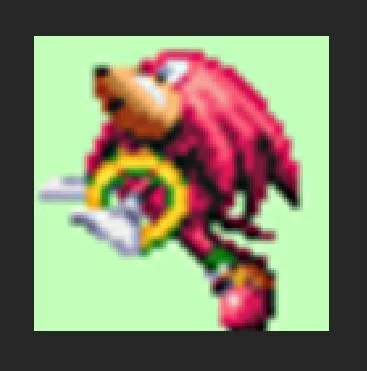
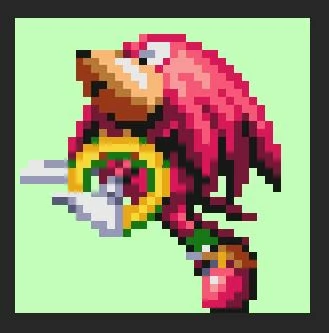
So I'm working with some PNGs of video game sprites. When I enter transform mode the image looks great in this context, big clean pixels that suit the sprites well. But confirming the transformation, everything looks much softer. The file I'm working with is a non-rasterised and enlarged PNG, Comparison below first image is confirmed transformation, 2nd being whilst in free transform


This topic has been closed for replies.

2 replies

floramc
Community Expert
Community Expert
January 21, 2020

Hello, maybe a stupid question, but what does the maginfying glass says when you look at the picture, vs when it is saved? What's the %?

JJMack
Community Expert
Community Expert
January 21, 2020

Try changing the interpolation method to nearest neighbor. Not a Good default IMO.


JJMack
hibnoticAuthor
Participant
January 21, 2020

Perfect! Thank you. I made the mistake of testing it before checking what I had already. Is the default Bicubic Auto?