

Answered
how to work away smudge and add detail lines from Autodesk 3ds Max render
Hello everybody!
I have been using Photoshop for a whole day now. And have set up my first picture.
I insert all kinds of rendered images in one bigger collage.
But now i have a question. The final rendered image has some smudge/ distortion on it.
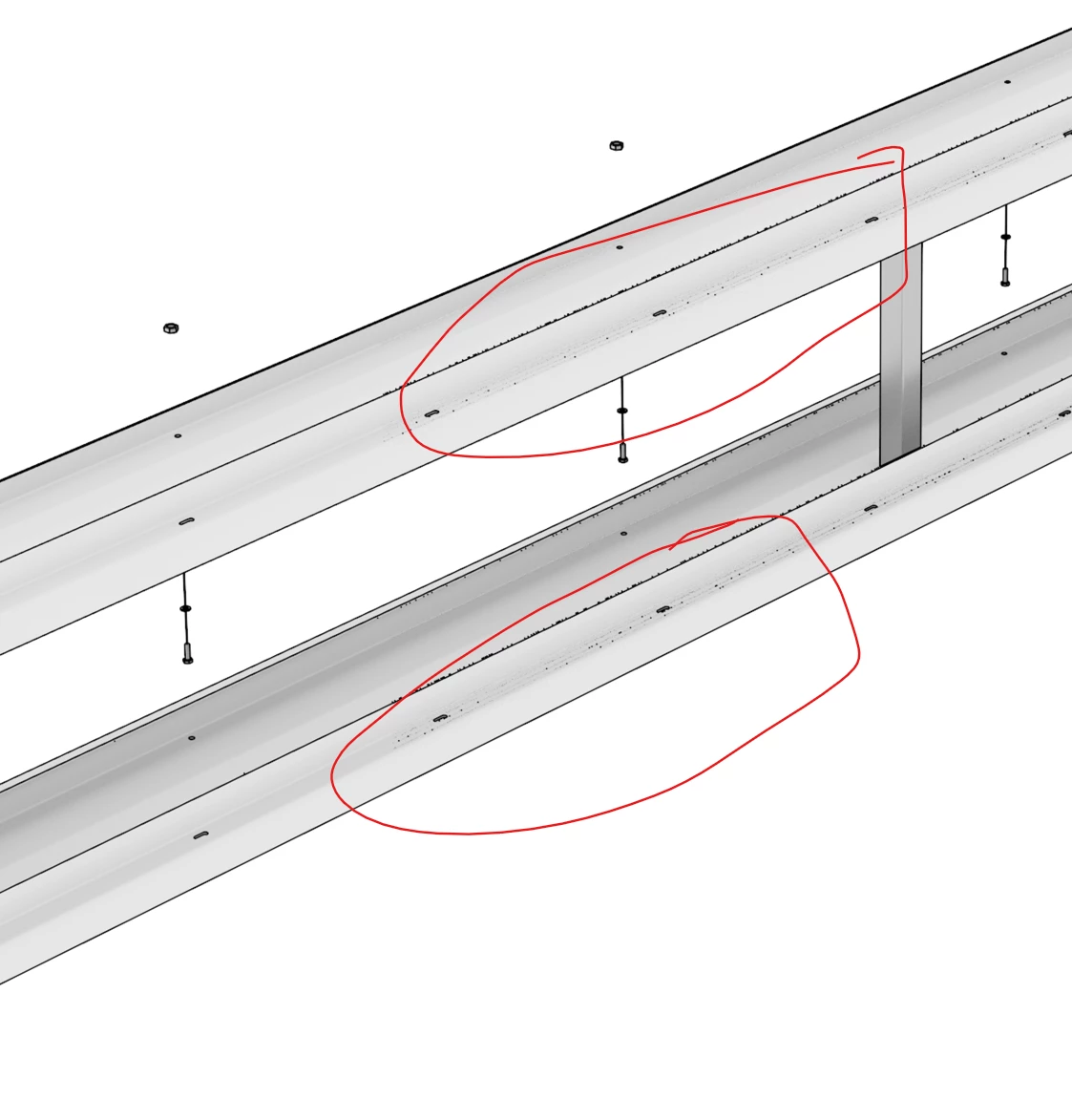
Now what would be the best way to nicely work that away and let it blend in with the rest of the surrounding white colors?
And a bonus question.
Another part of my image did not render a black line, where there should be one...
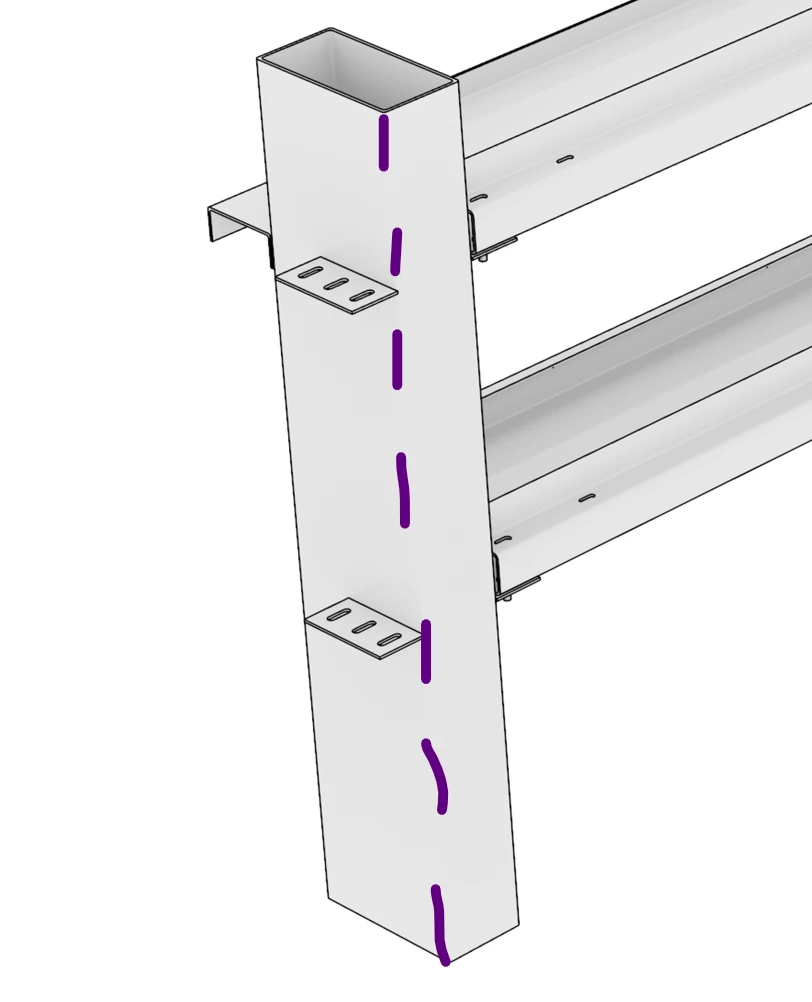
Would you all suggest using a brush tool for this? And would that be a straight line? Or is there a better looking option.
Thanks already!
-NM
[subject edited to include "Autodesk 3ds Max render"]
 AdChoices