
Participant
December 7, 2019
Answered

How to wrap text within an image?

  • December 7, 2019
  • 1 reply
  • 952 views

Hi!  I'm new to Photoshop and trying to figure out how to have text wrap within an image - in other words, I want text to flow inside the lasso:
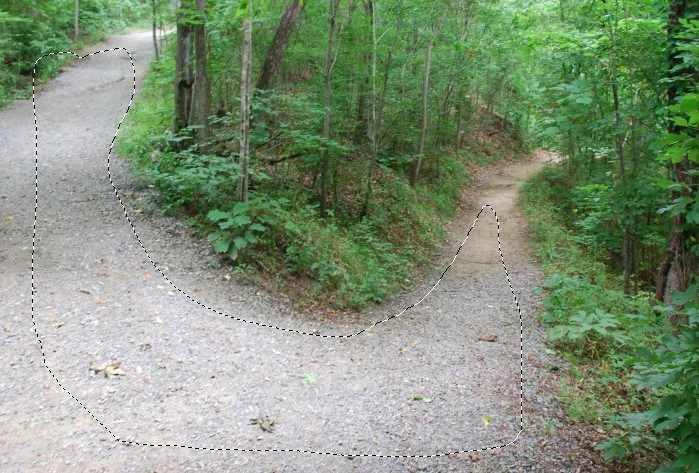
I've seen countless videos and demonstrations on how to wrap text along a path, but not inside a boundary.  Is this even possible?  Thanks very much for your help/guidance!


Scott

This topic has been closed for replies.
Correct answer jane-e

That’s a start, Dave, but if you check your text where it repeats, you will see that “grvida. Risus” is part of the line that ends with “ultrices” and the text should not flow that way, especially on the image of the path where the second half of the lines are separated by trees and bushes.


I am not in my office now and can’t look at this, but it might need three text frames to flow correctly. If you don’t see it, copy and paste real text and try to read it.


~ Jane

1 reply

davescm
Community Expert
Community Expert
December 7, 2019

Use the pen tool to draw a path (set "path" in the options bar):


Then use the text tool and put the text inside, not on, the path

Dave

ScottinNCAuthor
Participant
December 7, 2019

Thanks so much!

davescm
Community Expert
Community Expert
December 7, 2019

You're welcome 🙂

Dave