
Known Participant
May 18, 2024
Answered

Hue/Sat slider confusion

  • May 18, 2024
  • 2 replies
  • 328 views

Hello everyone

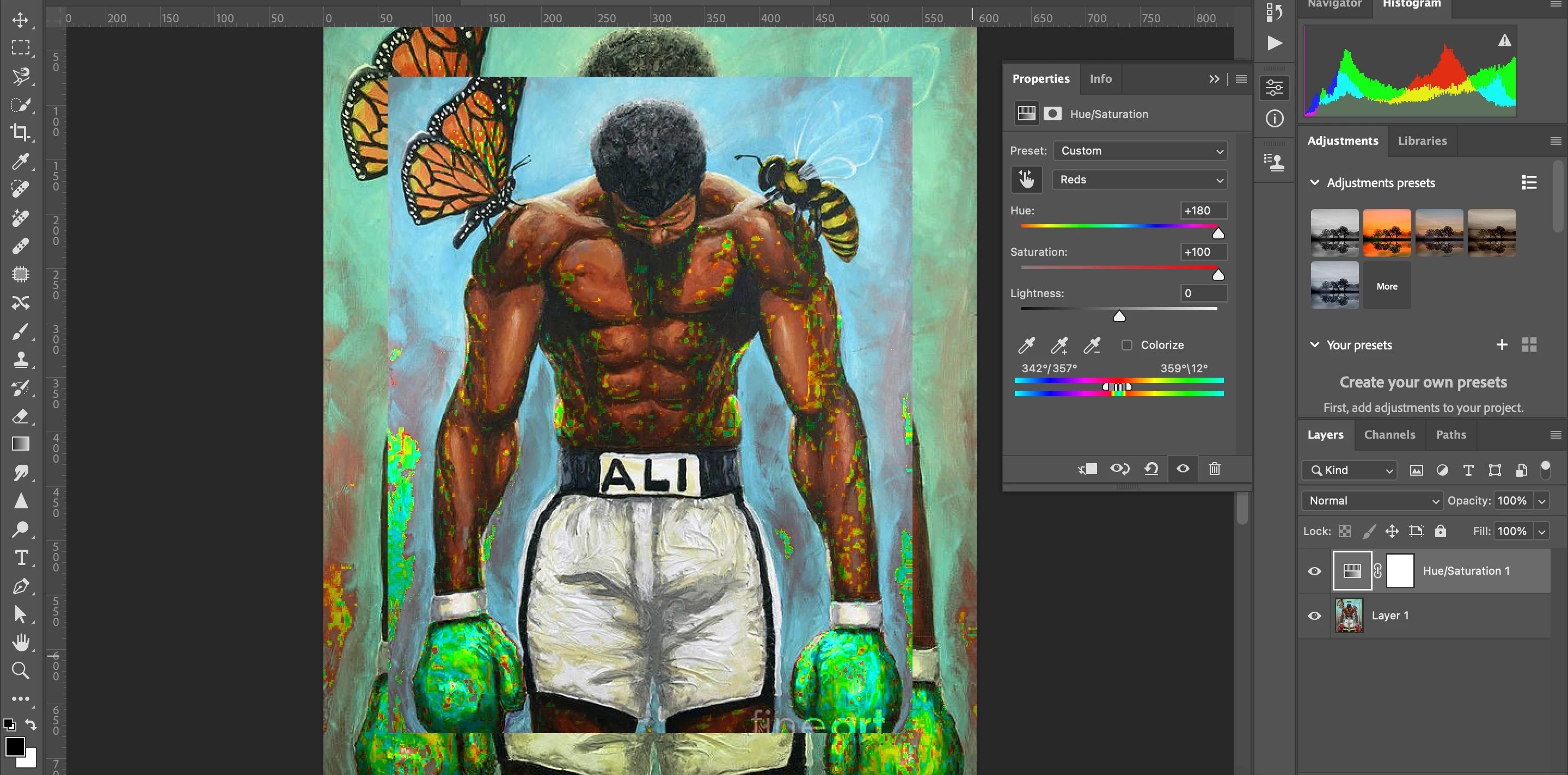
I wanted to understand targetting adjustment using the hue/sat adjustment layer. As instructed by the Piximperfect guy, I'm using the ends to zero in on the areas I want to change while keeping the hue/sat sliders to the extreme right, but targeting a specific colour, spills out to affect other areas. Is it because that specific colour (say red) is also present in other areas? And what if I want to target the red in a particular area? How should I go about it then?

For example, in the photo below I want to target the gloves, but other red areas are also being targeted. I want to change the hue of the gloves, how should I go about it? Without affecting the other areas?
 

This topic has been closed for replies.
Correct answer c.pfaffenbichler

As @D Fosse mentioned you need to use Layer Masks when the targeted color is present »all over« the image.  

2 replies

c.pfaffenbichler
Community Expert
c.pfaffenbichlerCommunity ExpertCorrect answer
Community Expert
May 19, 2024

As @D Fosse mentioned you need to use Layer Masks when the targeted color is present »all over« the image.  

D Fosse
Community Expert
Community Expert
May 18, 2024

If you want to target specific areas of the image you make a mask. That's what masks are for.


Hue/saturation works on color ranges, not areas.


Known Participant
May 19, 2024

I tried using QST to isolate the gloves and then clip the hue/sat adjustment layer to target them, but the results are still weird.