



AlemAfzalli
Participant
June 10, 2020
Answered

Hue & Saturation panel problem

  • June 10, 2020
  • 4 replies
  • 1203 views

In the latest update of Photoshop, once you open the Hue/Saturation panel and then bring some adjustments to your document, you won't be able to close the panel, either by clicking Ok or Cancel button. It's really annoying when you can't close the panel nor you can't even close the software.


I don't know how to solve this issue. If the problem is with the software, Adobe, please fix it, but if the problem is with some settings, please help me out.


Thanks
This topic has been closed for replies.
Correct answer

Hi

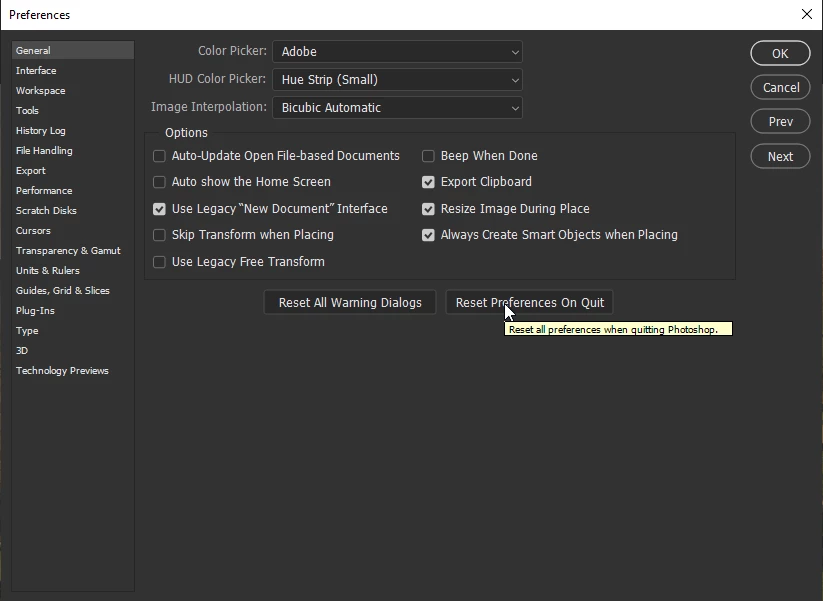
Have you tried resetting your Photoshop preferences, you may need to backup your settings beforehand

Migrate presets, actions, and settings


EDIT: just found these threads, looks like it's a known issue

Adobe Photoshop 21.1.3 freezing while using Adjustments

Photoshop 21.1.3: Hue Saturation dialog not responsive

4 replies

PECourtejoie
Community Expert
Community Expert
June 17, 2020

Hello, please go to your Creative Cloud app, update to Photoshop 21.2, as this issue is fixed, according to this help document: Find issues fixed in the latest release of Photoshop

Participating Frequently
June 10, 2020

Preferences > Workspace 
Options
"Auto-collapse Iconic Panels" 

Checked ?

Does this help.

As there are many people that have faced this issue, I believe, Adobe to bring a fix as soon as possible.

Correct answer
June 10, 2020

Hi

Have you tried resetting your Photoshop preferences, you may need to backup your settings beforehand

Migrate presets, actions, and settings


EDIT: just found these threads, looks like it's a known issue

Adobe Photoshop 21.1.3 freezing while using Adjustments

Photoshop 21.1.3: Hue Saturation dialog not responsive

Participant
June 10, 2020

I'm having the same problem!
About 60% of the time when I open the hue/saturation panel the panel freezes and I can't leave it without force quitting Photoshop CC. I use the panel a lot when I'm working so I keep losing parts of my work!