Participating Frequently
May 16, 2018
Answered

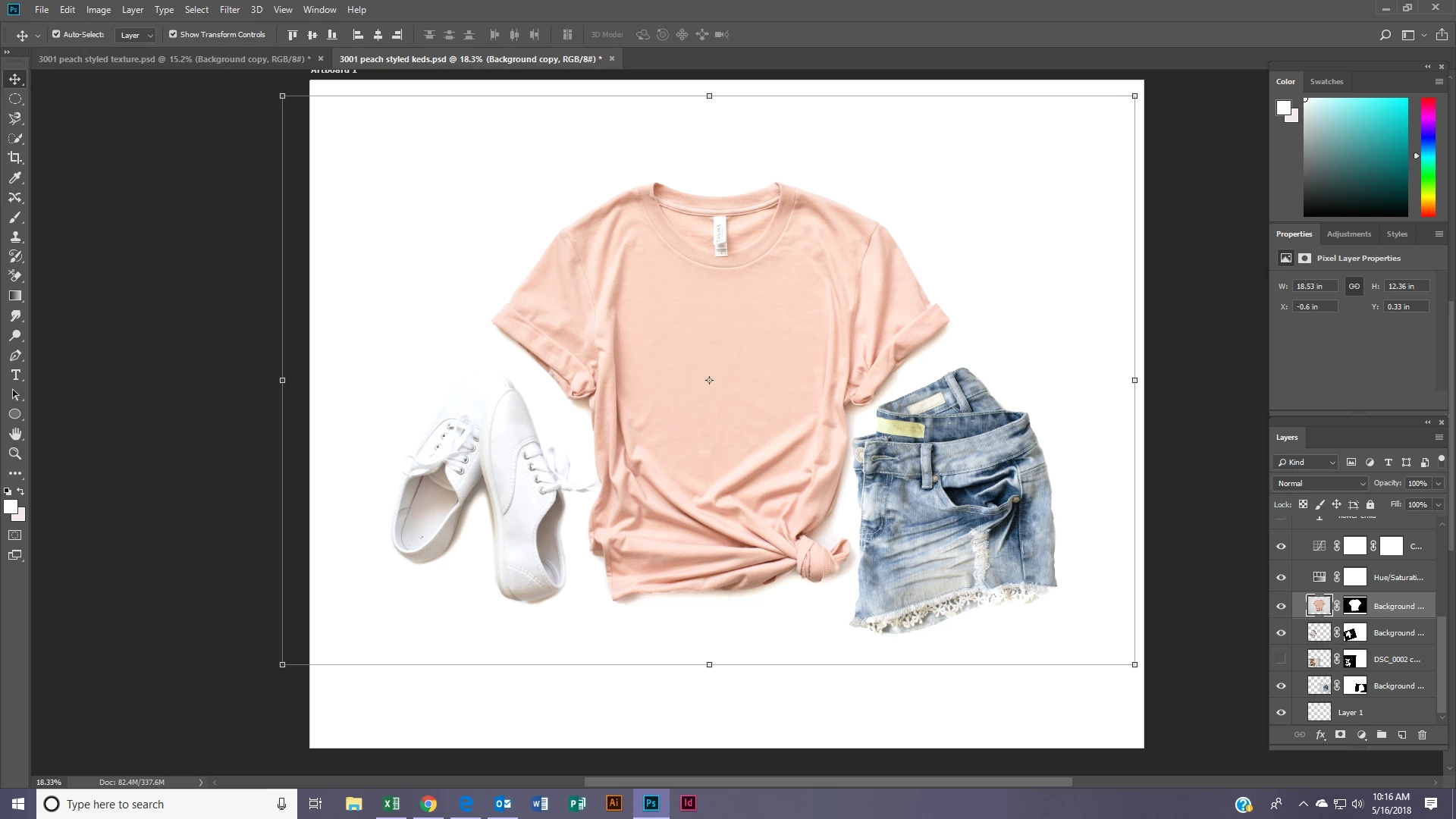
I am trying to move this shirt to a new document but when I do it loses the brightness/adjustments I made to it..

  • May 16, 2018
  • 3 replies
  • 389 views

Anyone want to help me understand what I am doing wrong? #beginner
    This topic has been closed for replies.
    Correct answer Trevor.Dennis

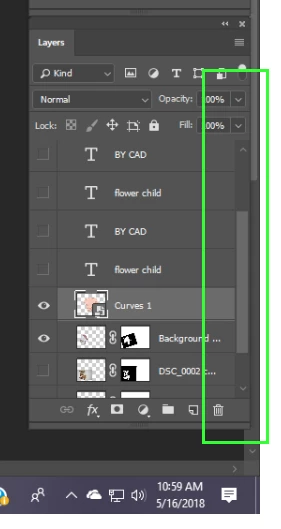
    The layers Panel has a scroll bar, that indicates more layers hidden above the BY CAD Type layer.   What do you have going on up there?  Alt click the shirt thumbnail to turn all the other layers off.
    3 replies

    Trevor.Dennis
    Community Expert
    Trevor.DennisCommunity ExpertCorrect answer
    Community Expert
    May 16, 2018

    The layers Panel has a scroll bar, that indicates more layers hidden above the BY CAD Type layer.   What do you have going on up there?  Alt click the shirt thumbnail to turn all the other layers off.

    lobodakjAuthor
    Participating Frequently
    May 16, 2018

    And THAT is where that missing link was hiding. Oh you guys... THANK YOU!!!! I thought I was going to go absolutely crazy.

    Terri Stevens
    Legend
    May 16, 2018

    An easy way is just to 'duplicate' the image.

    If you want to copy to a pre-existing document

    1) Select all the layers

    2) Right click the layers panel and click on 'Duplicate Layers'

    3) You can the choose to copy the layers to either a new document or any existing open images.

    lobodakjAuthor
    Participating Frequently
    May 16, 2018

    This is perfect, thank you!!

    c.pfaffenbichler
    Community Expert
    Community Expert
    May 16, 2018

    Did you move the Adjustment Layers along with the selected Layer?

    Ideally you may want to convert the whole shebang to a Smart Object before transferring it.

    lobodakjAuthor
    Participating Frequently
    May 16, 2018

    Thank you for your response! Okay, I just converted the whole shebang to a smart object and then moved it and the same thing happened...no brightness went with it

    c.pfaffenbichler
    Community Expert
    Community Expert
    May 16, 2018

    Either you have misunderstood what »the whole shebang« is (that would include the Adjustment Layers that affect the Layer) or your screenshots are useless.

    To clarify please post screenshots in untabbed view of both the images with the Layers Panel visible.