
Participant
May 5, 2020
Question

I can no longer make selections or paint beyond the canvas bounds

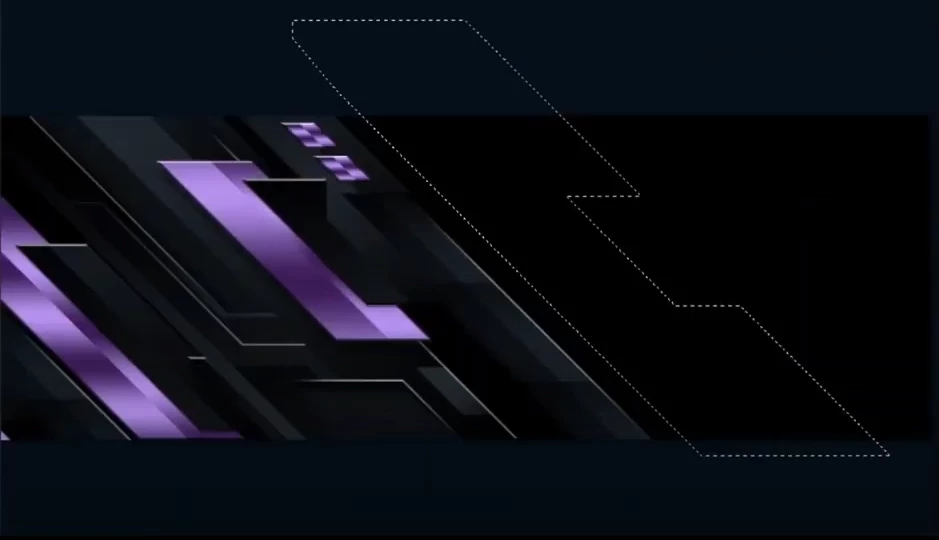
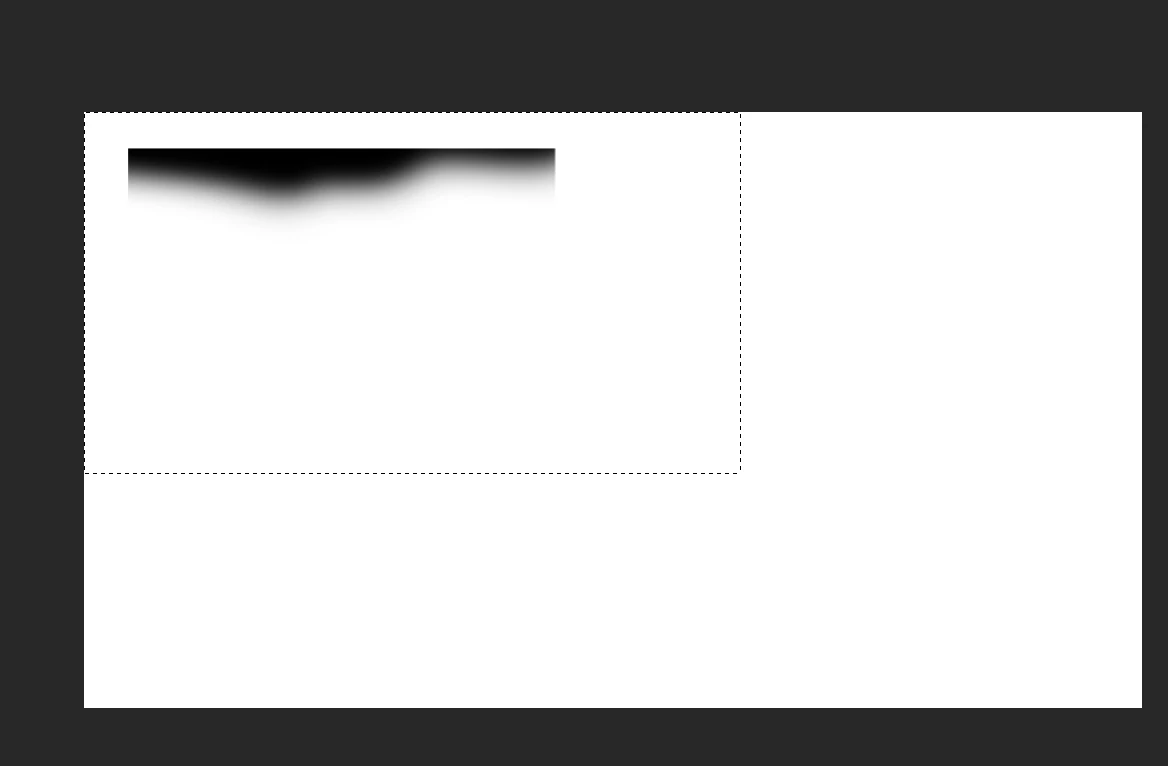
Before I was able to make selections as seen in the first image but for some reason, I am not unable to make any selected beyond the canvas bounds and anything that I paint beyond the canvas is not registered which greatly hinders my workflow as I usually have objects going beyond the canvas in case I have to move them around. In the second image you see that my selects cannot go out of bounds and whatever I paint will always be restricted to the canvas bounds. How can I fix this issue so I can do what is seen in the first image? Also, I never changed the size of the canvas before and I never needed to.
Ce sujet a été fermé aux réponses.

1 commentaire

Trevor.Dennis
Community Expert
Community Expert
May 5, 2020

It's a bit of a confusing question, and I don't really have an answer.  If you have content on a layer and move half of that content out of frame, if you Ctrl click the layert to load it as a selection and move it full back into frame, then the selection will surround the entire object. Including that area that was out of frame.  This works even if  the object was entirely out of frame.  However if you add to a layer that is fully selected and has content out of frame, the selection appears to become restricted to the edge of the canvas.


I had a look at the Crop tool's 'Delete cropped pixels' option but that made no difference that I could see.

I wonder if it is anything to do with artboards?  I never use them personally but did experiment with no result.

One thing that did occur was that vector objects and clipping paths can exist out of frame, but you are clearly showing Marching Ants.

yaoja02Auteur
Participant
May 5, 2020

If I record a video to show you the problem would it be possible to find a solution?