
Answered
I can't create a Photoshop Script that saves a High Quality Gif :(
I'm struggling for a long time trying to make a Photoshop Script that needs to save my GIF with the best settings. I've a preset I use that save my GIFs with the best quality I can get. These are the settings I'm using for high quality:
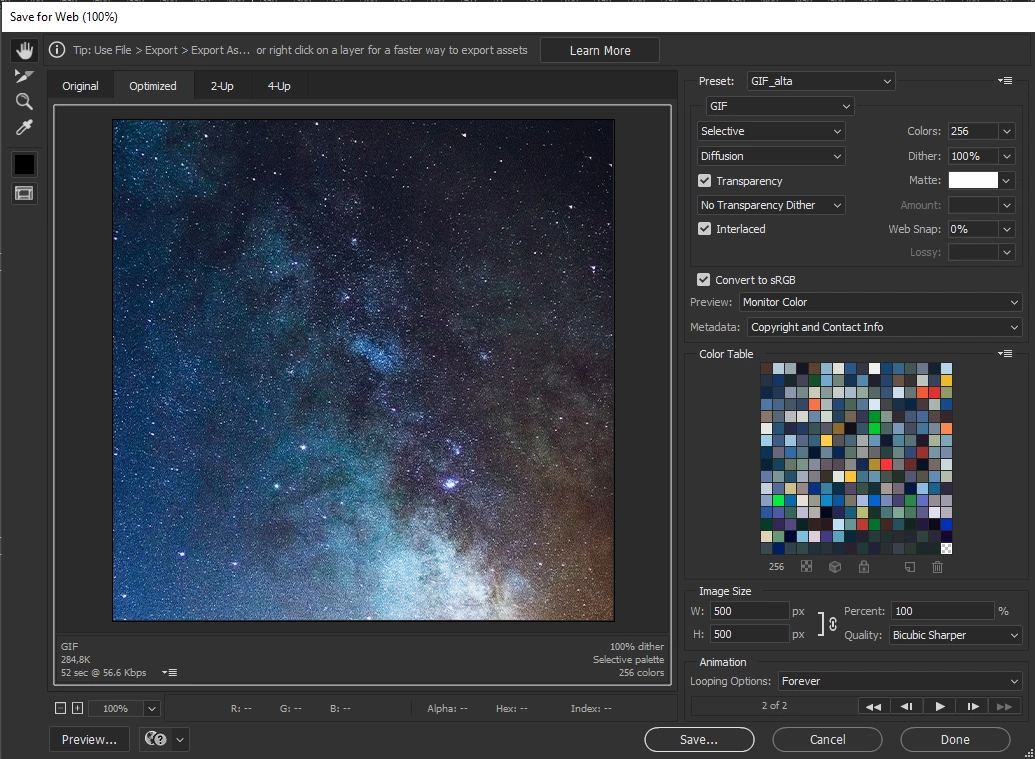
But, when I'm trying to run my script, even if I set the same settings it doens't save my gif as the same quality as my preset.
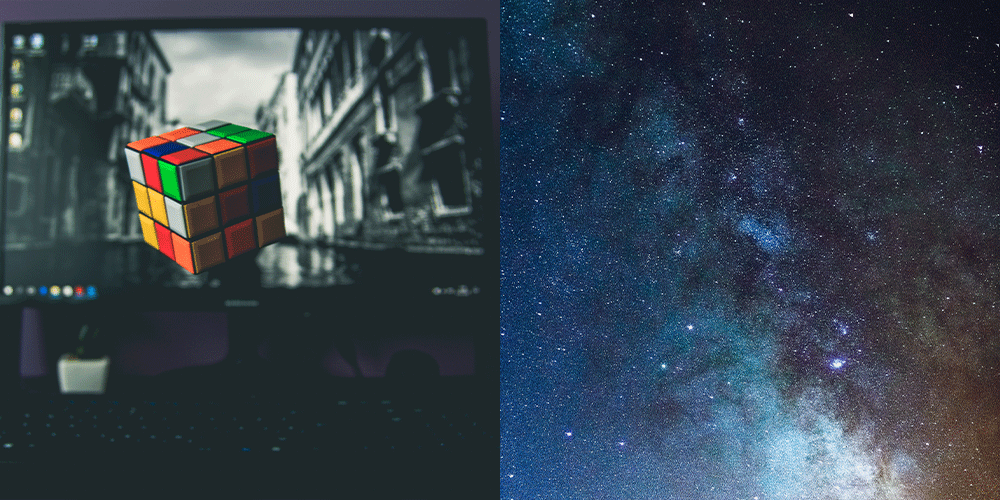
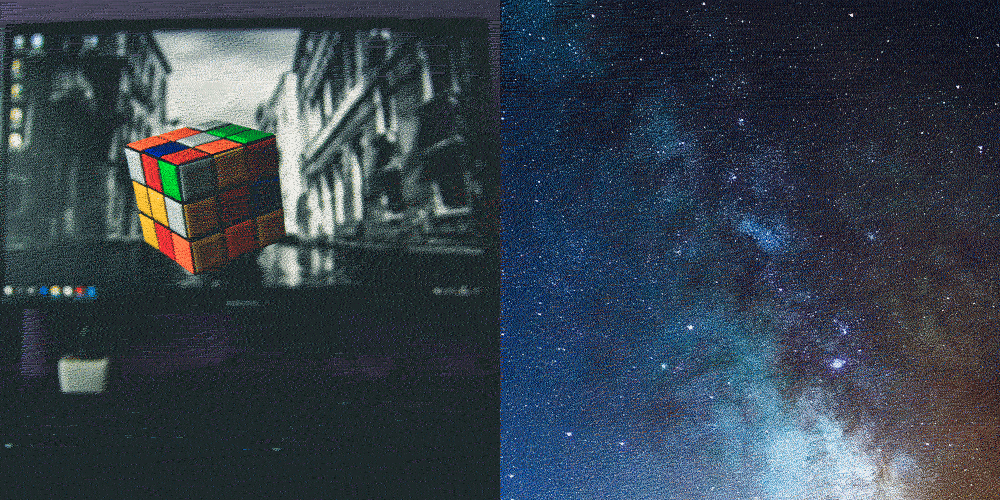
Like in these two images:
Saving with the preset in Photoshop
Saving with the script
This is my script:
#target photoshop
app.bringToFront();

var doc = activeDocument;

function saveGIF (fileName){

        var myFile = new File(doc.path + "/" + fileName + ".gif")

        var gifOptions = new ExportOptionsSaveForWeb();

        gifOptions.format = SaveDocumentType.COMPUSERVEGIF;
        gifOptions.ColorReductionType = ColorReductionType.SELECTIVE;
        gifOptions.dither = Dither.DIFFUSION;
        gifOptions.ditherAmout = 100;
        gifOptions.colors = 256;
        gifOptions.interlaced = true;
        gifOptions.transparency = true;
        gifOptions.transparencyAmount = 100;
        gifOptions.transparencyDither = Dither.NONE;
        gifOptions.webSnap = 0;
        gifOptions.quality = 100;
        gifOptions.lossy = 0;

        doc.exportDocument(myFile, ExportType.SAVEFORWEB, gifOptions);

}


var fileName = doc.name.replace(/.\w+$/,"");

saveGIF(fileName);
Does someone knows what am I doing wrong? Or how can I solve this problem?
Thanks! 🙂
 AdChoices