kimb98084150
Participant
July 8, 2021
Answered

I can't find the ok button.
  • July 8, 2021
  • 3 replies
  • 2015 views


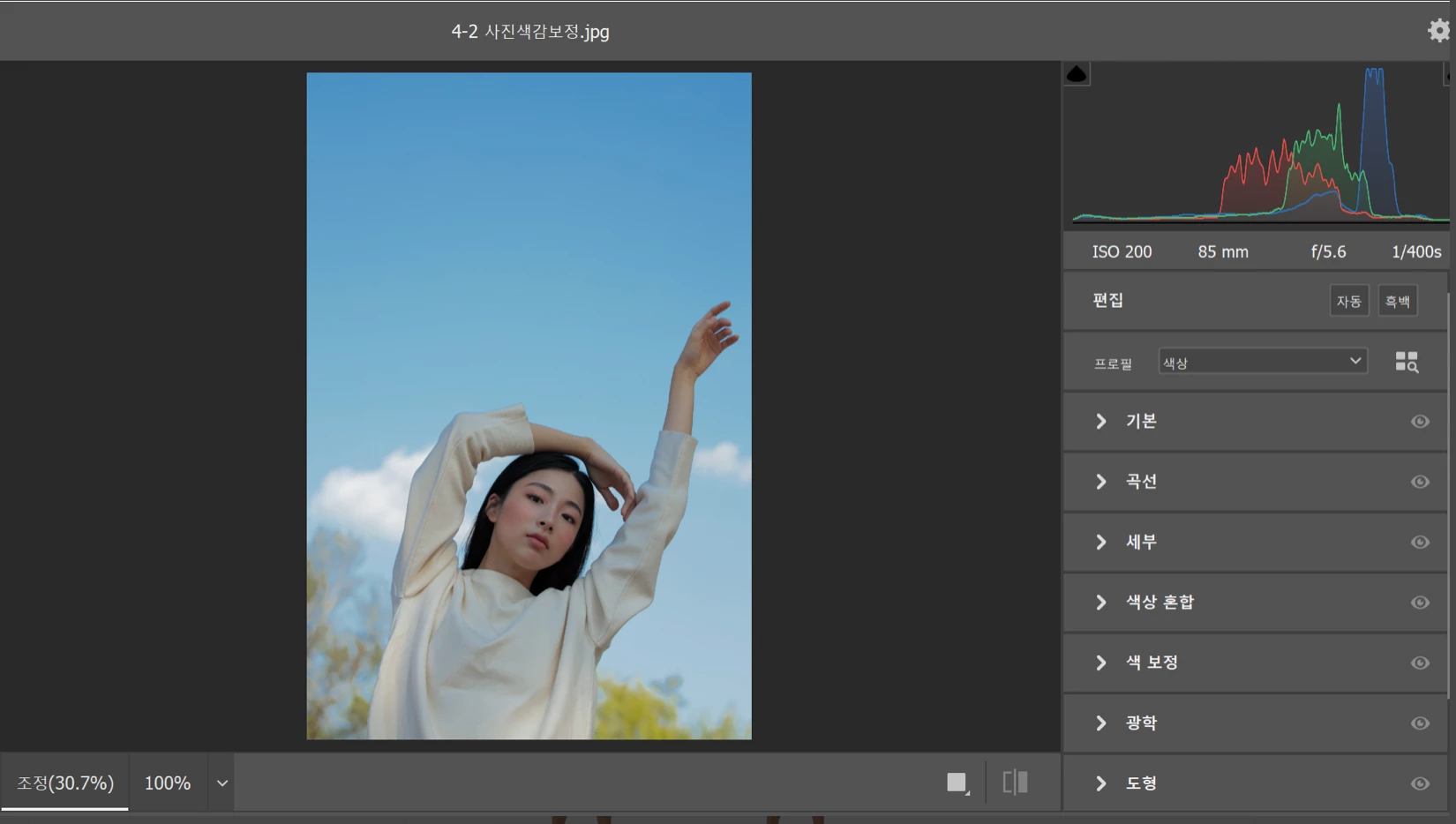
in camera raw filter,

I want to click the ok button 

but layout is so big.

i can't find the ok button.

please, help me,

This topic has been closed for replies.
Correct answer Barb Binder

Press Esc to close the Camera Raw dialog box, adjust your display settings to increase your resolution/decrease magnification and try again.


~Barb 

3 replies

Barb Binder
Community Expert
Community Expert
November 27, 2021

Hi @Win Sern2195991154eh:


It depends on the operating system.


Mac: Apple menu > Preferences > Displays > Display

Win 10: Right click desktop > Display settings > Display


~Barb

~Barb at Rocky Mountain Training
Participant
April 15, 2022

Thank you so much. Unfortunately escape doesn't work anymore. Hold on shift escape now. 

Barb Binder
Community Expert
Community Expert
April 15, 2022

Hi Laura:


Esc still works for me to cancel out of the Camera Raw Filter taskspace.


macOS 12.1

Photoshop 2022 23.3


~Barb

~Barb at Rocky Mountain Training
Participant
November 27, 2021

Where to open the display setting?

Barb Binder
Community Expert
Barb BinderCommunity ExpertCorrect answer
Community Expert
July 8, 2021

Press Esc to close the Camera Raw dialog box, adjust your display settings to increase your resolution/decrease magnification and try again.


~Barb 

~Barb at Rocky Mountain Training