
Léo Custodio
Participating Frequently
August 16, 2022
Answered

I can't mask totally my pictures on photoshop

  • August 16, 2022
  • 3 replies
  • 1058 views

I have a problem until some times. When i want mask somthing, it don't mask totally where i paint but just a part like if i change the opacity, but i have 100% on opacity (see the pic).

This topic has been closed for replies.
Correct answer Ged_Traynor

Everything looks fine with your screenshots, first thing to try is resetting the tools
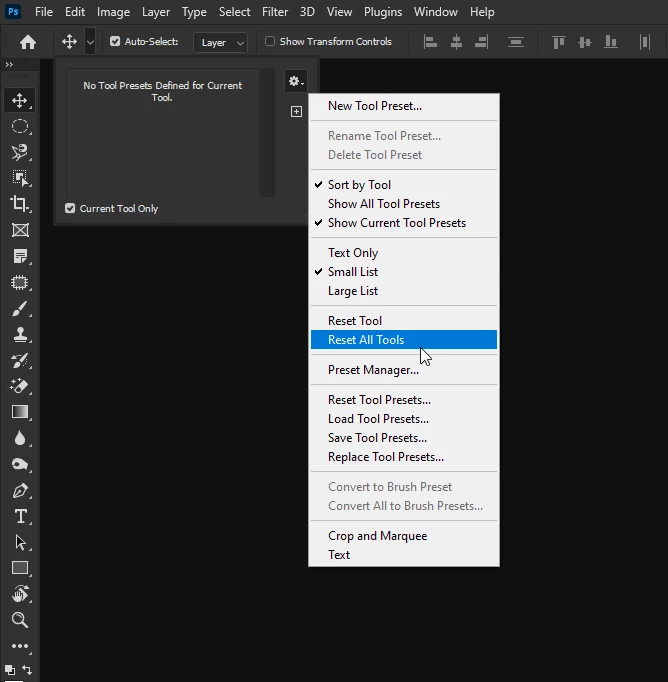
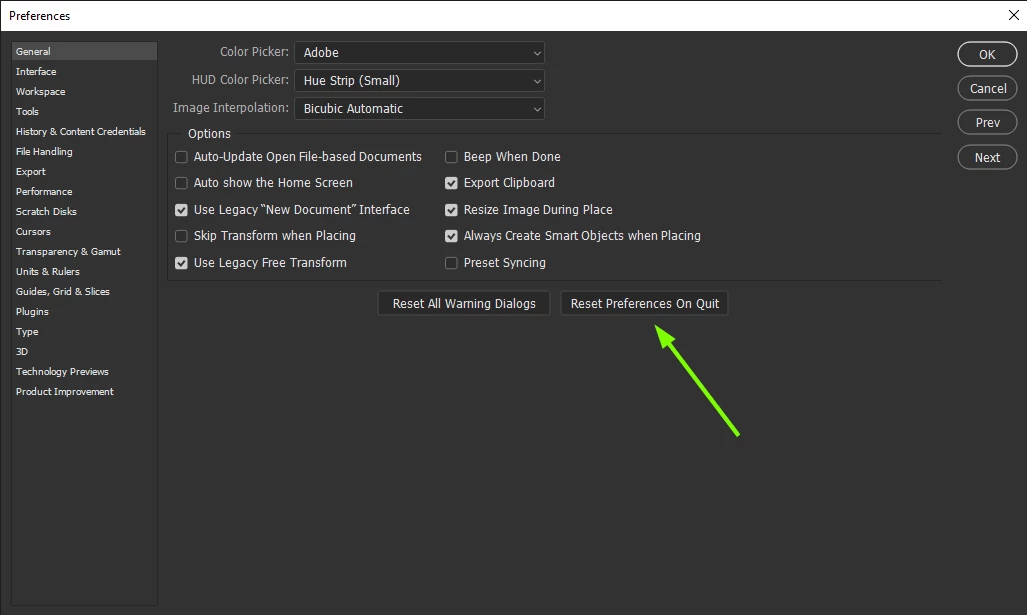
If that doesn't help try a preference reset
3 replies

jane-e
Community Expert
Community Expert
August 16, 2022


@Léo Custodio wrote:

i have 100% on opacity (see the pic).


Your picture does not show the opacity. Also check the Blending mode and confirm it is set to Normal. We need the screenshot that Ged asked for.


Jane

Léo Custodio
Participating Frequently
August 17, 2022

Yes it's on Normal 🙂

Ged_Traynor
Community Expert
Ged_TraynorCommunity ExpertCorrect answer
Community Expert
August 17, 2022

Everything looks fine with your screenshots, first thing to try is resetting the tools

If that doesn't help try a preference reset

marliton
Community Expert
Community Expert
August 16, 2022

Hi. How are you making the mask? Based on an active selection?


Marlon Ceballos
Léo Custodio
Participating Frequently
August 17, 2022

I just click on the mask icon and use my paintbrush and that's all

Léo Custodio
Participating Frequently
August 17, 2022

 with opacity view etc..

Ged_Traynor
Community Expert
Community Expert
August 16, 2022

Hi

Can you post a screenshot of the Photoshop interface with all the pertinent panels opened

Léo Custodio
Participating Frequently
August 17, 2022

Oh yeah, i wanted add it, but i forgetten 😄

Léo Custodio
Participating Frequently
August 17, 2022

with a view on opacity etc...