Participant
April 24, 2024
Question

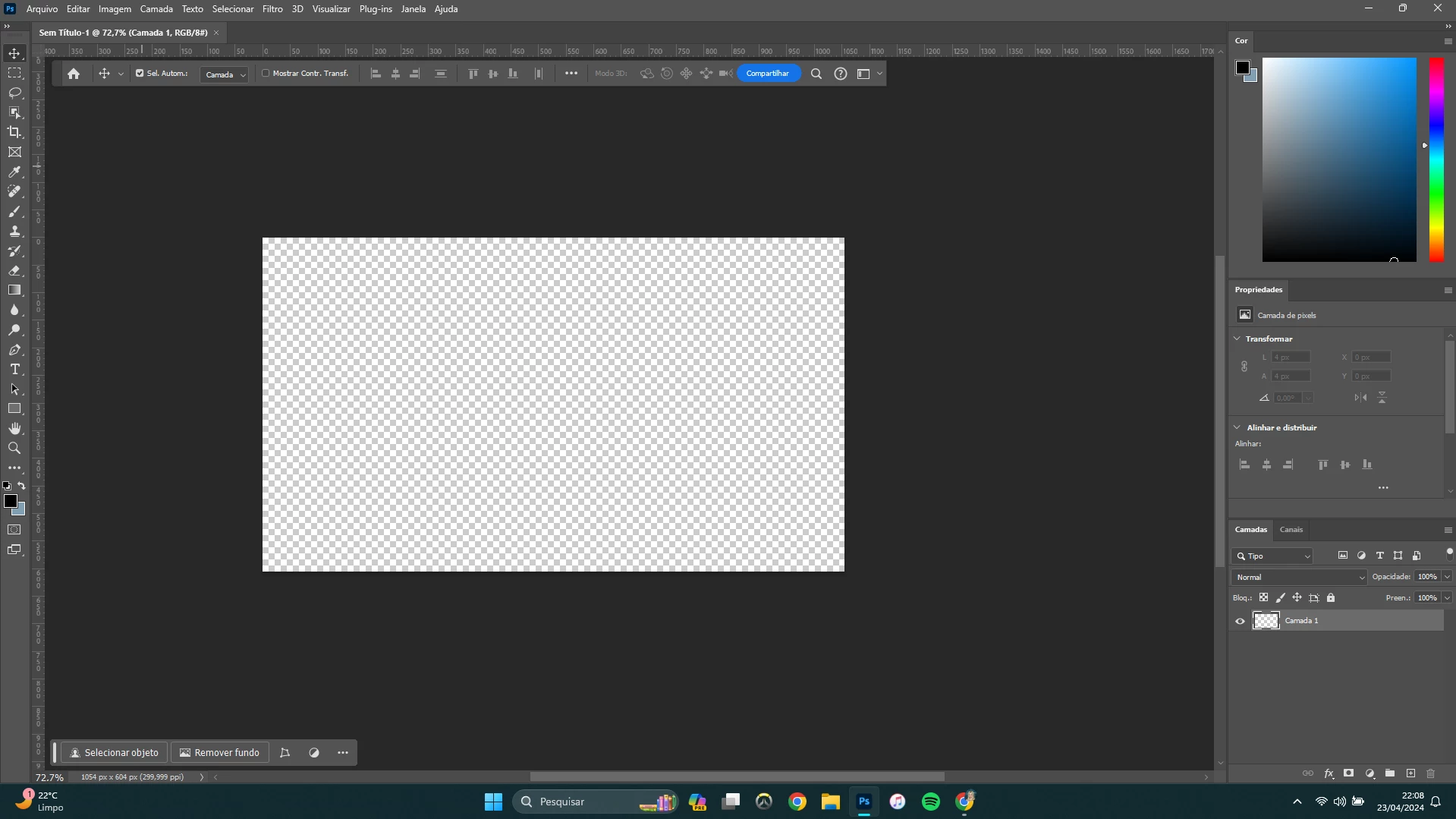
I can't pin my options bar...

  • April 24, 2024
  • 2 replies
  • 279 views

I tried a lot of things like reset photoshop, reset options to default, reset creative cloud, put the bar up, but it can't fix and it's so annoying floating on my screen!!!

 

    This topic has been closed for replies.

    2 replies

    Trevor.Dennis
    Community Expert
    Community Expert
    April 24, 2024

    It sounds like you have tried a lot of things, but have you tried resetting the current workspace?

    I just tried doing it manually, and it was not easy grabbing it to move it initially.


    Grab it via the slightly darker rectangle on the left.


    And move it up till you see the blue line


    But Window > Workspace > Reset [current workspace]  should fix it.

    kglad
    Community Expert
    Community Expert
    April 24, 2024

    in the future, to find the best place to post your message, use the list here, https://community.adobe.com/

    p.s. i don't think the adobe website, and forums in particular, are easy to navigate, so don't spend a lot of time searching that forum list. do your best and we'll move the post (like this one has already been moved) if it helps you get responses.


    <"moved from using the community">