Participant
January 20, 2020
Question

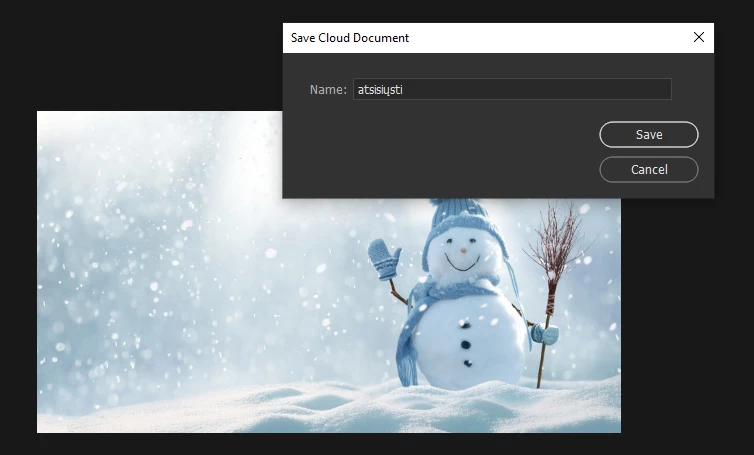
I can't save the psd file on my computer

  • January 20, 2020
  • 4 replies
  • 7899 views

To save the .psd file, only the cloud option is available. Help resolve the issue. I want to keep the files on my computer, not the cloud


This topic has been closed for replies.

4 replies

georgegustin
Participant
June 28, 2022

Is Adobe forcing us to save to cloud??? I cannot save to my cpmputer from psd. I get the option so save to computer window and it will not work now. I resent preferences and all it wants to do is save to cloud. I do not want to end up having to spend more money on cloud, then upgrade storage and go through all that. I just want to save to my hard drive and folder of choice.

Ged_Traynor
Community Expert
Community Expert
June 28, 2022

Hi

Have you checked this option in the preferences

Participant
September 28, 2022

Hey, I set it to save on my computer but whether I click "save", "save as", or "save a copy" it will just highlight file at the top of my screen for a second without saving the file. This has happened multiple times with PS 2022 and I've lost hours of work because of it. Please fix this bug.

Barb Binder
Community Expert
Community Expert
January 20, 2020

You can Reset All Warning Dialogs in Preferences > General, which will allow you to pick between Cloud and Local drives the next time you save. Choose Save on Your Computer and Don't Show Again.


~Barb

~Barb at Rocky Mountain Training
Participant
February 25, 2020

I was try reset all warning dialogs but these dialog don't show it again, now i can't save to computer only cloud .

Illustrator work normal, only photoshop meet this prob .


Some one help ?

Kevin Stohlmeyer
Community Expert
Community Expert
February 25, 2020

See DFosse's response above.

D Fosse
Community Expert
Community Expert
January 20, 2020

Open the Save As dialog (don't just hit Save).


You will get a choice to save locally to disk, or to the cloud. When you choose disk, you can also set that as the default, and you won't have to think about it again.


I don't have a screenshot because I have already done that.

Legend
January 20, 2020
Participant
January 20, 2020

I can't find how I can disable cloud saving, please help