Answered
I can't use Save for Web in cc 2018
After finishing a gif by photoshop cc 2018 and export a gif file. I choose File > Export > Save for Web (Legacy) but the text is grey and can't choose to use
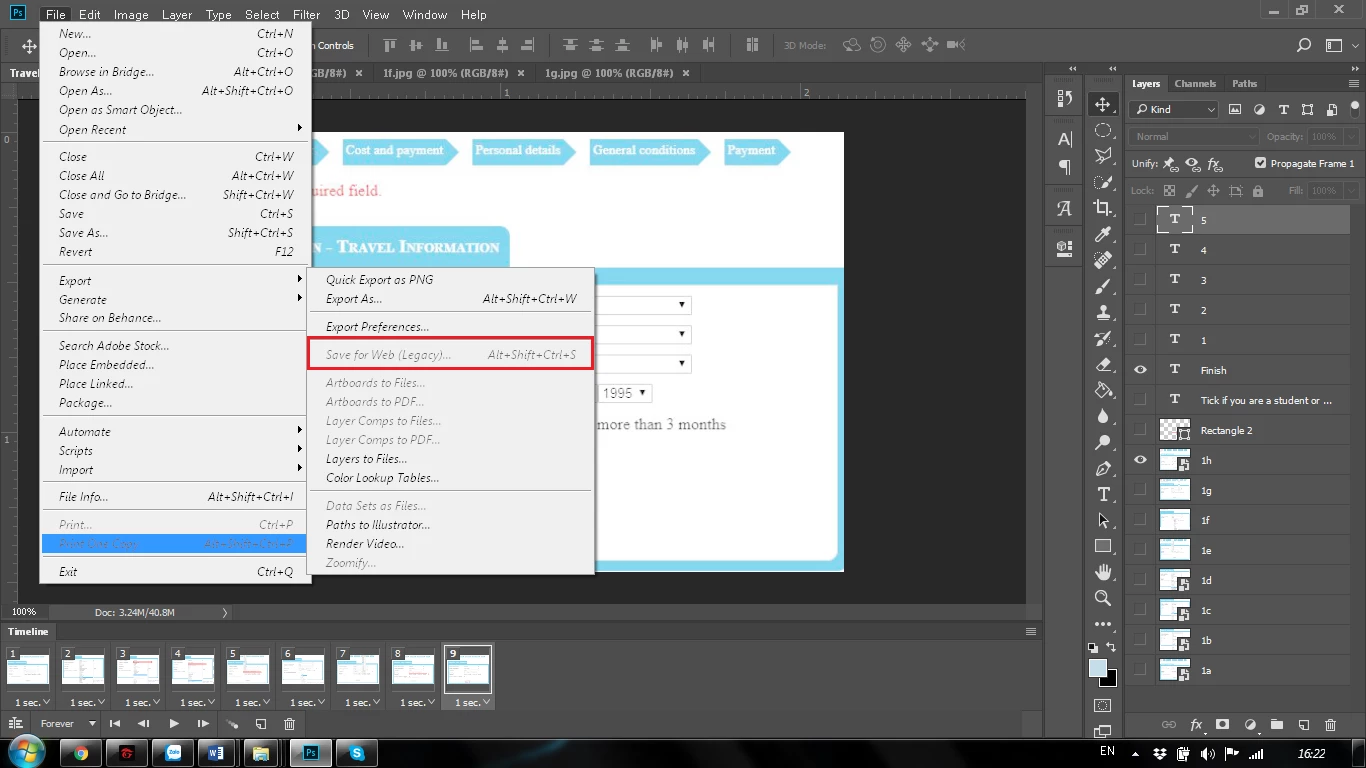

After finishing a gif by photoshop cc 2018 and export a gif file. I choose File > Export > Save for Web (Legacy) but the text is grey and can't choose to use
Thanks you so much, when change from 32 bit to 8 bit, i can use Save for Web!!!
Already have an account? Login
Enter your E-mail address. We'll send you an e-mail with instructions to reset your password.
 AdChoices