Participant
February 9, 2023
Question

I cannot access my cloud documents

  • February 9, 2023
  • 2 replies
  • 148 views

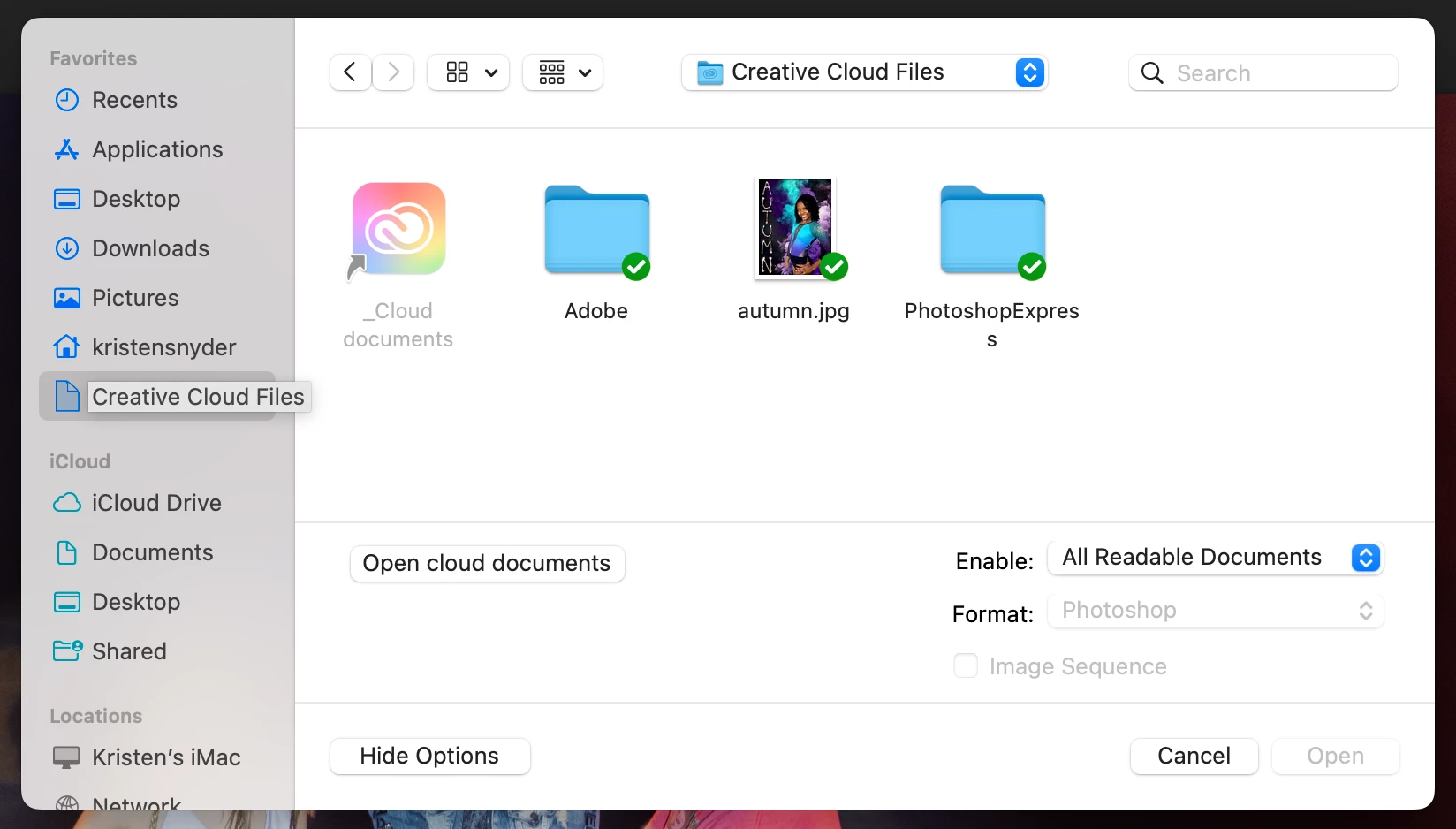
I am having problems with creative cloud on my mac. Originally I couldn't access CC at all, and photohop will not open cloud documents. I uninstalled CC and Photoshop and reinstalled, which fixed the CC but not the photoshop open problem. I also went through library and delelted a file recommended on another post about this problem. When I press the "Open cloud documents" button on the open screen, nothing happens. And the cloud documents in the cc folder is greyed out, as shown in the photo below. It's driving me batty, and I've already lost all my work flows and actions, so I'd like to fix it before I record all of those again. Thanks!
This topic has been closed for replies.

2 replies

CShubert
Community Manager
Community Manager
February 9, 2023

Hi @Kristen28302415svnt sorry to hear this. Are you able to launch Ps and open local files? We can see your account is current and there isn't any issue there, so please confirm your internet connection is stable and Ps works on local files.


It may help if we could see your Photoshop System Info. Launch Photoshop, and select Help >System Info...and copy/paste the text in a reply.  


Thank you,

Cory

Kevin Stohlmeyer
Community Expert
Community Expert
February 9, 2023

What do you see if you go to assets.adobe.com and check your cloud documents? Are you logged in with the same user ID?