
Participant
August 23, 2020
Answered

I cannot open photoshop because my scratch disks are full

  • August 23, 2020
  • 2 replies
  • 1973 views

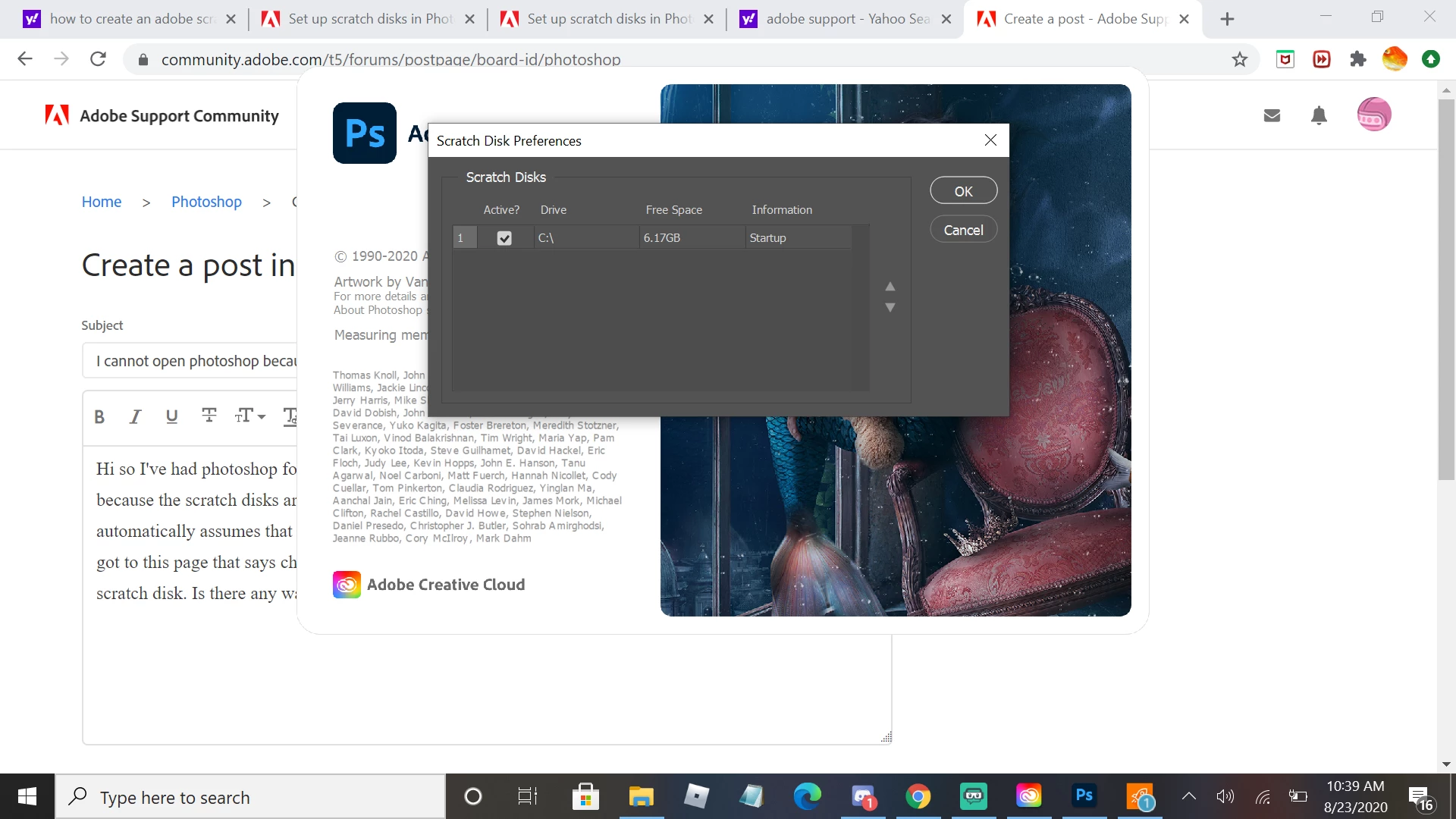
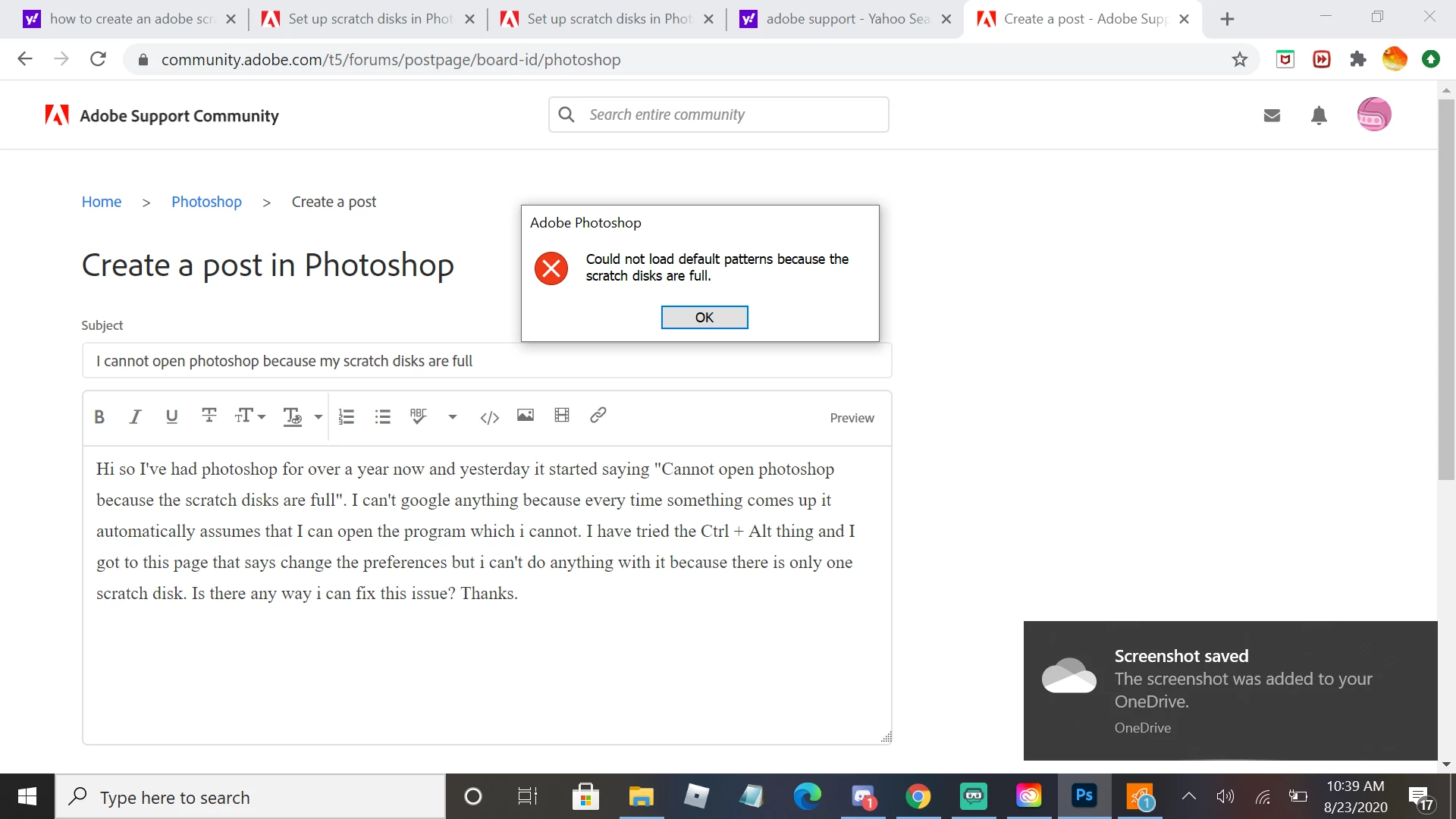
Hi so I've had photoshop for over a year now and yesterday it started saying "Cannot open photoshop because the scratch disks are full". So I deleted photoshop and reinstalled it but that didn't do anything. I can't google anything because every time something comes up it automatically assumes that I can open the program which i cannot. I have tried the Ctrl + Alt thing and I got to this page that says change the preferences but i can't do anything with it because there is only one scratch disk. Is there any way i can fix this issue? Thanks.
This topic has been closed for replies.
Correct answer

Do you have an external drive, if so move any files you can onto it, you can use this application to see what's using the space on your C drive

https://windirstat.net/permalink.html

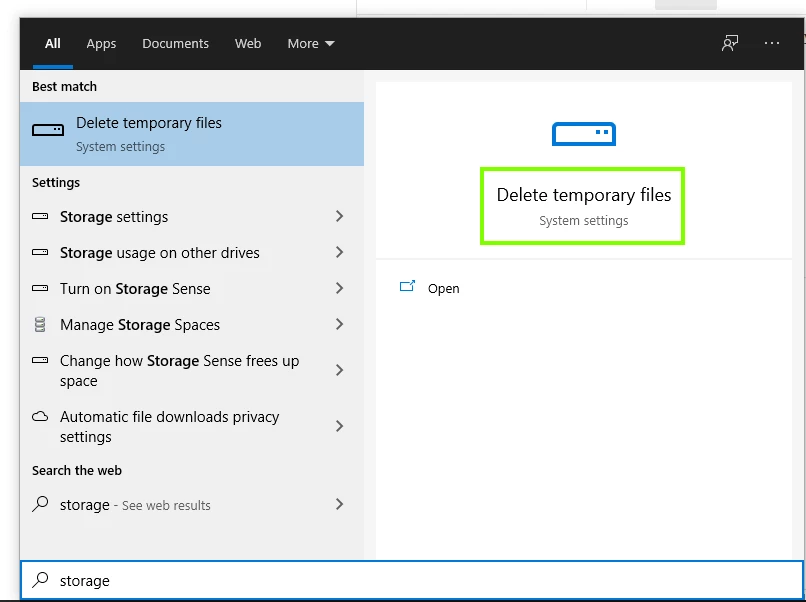
Also try using Windows inbuilt cleanup utility

2 replies

D Fosse
Community Expert
Community Expert
August 23, 2020

A system drive with only 6GB left isn't strictly a Photoshop problem - that's a system problem and should be dealt with as such. That drive really is dangerously full, and the whole machine can freeze up at any time. I can fill up 6GB in twenty seconds and then it's all gone.


That said, I have no idea why this isn't mentioned in the published system requirements. If this isn't a system requirement, I don't know what is.


Using an external drive as scratch disk is possible, but not a good solution. Better to move as much as possible over, and then run WinDirStat (link in Ged's post) to find out where all the junk hides.


Often the built-in Windows tools can also do a good job of cleaning out stuff that isn't needed.

August 23, 2020

Something else that people don't realise is that when they upgrade Windows 10 to a new build Windows creates a copy of the C drive called Windows.old, so if your C drive is 50GB, you'll have another folder called Windows.old using another 50GB, although I think that is automatically removed after 30 days.

I agree, it's crazy that Adobe have no mention of the scratch disk in the system requirements

D Fosse
Community Expert
Community Expert
August 23, 2020

That's right, the "Windows.old" folder can suddenly eat up every last GB you have. But it is automatically removed as you say, not after 30 days, but after 10 days. After that it's no longer possible to roll back if the update causes problems, so it pays to keep an eye on these major Windows updates and be a bit prepared.


On a general note, I've found that with a fairly standard configuration (Windows + a reasonable amount of installed applications) the system drive should fill about 70 - 100GB. Anything more than that, and something's bloating your drive and you should check what it is.


If you have a large archive, the Bridge cache alone could be 40GB or more. This can be moved to a different drive or distributed to the image folders (both in Bridge prefs). Premiere Pro also puts a (moveable) cache folder on your system drive that can be a similar size.


But aside from that, application settings and preferences in your user account accumulate over time, and though individually small, together they can take up a lot of space before you know it. Even your web browser can eat up 10GB.


August 23, 2020

Hi

You only have 6GB of free space for the scratch disk, you need to free up space on the C drive

Kevin5C2AAuthor
Participant
August 23, 2020

I don't know how to free up space on the C drive.


Correct answer
August 23, 2020

Do you have an external drive, if so move any files you can onto it, you can use this application to see what's using the space on your C drive

https://windirstat.net/permalink.html

Also try using Windows inbuilt cleanup utility