Ignore Windows "Photos"! It is not color managed and will never display correctly, ever, under any circumstances.
Is the color profile embedded in this image? Make sure it always is. Your working space isn't important, the embedded profile will always override it. As long as it's there.
The only important setting in color settings is color management policies. It should always be set to "preserve embedded profiles". Never change that.
But why do you have Photoshop 5 Default CMYK - ? If this is an RGB file it's not the immediate problem - but if you ever need to work in CMYK this will get you in serious trouble.
---
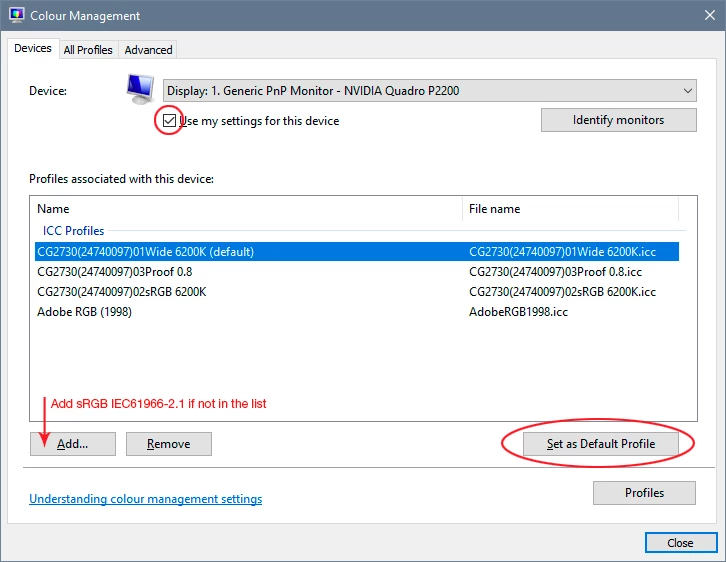
All that said, it's possible you have a defective monitor profile. If you're not using a calibrator (you should), you get manufacturer profiles through Windows Update, and these profiles are very often broken and defective in various ways. This will only affect color managed applications like Photoshop. Windows "Photos" is not color managed and will just ignore the monitor profile. It doesn't even know what a monitor profile is.
To test that, replace your current profile with sRGB IEC61966-2.1. If this seems to clear the problem, you need to use a calibrator to make a new profile. Or, for non-critical use, keep using sRGB until you do.


 AdChoices