
Participant
November 11, 2019
Question

I get grid lines when I use the inner shadow layer effect in Photoshop

  • November 11, 2019
  • 3 replies
  • 1240 views

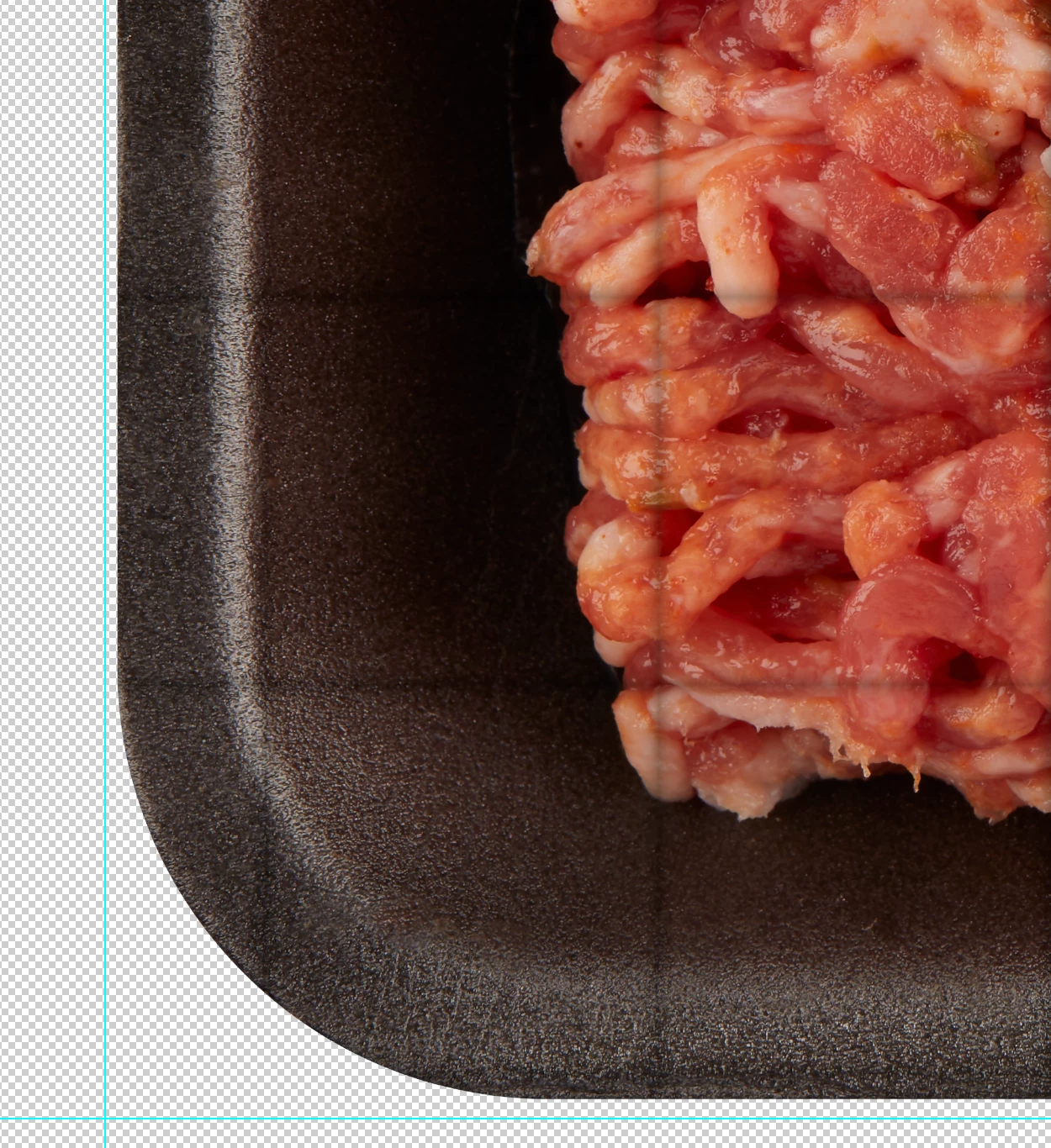
I have a group with a vector mask and a photo in the group. When I place an inner shadow layer effect on the group, I get these grid lines. It also does it if the mask is rasterized. I'm currently running Photoshop 21.0.1 on macos Mojave 10.14.6
 

{Thread renamed by moderator}

This topic has been closed for replies.

3 replies

Participant
May 26, 2020

The grid lines that were showing each time I opened a image was quickly solved by my wife.  The needed control is in the view menu (show> grid)  with a Com '  key  which I must have hit.  Once turned off all is fine. 

Participant
May 26, 2020

I get gridlines each time I open any Photoshop file.  Com-H gets rid of it but it is annoying.  It did not used to do this so I may have hit some key by mistake.  grid preference seemed to only about ho the gid looks.

Sahil.Chawla
Adobe Employee
Adobe Employee
November 12, 2019

Hi Kevin,


As you're getting grid lines when you apply vector mask on a photo group, try and look for a layer which might have a grid pattern. Also, try enabling "Legacy compositing" located in Photoshop's Preferences > Performance, then relaunch Photoshop and let us know if it helps.

Could you also share a screenshot of the layers panel here?

Regards,
Sahil

Participant
November 12, 2019

I get the grid lines on any layer that has a color. I'm not getting it on the Clone transparent layer that is above the ground meat photo layer. If I do a layer that is filled with a color, I get the grid lines.  This happens on other documents, not just this one. Also when I change the document from 16 bit to 8 bit, the grid lines are still there, but they shift up. 


I did a test. I get the grid lines on the group with a mask, vector or rasterized. But I don't get the grid lines when I apply the same mask and layer effect to the photo layer.  Also, it appears to only do this on the inner shadow layer effect. The other effects seem to work fine/


Last I enabling "Legacy compositing" and that took care of the grid lines. 

Thanks for your help, hopefully, you guys can use this info to fix whatever is causing this problem.

PECourtejoie
Community Expert
Community Expert
November 12, 2019

Hello, excellent info, can you also post this on https://feedback.photoshop.com and report your new findings?