Participant
September 6, 2021
Question

I have a problem saving a project on my Hard Disk

  • September 6, 2021
  • 2 replies
  • 142 views

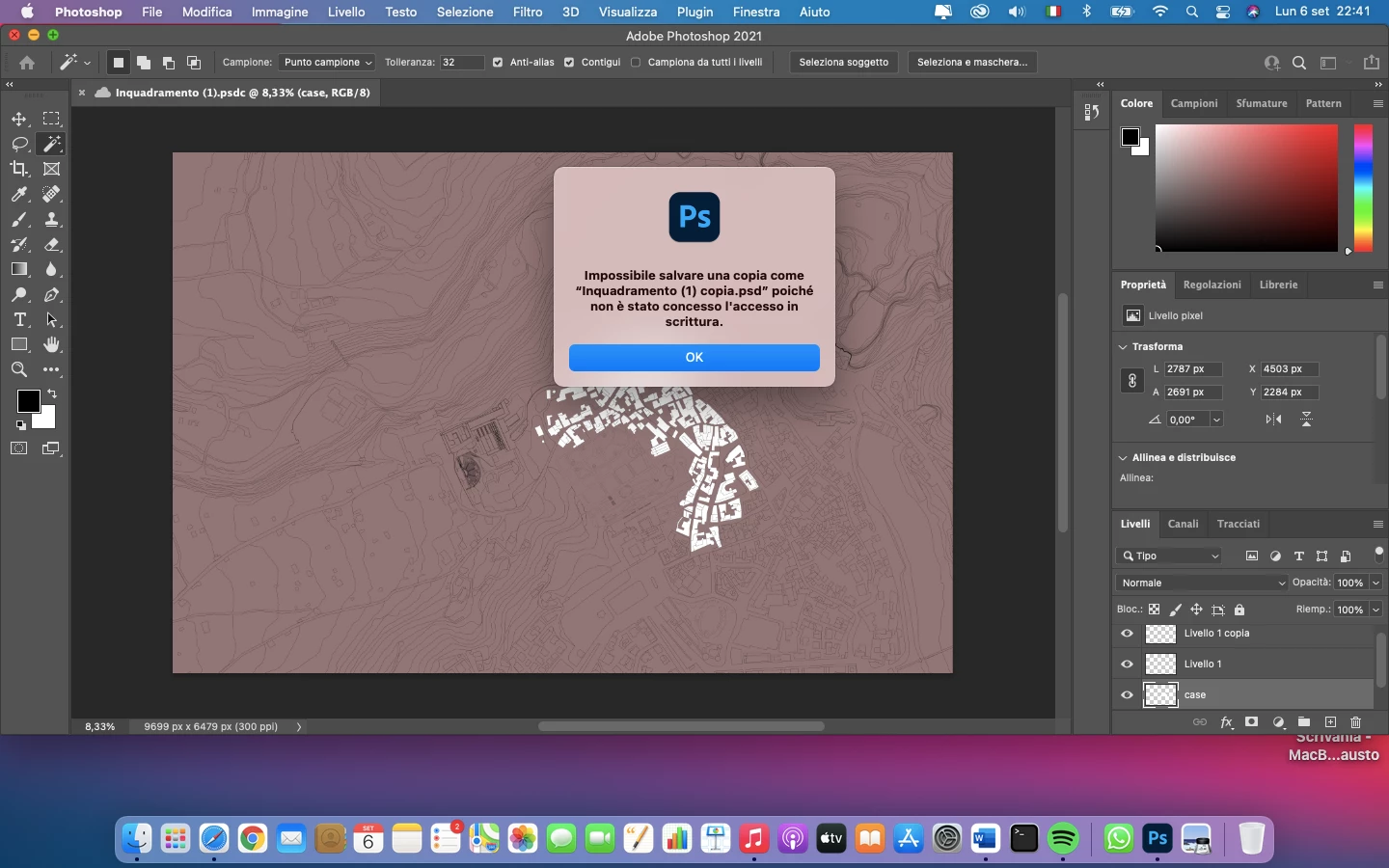
Hi everyone, today i downloaded Adobe Photoshop 2021 on my Macbook Air. I opened a PDF file exported from AUTOCAD and worked on it, but as soon as i try to save it on my pc it gives me an error that goes like "it's impossible to save the file because you don't have writing capability/access" sorry if it's not clear but i'm not english and i'm not sure of the translation, I'll add a photo down here. I also tried to save the file on the cloud and it works, but i must save it on my pc because i need it for the university. Thanks in advance to whomever will answer, have a nice day!
This topic has been closed for replies.

2 replies

Kevin Stohlmeyer
Community Expert
Community Expert
September 8, 2021

Go to Apple Sys Preferences/Security and Privacy/Privacy tab and make sure Photoshop is listed under "Full Disk Access"

KR Seals
Community Expert
Community Expert
September 7, 2021

This is a disk permissions error. In finder, go to the folder you are trying to save to, right click, get info and near the bottom, you can change the permission to read and write.

Ken Seals - Nikon Z 9, Z 8, 14mm-800mm. Computer Win 11 Pro, I7-14700K, 64GB, RTX3070TI. Travel machine: 2021 MacBook Pro M1 MAX 64GB. All Adobe apps.