Participating Frequently
November 4, 2019
Answered

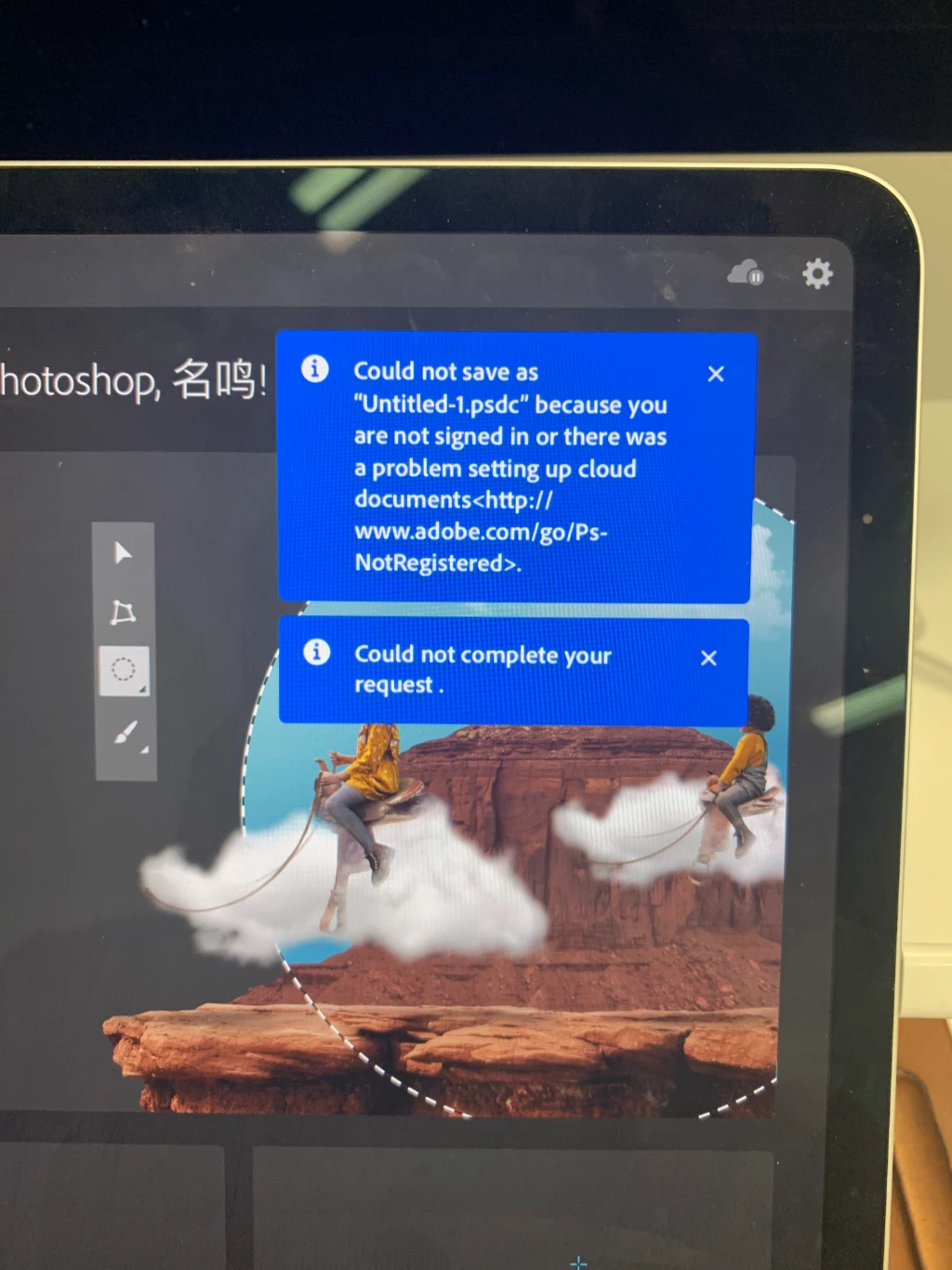
I installed ipad photoshop. Why can’t I create a new file?
  • November 4, 2019
  • 3 replies
  • 2034 views


I can't read this tip

This topic has been closed for replies.
Correct answer J453

Photoshop for iPad is not availabe in China: https://helpx.adobe.com/photoshop/using/photoshop-ipad-faq.html#IsPhotoshopontheiPadavailableinmycountry


Any Photoshop subscription that you purchase from the App Store is managed by Apple through your iTunes account. You can cancel your subscription using the App Store app on your iOS devices.


For billing issues or a refund, see Apple documentation for Request a refund for an App Store or iTunes Store purchase.


If through Adobe, see: https://helpx.adobe.com/manage-account/using/cancel-subscription.html 

3 replies

J453Correct answer
Legend
November 4, 2019

Photoshop for iPad is not availabe in China: https://helpx.adobe.com/photoshop/using/photoshop-ipad-faq.html#IsPhotoshopontheiPadavailableinmycountry


Any Photoshop subscription that you purchase from the App Store is managed by Apple through your iTunes account. You can cancel your subscription using the App Store app on your iOS devices.


For billing issues or a refund, see Apple documentation for Request a refund for an App Store or iTunes Store purchase.


If through Adobe, see: https://helpx.adobe.com/manage-account/using/cancel-subscription.html 

Participant
November 4, 2019

I'm having the exact same issue and I'm from Sweden using the "Normal" Swedish App Store.. should definitely work here, shouldn't it? I also agreed to the subscription with the free first month.. I'm logged in here using the same login in the app. If anyone from Adobe sees this, could you perhaps help me out? 🙂

Participating Frequently
November 4, 2019

Who knows what is going on here?

Mohit Goyal
Community Manager
Community Manager
November 4, 2019

Hi there,


We're really sorry for all the trouble. Go to the setting wheel in the top-right corner > Account and check if you are logged in with an email address there? You can share the screenshot of the account window with us.


Thanks,

Mohit

Participating Frequently
November 4, 2019

Mohit Goyal
Community Manager
Community Manager
November 4, 2019

Thanks for the screenshot. I see that you are logged in with one of the email addresses. Are you trying to save the file? Could you please share your exact workflow with us so that I can try those steps at my end to see if I can reproduce the same error message at my end?


Thank you for your patience with us.


Regards,

Mohit