Participant
February 5, 2023
Question

I'm having a problem with the difference in colors between Photoshop and Illustrator

  • February 5, 2023
  • 2 replies
  • 223 views

I'm having a problem with the difference in colors between Photoshop and Illustrator
How can I solve this problem?
 

This topic has been closed for replies.

2 replies

NB, colourmanagement
Community Expert
Community Expert
February 6, 2023

@majd21994236l3rz 


Adobe writing on GPU (video card) issues.

Here are some suggestions from Adobe for GPU issues.

https://helpx.adobe.com/photoshop/kb/troubleshoot-gpu-graphics-card.html


I hope this helps

neil barstow, colourmanagement net  - adobe forum volunteer - co-author: 'getting colour right'


D Fosse
Community Expert
Community Expert
February 5, 2023

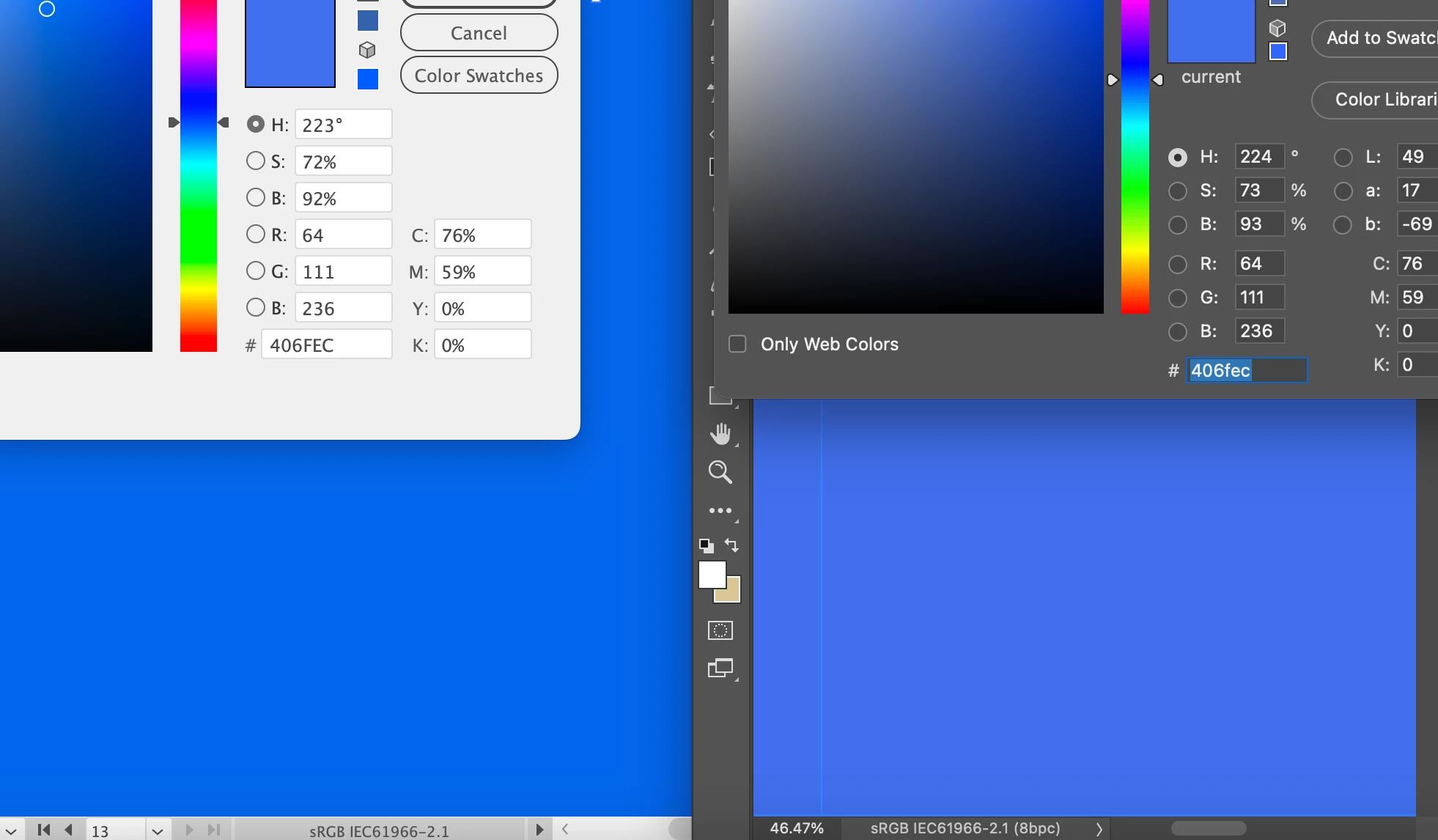
Converting that screenshot from the embedded "display" profile to sRGB shows that Photoshop displays correctly. The numbers match.


So whatever the problem is, it's with Illustrator.


The interesting thing is that the swatches in the Illustrator color picker are also right! But the main document color, and the sampling cursor, are both wrong.


If you analyze that wrong blue color further, another interesting thing appears: it's the same color, except the red channel is clipped to 0. It should be 64, not 0! Lift the red channel to 64, and the two colors match perfectly.


I think my prime suspect here would be a GPU bug. Try to disable the GPU (in Illustrator, not Photoshop) and check again. It could also be a defective monitor profile, but for some reason this has more of a GPU feel to it.


Illustrator Preferences: