kaylaaaa
Participant
March 3, 2020
Question

I'm trying to paint in ps and the colour is not showing up right?

  • March 3, 2020
  • 2 replies
  • 415 views

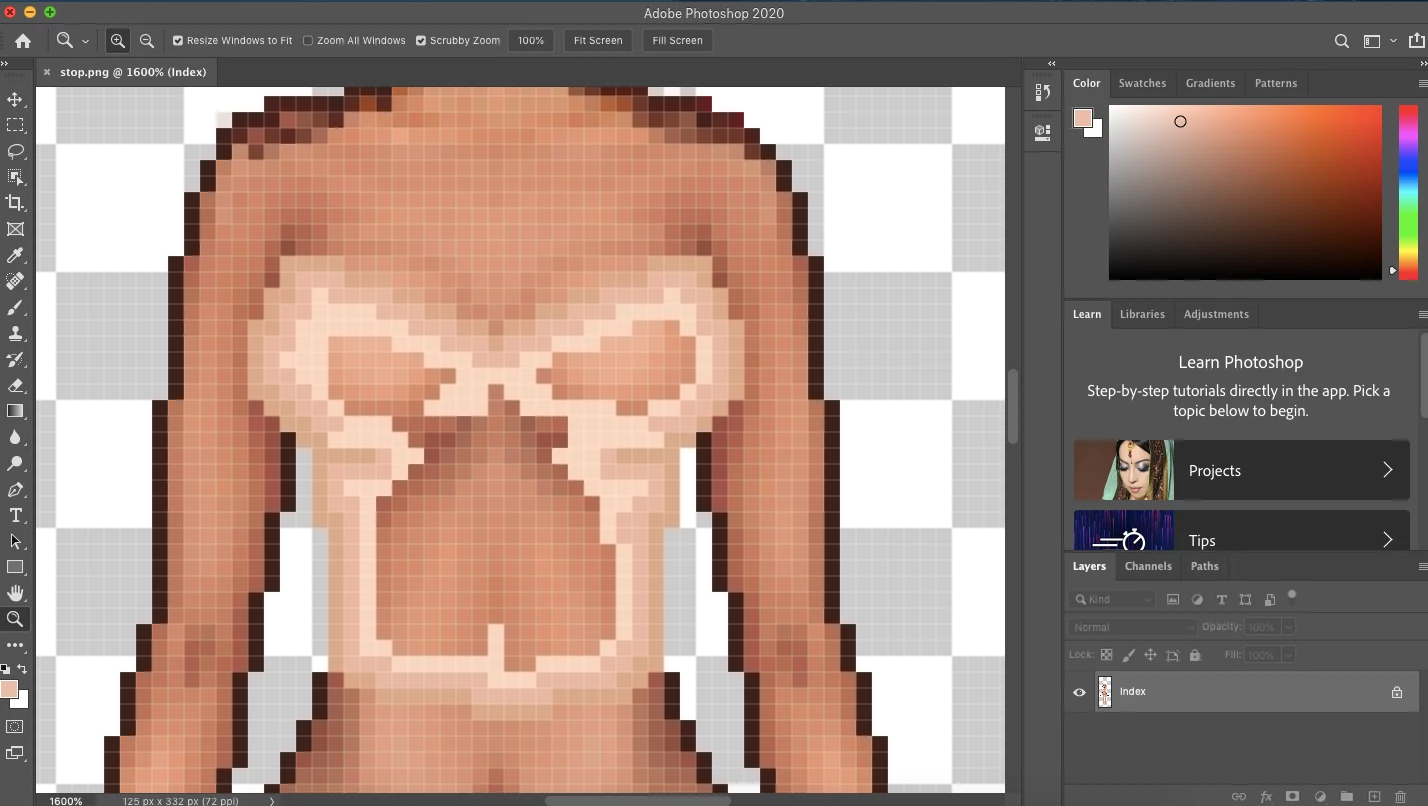
So i'm shading here:

and when I go to change to a lighter colour, it continues to be the same colour as the one I previously used. And then if I go drastically lighter to try and see a difference, the colour shows up as grey? Any way to fix this would be greatly appreciated!!
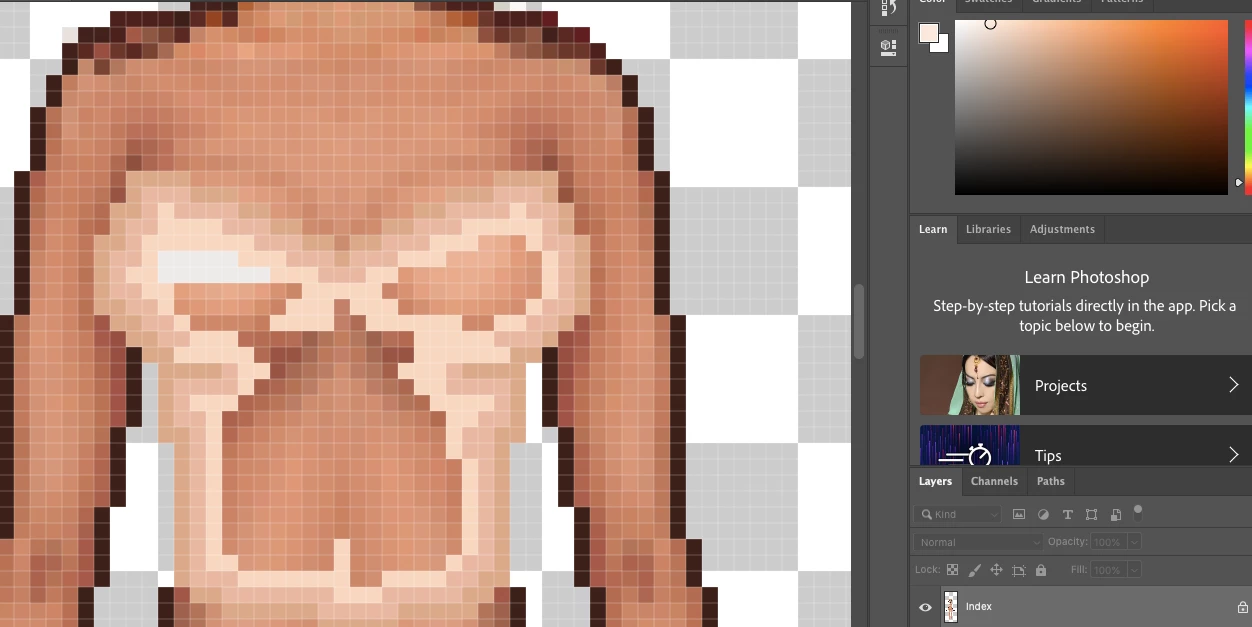
For example ^ See how the colour hue on the side is a lighter shade, but the colour showing up is grey?

Thank you for any help!

This topic has been closed for replies.

2 replies

Trevor.Dennis
Community Expert
Community Expert
March 3, 2020

The Index Colour Space is limited to 256 colours, and the saved image can be even less according to your export settings.  I always say that the numbers never lie, so try using the Eye Dropper tool to sample the areas in question, or better still, use the Colour Sampler tool along with the Info panel.  That will let you place up to ten colour sample points which will show colour values in the info panel.    


You can still have subtle colour changes in Index Colour mode, but as the previous answer has said, you would be better using RGB (not CMYK) to create your image.  Then experiment with the Index Colour panel when converting to the lower colour space.  I am assuming that you do actully need the smaller colour space?

manal shanableh
Legend
March 3, 2020

becuase the file you work in index color, fisrt change the color mode to CMYK of RGB